
HappyHorse Baby Photo Animation Prompts for Gentle Family Keepsakes
Animate authorized baby photos with minimal, respectful motion while protecting identity, age, pose, context, and family privacy.
Quick answer
Use a clear authorized photo and ask for one micro-motion such as a small breath, blink, or gentle fabric movement. Preserve exact face, apparent age, expression, pose, hands, clothing, background, light, and crop. Do not make a child speak, change emotion, crawl, walk, or create a new event.
Who this guide is for
Families, photo restorers, and editors creating consented, private, respectful keepsake clips from their own photographs.
Recommended model
| Use case | Recommended model | Why |
|---|---|---|
| This workflow | HappyHorse for restrained portrait-led motion | Small movements are more likely to preserve the original photo’s identity and context than an invented performance. |
AIBase is an independent creative platform. Model names are shown only to identify supported underlying technologies and workflow choices.
Prompt template
Animate this authorized baby photograph as a gentle keepsake. Preserve exact face, apparent age, expression, hair, body proportions, pose, hands, clothing, background, period detail, light, crop, and camera. Motion only: [one small blink or breath] and [minimal blanket or curtain movement]. Camera locked. No speech, mouth change, new gesture, crawl, walk, age change, new person, text, sound, or watermark.
Step-by-step workflow
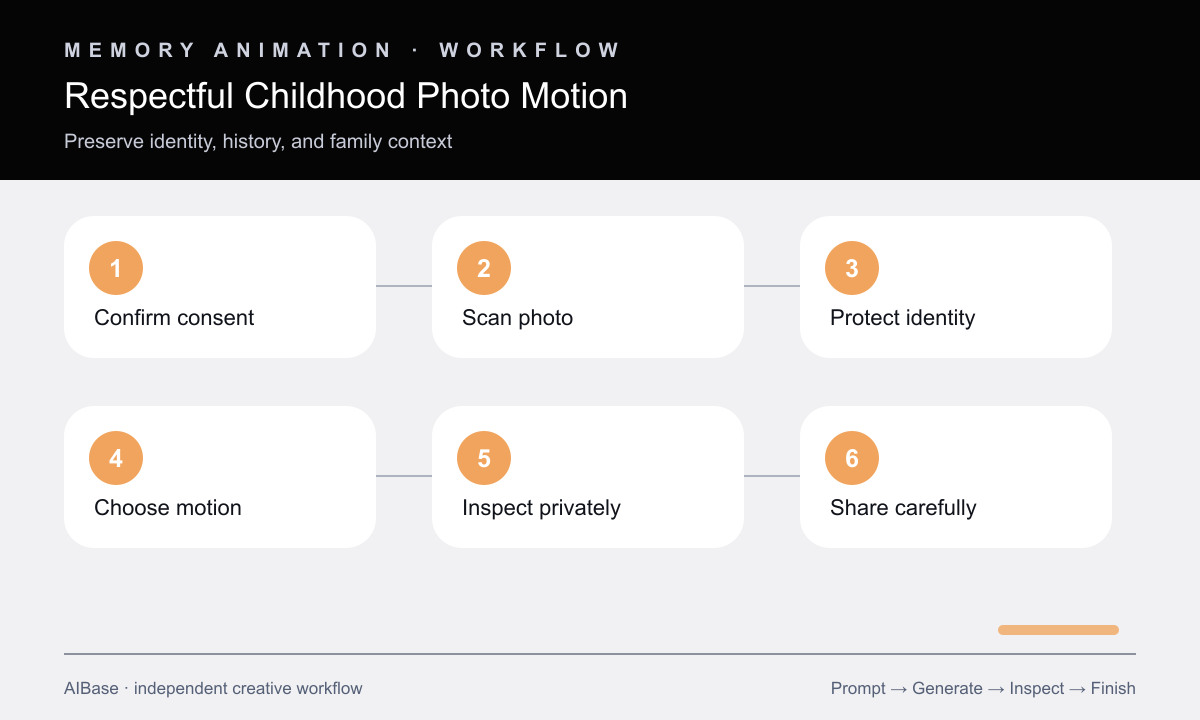
- Confirm permission from the parent or appropriate rights holder and define private or public use.
- Inspect face, hands, clothing, background edges, damage, and compression before animation.
- Select one micro-motion and one optional environmental movement.
- Generate short locked-camera versions.
- Review frames for identity, apparent age, gaze, hand count, expression, and pose drift.
- Add real dedication text and music only after consent and rights review.
Example prompt variants
- Four-second locked clip: one natural blink and a tiny breathing motion; preserve face, hands, blanket, clothing, and background.
- Three-second nursery portrait: preserve the child exactly while an existing curtain moves slightly; no face, body, pose, or camera change.
- Five-second seated photo: one subtle breathing motion only, locked camera, no speech, smile change, hand movement, text, or sound.
Quality checklist
- Permission, intended use, privacy, and sensitivity are confirmed.
- Face, apparent age, gaze, hands, clothing, and context remain unchanged.
- Motion is subtle, natural, and ends close to the source pose.
- No new voice, emotion, event, or developmental milestone is implied.
- Source, consent, prompt, output, review, and removal path are retained.
Mistakes to avoid
- Making a child speak or perform without clear authorization.
- Adding a smile, crawl, walk, or gesture that changes the memory.
- Combining restoration, age change, colorization, and animation in one pass.
- Publishing a private family clip without consent and a removal plan.
Related AIBase pages
Practical next step
Open the most relevant AIBase generator, run one narrow prompt first, and save the best result before adding more constraints. The fastest way to improve output quality is to compare one variable at a time: subject, camera, background, lighting, then final polish.