
HappyHorse School Yearbook Photo Animation Prompts with Safer Sharing
Animate an authorized school yearbook portrait with HappyHorse using guardian consent, identity-safe motion, preserved uniforms and context, private review, and careful sharing.
Quick answer
Confirm image rights, school or photographer restrictions, guardian authorization for a minor, and the student’s present wishes before upload or sharing. Preserve the exact face, apparent age at capture, expression, gaze, hairstyle, uniform or clothing, badges, crop, studio background, retouching, grain, and damage, then request only one natural blink and subtle breathing. Do not invent speech, a smile, head turn, gesture, future appearance, school event, or relationship.
Who this guide is for
Families, alumni, archivists, photographers, and private memory projects creating a restrained animation from an authorized individual yearbook portrait or school photograph.
Recommended model
| Use case | Recommended model | Why |
|---|---|---|
| This workflow | HappyHorse for minimal portrait motion after consent and private review | A portrait-focused workflow can add subtle motion to a single face, but safeguarding, identity fidelity, school context, and audience limits take priority over animation intensity. |
AIBase is an independent creative platform. Model names are shown only to identify supported underlying technologies and workflow choices.
Prompt template
Animate the uploaded authorized individual yearbook photograph as the exact first frame. Preserve exact identity, apparent age at capture, face shape, skin texture, expression, gaze direction, hairstyle, hair accessories, glasses, body proportions, pose, shoulders, uniform or clothing, pattern, badge and insignia appearance, jewelry, studio backdrop, vignette, crop, camera, lighting, color, retouching, grain, and visible wear or damage. Motion: one natural blink and subtle breathing only; optional tiny movement in already loose hair. Camera locked, [3-5 seconds], stable ending. No face replacement, age change, beautification, new smile, head turn, speech, lip-sync, gesture, hand, body movement, uniform change, badge reconstruction, school-name invention, background action, restoration, text, sound, or watermark.
Step-by-step workflow
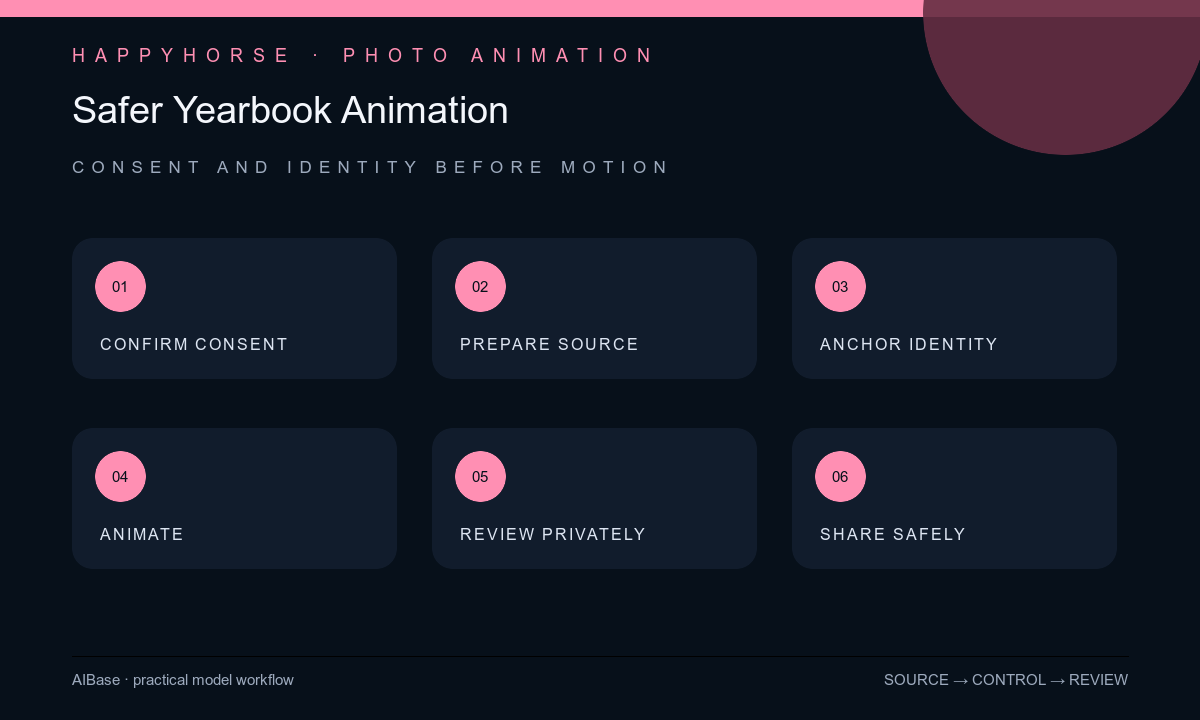
- Confirm ownership and photographer or school usage terms, guardian authorization for a minor, the student’s age-appropriate assent or current adult wishes, audience, retention, downloads, tagging, disclosure, and removal contact.
- Scan or photograph the portrait without album glare or page curvature, retain the untouched original, and review any crop, color correction, or restoration as a separate approved version.
- Inventory identity, apparent age, expression, gaze, hair, glasses, clothing or uniform, badges, pose, backdrop, retouching, grain, print texture, and damage as explicit anchors.
- Choose one blink and subtle breathing with a locked camera; do not animate a smile, speech, head turn, pose change, school activity, friendship, milestone, or imagined future.
- Inspect every frame for identity, eyes, teeth, apparent age, skin, hair, glasses, shoulders, uniform, badges, backdrop, crop, grain, damage, and stable ending, then preview privately with the subject or guardian.
- Share only within the approved audience, minimize metadata and face tagging, disclose added motion, honor veto or removal requests, and retain consent and deletion records separately from the media.
Example prompt variants
- Four-second authorized color yearbook portrait, one natural blink and subtle breathing only, preserve exact teenage identity, neutral expression, glasses, blazer, badge appearance, blue studio backdrop, crop, retouching, and no smile or head change.
- Three-second authorized primary-school portrait for private family viewing, one soft blink only, preserve apparent age, hairstyle, uniform, collar, backdrop, print color, and no speech, gesture, beautification, school text, or public-sharing cue.
- Five-second authorized historical yearbook portrait, subtle breathing and one blink, preserve monochrome tone, apparent age, hairstyle, jacket, insignia shape, paper grain, fading, scratches, crop, and no restoration or modern detail.
Quality checklist
- Rights, school or photographer terms, guardian authorization, student wishes, audience, retention, tagging, disclosure, veto, and removal process are documented.
- Identity, apparent age, expression, gaze, skin, hair, glasses, pose, clothing or uniform, badges, backdrop, crop, retouching, grain, and damage remain source-faithful.
- Motion is limited to a blink and subtle breathing with no new smile, speech, teeth, head turn, gesture, body movement, event, relationship, or future appearance.
- Private review occurs before publication, metadata and downloads are minimized, and the animation is not used for impersonation, ridicule, ranking, or school promotion without permission.
- Original, edit version, consent record, prompt, output, private review, disclosure, audience, retention, and deletion path remain traceable.
Mistakes to avoid
- Assuming possession of a yearbook grants permission to upload, animate, tag, or publicly distribute every student’s portrait.
- Asking the subject to come alive and allowing age, expression, teeth, hairstyle, uniform, badge, or school context to change.
- Using animation to infer personality, popularity, future appearance, relationships, speech, or a school event not present in the source.
- Publishing a minor’s identifiable portrait before guardian and student review or without audience limits, disclosure, retention, veto, and removal controls.
Related AIBase pages
Practical next step
Open the most relevant AIBase generator, run one narrow prompt first, and save the best result before adding more constraints. The fastest way to improve output quality is to compare one variable at a time: subject, camera, background, lighting, then final polish.