
Nano Banana Pro 与 GPT Image 2 产品图对比:如何选择工作流
对比 Nano Banana Pro 与 GPT Image 2 在产品概念图、参考图编辑、精修主图和电商广告布局中的用法。
Quick answer
Choose by input and deliverable, not by a universal winner. GPT Image 2 is a direct choice for fresh text-to-image product concepts; Nano Banana Pro is the better workflow fit when you need a reference image, controlled editing, or a higher-fidelity polish pass supported by the current AIBase model configuration.
Who this guide is for
Ecommerce operators, creative strategists, and product marketers deciding which AIBase image workflow to use for listing concepts, lifestyle scenes, campaign art, or reference-based revisions.
Recommended model
| Use case | Recommended model | Why |
|---|---|---|
| This workflow | GPT Image 2 for fresh concepts; Nano Banana Pro for reference-based edits and polish | AIBase currently exposes GPT Image 2 as text-to-image, while Nano Banana Pro supports both text-to-image and image-to-image. That input difference is the clearest decision point. |
AIBase is an independent creative platform. Model names are shown only to identify supported underlying technologies and workflow choices.
Prompt template
Create a [listing/lifestyle/hero/ad] product image of [product] for [audience]. Input approach: [text-only concept or uploaded reference]. Preserve [protected product details]. Scene: [setting]. Camera: [angle and crop]. Materials and lighting: [specifics]. Leave [copy space if needed]. Do not invent labels, alter packaging geometry, or add unsupported claims.
Step-by-step workflow
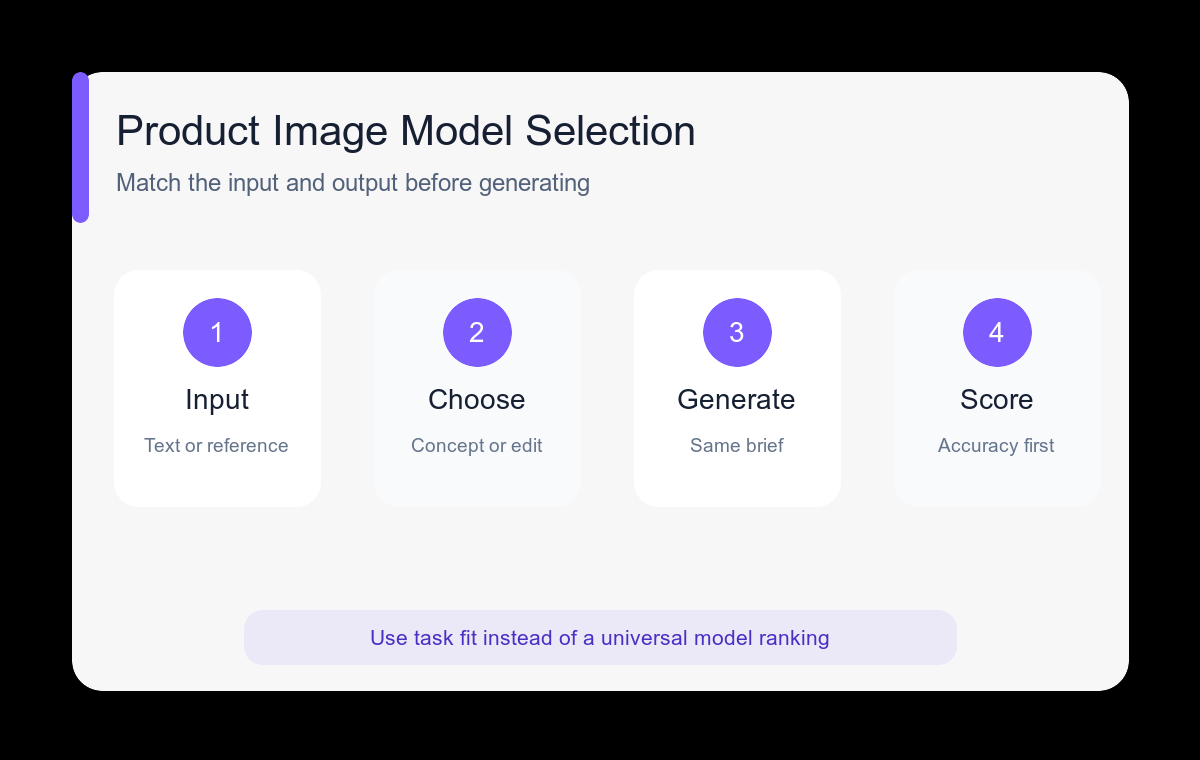
- Decide whether the product must match an existing reference or can begin as a visual concept.
- Use GPT Image 2 for a text-only concept batch when product identity is still flexible.
- Use Nano Banana Pro image-to-image when a supplied product shape, palette, or scene element must be protected.
- Run the same brief through both only when the decision is worth the extra comparison cost; keep crop and lighting identical.
- Score results on product accuracy, commercial clarity, material realism, usable whitespace, and cleanup effort.
- Move the chosen result into a final design pass for verified labels, pricing, and marketplace requirements.
Example prompt variants
- Text-only concept: premium reusable lunch container on a bright kitchen island, open three-quarter view, fresh ingredients nearby, clean ecommerce lifestyle photo, no branding.
- Reference edit: keep the uploaded bottle shape, cap, label placement, and color unchanged; move it to a cool stone bathroom shelf with soft side light; no extra packaging.
- Hero polish: exact referenced desk lamp on dark walnut, brushed metal texture, controlled warm light cone, wide landing-page crop with negative space on the left.
Quality checklist
- The chosen model accepts the input type the task actually requires.
- Product silhouette, components, and scale remain credible.
- Materials and reflections support rather than obscure the product.
- The image performs its single listing, lifestyle, hero, or ad job.
- Any labels and claims are added from approved source files after generation.
Mistakes to avoid
- Picking a model from general reputation instead of the required input mode.
- Comparing outputs made with different crops, scenes, and instructions.
- Expecting a text-only concept to preserve a real SKU exactly.
- Using one generated image as listing photo, lifestyle photo, and paid ad without separate reviews.
Related AIBase pages
Practical next step
Open the most relevant AIBase generator, run one narrow prompt first, and save the best result before adding more constraints. The fastest way to improve output quality is to compare one variable at a time: subject, camera, background, lighting, then final polish.