
Seedream 5.0 Lite Knowledge Base Article Background Prompts
Produce fast, text-free support-article background families with Seedream 5.0 Lite while preserving screenshots, help steps, accessibility, and localization.
Quick answer
Use Seedream 5.0 Lite to make calm, text-free article families grouped by support intent—setup, troubleshooting, billing, account, and integrations. Generate only the background and safe layout; keep real screenshots, numbered steps, version warnings, dates, and localized help copy as editable content so support answers remain accurate.
Who this guide is for
Support content teams, technical writers, SaaS product marketers, and documentation maintainers who need consistent article visuals without slowing down frequent help-center updates.
Recommended model
| Use case | Recommended model | Why |
|---|---|---|
| This workflow | Seedream 5.0 Lite | Fast batched variation is more valuable than hyper-detailed illustration here: the visual should organize the article without competing with screenshots and instructions. |
AIBase is an independent creative platform. Model names are shown only to identify supported underlying technologies and workflow choices.
Prompt template
Create a text-free [16:9 / 4:3] knowledge-base article background for the intent [setup / troubleshooting / billing / account / integration]. Use a calm [brand-safe] palette, soft depth, and a simple [path / layer / signal] metaphor. Reserve [top-left] for the title, [right] for a real screenshot, and [bottom] for step indicators. No words, numbers, UI, chart, cursor, notification, logo, device, hand, tool mark, or watermark.
Step-by-step workflow
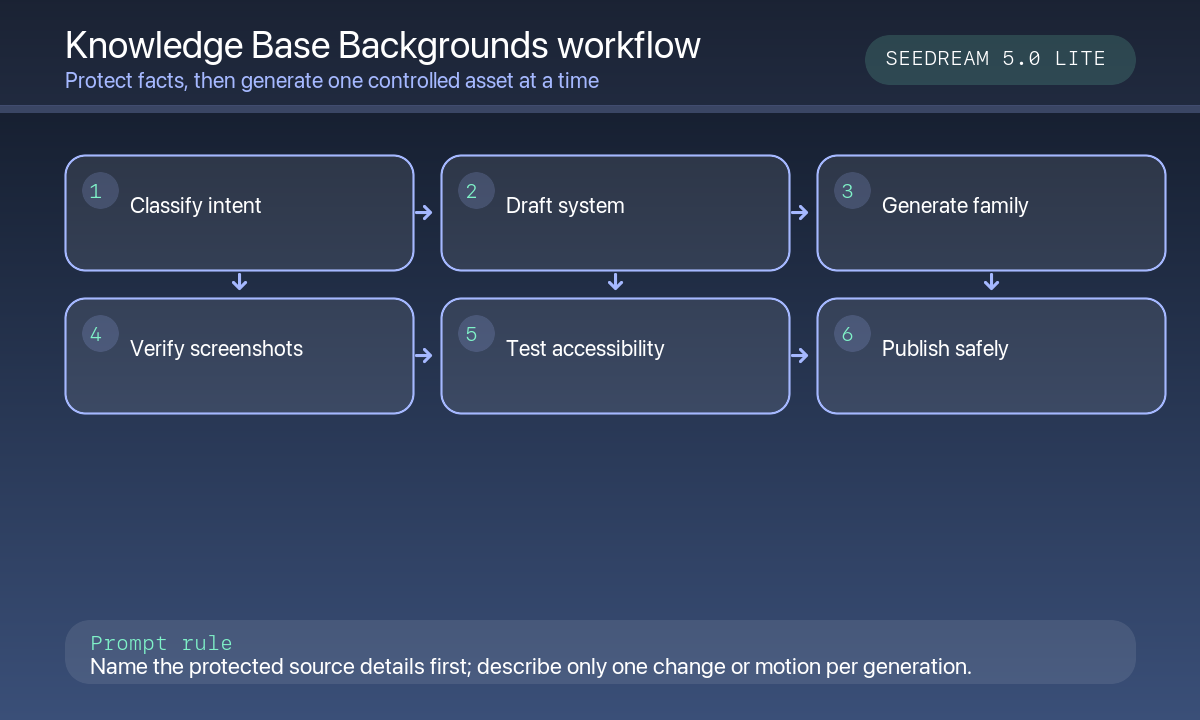
- Classify the article intent and confirm the exact product version, plan rules, screenshots, and support policy.
- Define a small palette and one visual system per intent so readers can recognize content type quickly.
- Generate several lightweight backgrounds with generous negative space and low center contrast.
- Composite the real screenshot, numbered steps, warnings, timestamps, and localized title in editable templates.
- Test long translated titles, screen-reader order, mobile cropping, print styles, and image weight.
- Add a review step whenever UI, pricing, policy, or integration behavior changes.
Example prompt variants
- Setup guide background: pale indigo pathway moving through soft layered panels, left title zone and right screenshot well; no interface, labels, hands, or text.
- Troubleshooting background: quiet amber signal lines over a neutral grid, large empty center for steps and screenshot; no warning icons, error UI, or words.
- Billing article background: calm green layered receipt-like abstract shapes with no numbers, currency, invoice, card, or readable text.
Quality checklist
- Article intent, product version, plan rules, screenshots, and support links are current.
- Generated artwork includes no fake UI, notifications, metrics, account state, or support claim.
- Title, steps, warnings, screenshots, and CTAs stay editable and readable across locales.
- Visual families remain distinguishable but use consistent brand color and contrast rules.
- Accessibility, page weight, update history, and rollback are tested.
Mistakes to avoid
- Generating an interface state that does not match the customer’s current product version.
- Turning support steps into pixel text that cannot be translated or corrected.
- Using an alarming metaphor for routine account or billing tasks.
- Letting decorative detail reduce screenshot and step readability on mobile.
Related AIBase pages
Practical next step
Open the most relevant AIBase generator, run one narrow prompt first, and save the best result before adding more constraints. The fastest way to improve output quality is to compare one variable at a time: subject, camera, background, lighting, then final polish.