
Seedream 5.0 Lite SaaS Onboarding Illustration Background Prompts
Draft fast, text-free SaaS onboarding illustration backgrounds with Seedream 5.0 Lite while keeping UI, product behavior, copy, accessibility, and brand assets controlled.
Quick answer
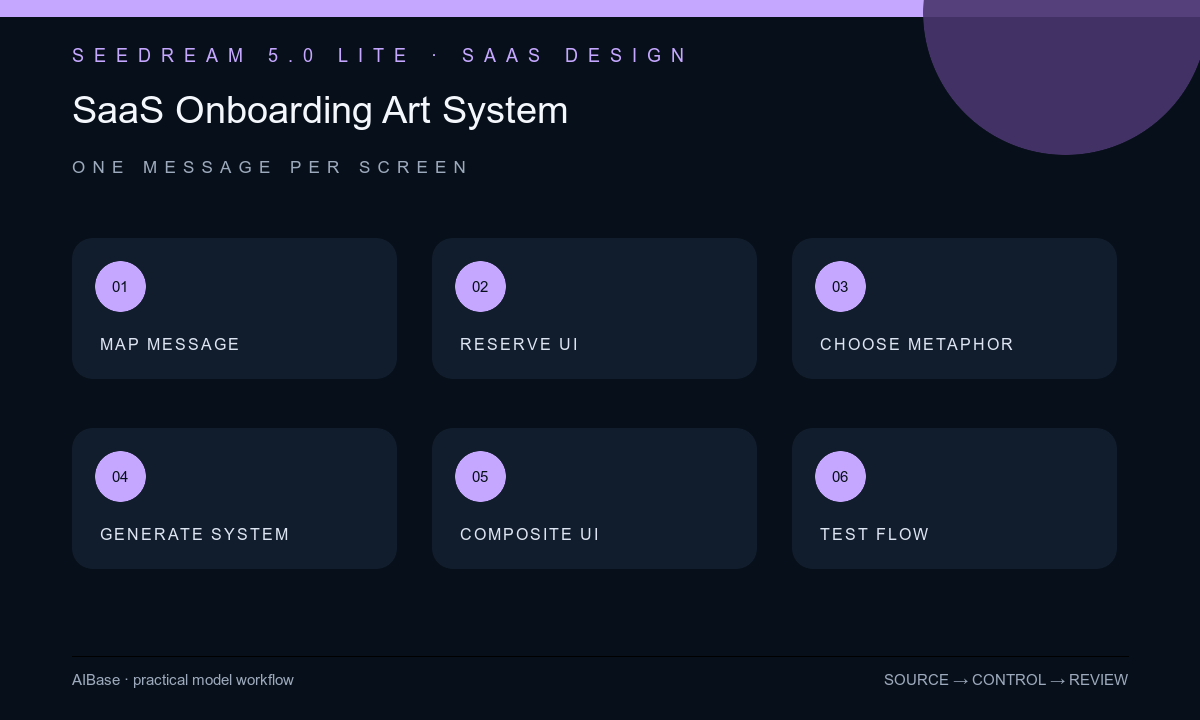
Use Seedream 5.0 Lite to explore a coherent family of text-free illustrations around one onboarding message per screen. Reserve exact zones for the real UI, headline, body copy, progress, and controls, and avoid generated interfaces that suggest features or states the product does not have. Composite production screenshots, icons, text, and interactive elements afterward, then test the full flow for comprehension and accessibility.
Who this guide is for
SaaS founders, product marketers, lifecycle designers, mobile and web teams, and agencies creating welcome screens, empty states, setup education, permission explanations, or feature-introduction cards.
Recommended model
| Use case | Recommended model | Why |
|---|---|---|
| This workflow | Seedream 5.0 Lite for rapid text-free illustration direction tests | Fast image iteration is useful for testing several simple visual metaphors before the team commits to a final onboarding art system. |
AIBase is an independent creative platform. Model names are shown only to identify supported underlying technologies and workflow choices.
Prompt template
Create a text-free onboarding illustration background for a [web / mobile] SaaS screen whose approved message is [single message]. Visual metaphor: [simple non-factual metaphor]. Style system: [shape language, line weight, depth], palette [approved colors], canvas [ratio], protected UI and copy zone at [position], mobile-safe center, high-contrast silhouette, simple edges. The illustration must not depict a fake product interface, result, automation, integration, notification, customer, employee, data set, security state, speed, accuracy, revenue, or outcome. No screen, dashboard, logo, icon replica, letter, number, cursor, badge, chart, personal data, or watermark.
Step-by-step workflow
- Write the exact onboarding sequence and success metric, then assign one user question and one approved product message to each screen.
- Map real UI, headline, supporting copy, progress, skip, back, continue, permissions, legal link, and small-screen safe zones before generating artwork.
- Choose a simple metaphor that supports comprehension without promising an integration, automation, result, speed, security property, or workflow the product cannot verify.
- Generate a small family with consistent palette, shape language, perspective, density, and protected zones; vary only the metaphor or composition in each test.
- Composite exact screenshots, icons, typography, localization, and controls in the product design file, then test contrast, zoom, reduced motion context, screen readers, and long-copy locales.
- Validate the sequence with users, product, legal, privacy, brand, and accessibility owners; archive prompts, selected art, layered assets, test notes, approvals, and version mapping.
Example prompt variants
- Text-free mobile onboarding background for organizing projects, three simple paper-like blocks aligning into one calm column, soft indigo and mint, open lower half for copy and controls, no task UI, checkmark, person, word, or productivity claim.
- Text-free SaaS permission screen illustration, one abstract key shape beside a protected container without locks or security badges, warm neutral palette, quiet center-right copy zone, no data, shield, credential, interface, text, or safety guarantee.
- Text-free collaboration onboarding art, several equal geometric tiles meeting at a shared edge on one plane, no hierarchy or avatars, cobalt and coral accents, protected mobile center, no chat bubble, user count, dashboard, word, or outcome.
Quality checklist
- Each illustration supports one approved onboarding message without depicting a fake interface, feature, state, integration, person, data set, or outcome.
- Real UI, copy, controls, progress, legal links, localization expansion, and small-screen crops have protected zones.
- Palette, geometry, line weight, depth, lighting, density, and metaphor remain coherent across the onboarding family.
- The combined screen passes contrast, zoom, screen-reader order, tap-target, reduced-motion context, localization, and comprehension review.
- Flow version, prompt, illustration, UI source, copy, accessibility results, approvals, and experiment outcome remain traceable.
Mistakes to avoid
- Generating a polished fake dashboard and teaching users a feature, menu, or data state that does not exist.
- Giving every screen a different illustration style, perspective, palette, density, and metaphor.
- Baking English copy, step numbers, icons, progress, or buttons into the generated pixels and blocking localization or accessibility.
- Optimizing the art for visual delight while the real onboarding sequence remains unclear, too long, or impossible to skip.
Related AIBase pages
- Open Seedream 5.0 Lite
- Create app store screenshot backgrounds
- Create landing page hero backgrounds
- Plan SaaS feature announcement video
Practical next step
Open the most relevant AIBase generator, run one narrow prompt first, and save the best result before adding more constraints. The fastest way to improve output quality is to compare one variable at a time: subject, camera, background, lighting, then final polish.