
HappyHorse School Faculty Group Photo Animation Prompts
Animate authorized faculty group portraits with restrained motion while protecting identity, consent, badges, school privacy, student data, signs, and institutional context.
Quick answer
Obtain permission from every identifiable staff member for synthetic animation and the exact publication channel. Audit the frame for students, minors, visitor badges, schedules, classroom work, screens, medical or safeguarding information, addresses, and security details. Ask for subtle group breathing and one or two named blinks only; do not invent waving, speaking, teaching, staff relationships, school events, endorsements, or student outcomes.
Who this guide is for
Schools, districts, colleges, faculty associations, yearbook teams, education nonprofits, photographers, and communications staff sharing an approved staff portrait.
Recommended model
| Use case | Recommended model | Why |
|---|---|---|
| This workflow | HappyHorse for restrained faculty portrait micro-motion | Minimal identity-led animation can add life to an approved portrait while avoiding reconstruction of classrooms, instruction, institutional claims, or interactions with students. |
AIBase is an independent creative platform. Model names are shown only to identify supported underlying technologies and workflow choices.
Prompt template
Animate the uploaded authorized faculty group photo as the exact first frame. Preserve every person's identity, apparent age, face, expression, gaze, hair, body proportions, row and position, pose, hands, fingers, clothing, badge and lanyard zones, school marks, signs, furniture, background people, location, crop, camera, light, shadows, blur, and grain. Motion only: subtle breathing across the group and one natural blink from [named row and position], [3-5 seconds], locked camera, stable ending. No speech, wave, head turn, teaching, touch, person added or removed, student animation, sign or badge change, logo mutation, cleanup, text, music, or watermark.
Step-by-step workflow
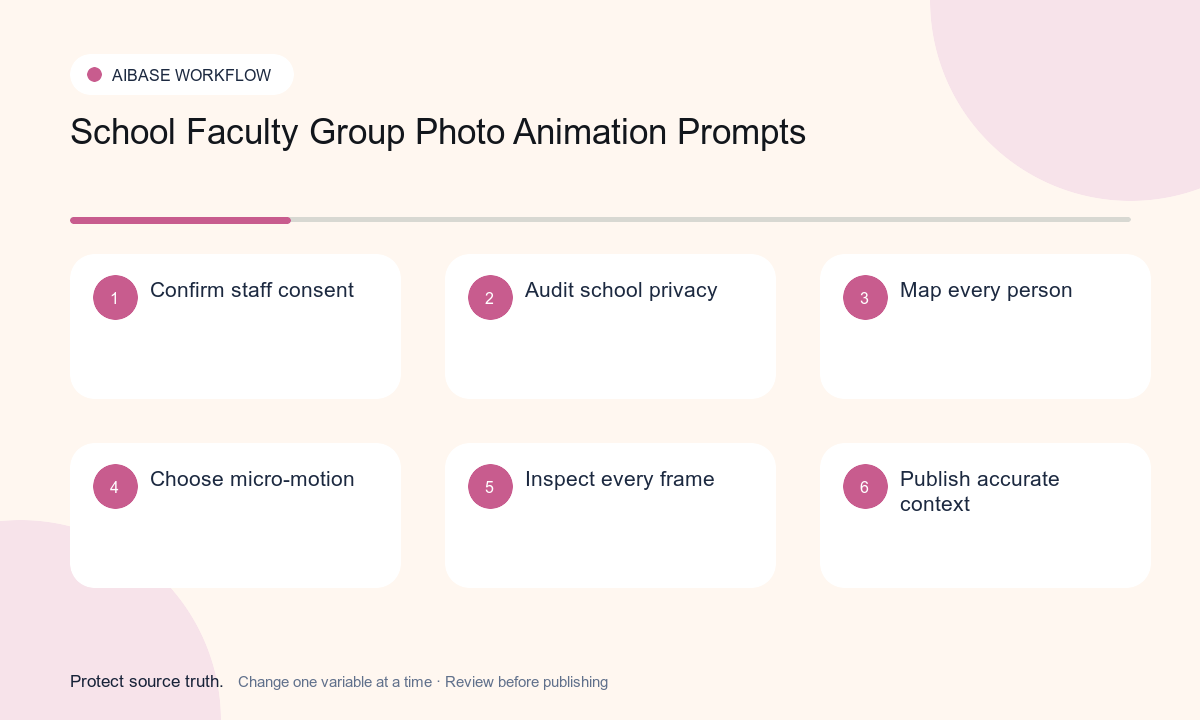
- Create a consent roster for every identifiable staff member, photographer, school or district owner, location owner, and intended public or internal channel.
- Audit the image for students, minors, visitors, badges, schedules, screens, classroom work, medical or safeguarding data, addresses, access controls, and security details.
- Map every person by row and position plus protected hands, clothing, badges, lanyards, signs, marks, furniture, background figures, and school-specific details.
- Request only subtle group breathing and no more than one or two precisely named blinks; keep the camera and all classroom or office objects still.
- Inspect every frame person by person for identity, age, expression, gaze, hands, overlap, clothing, badges, marks, students, screens, signs, and unintended interaction.
- Add factual staff context, role list, date, photographer credit, consent-based caption, accessibility, disclosure, correction or removal route, and current school links separately.
Example prompt variants
- Four-second twelve-person faculty portrait in a library: subtle breathing and one blink from the front-center adult only, preserve every face, row, cardigan, badge zone, book background, and locked camera.
- Three-second department staff photo: breathing only, preserve eight identities, positions, lab coats, protected name-badge zones, equipment, doorway, and no gesture, speech, student, or object motion.
- Five-second retired-faculty reunion portrait: two named back-row blinks, preserve identities, apparent ages, seating, clothing, canes, event sign zone, location, and no wave or invented interaction.
Quality checklist
- Every identifiable person, photographer, institution, and location owner has approved the exact animation use, audience, territory, and duration.
- Identity, apparent age, expression, gaze, rows, poses, hands, clothing, badges, signs, marks, furniture, location, and crop remain stable.
- Students, minors, visitor details, schedules, screens, schoolwork, health or safeguarding data, addresses, and security information are absent, protected, or explicitly approved.
- Motion stays within approved breathing and named blinks and does not invent instruction, speech, relationships, events, endorsement, diversity, achievement, or student outcomes.
- Consent roster, source, privacy and safeguarding review, prompt, person-by-person inspection, approvals, publication, expiry, and removal remain traceable.
Mistakes to avoid
- Assuming an employment agreement, staff directory photo release, or school event notice automatically covers synthetic animation and every public channel.
- Animating staff to wave, speak, teach, exchange looks, hold materials, or interact and causing identities, hands, badges, and context to drift.
- Leaving students, schedules, access codes, screens, classroom work, medical context, visitor badges, or security details visible without review.
- Using the animated portrait to imply current employment, role, endorsement, school culture, teaching quality, diversity, safety, or student success.
Related AIBase pages
Practical next step
Open the most relevant AIBase generator, run one narrow prompt first, and save the best result before adding more constraints. The fastest way to improve output quality is to compare one variable at a time: subject, camera, background, lighting, then final polish.