
Nano Banana 2 vs Nano Banana Pro for Product Image Editing Workflows
Compare Nano Banana 2 and Nano Banana Pro for product image edits using matched references, prompts, attempts, corrections, fidelity checks, time, and production-ready scoring.
Quick answer
Do not choose from model names alone. Run the same authorized source, edit mask or named region, protected-detail list, prompt, output ratio, attempt count, correction, and review threshold through both workflows. Nano Banana 2 can be the practical draft route and Nano Banana Pro the higher-fidelity candidate, but the winner must be decided per edit class from your own matched evidence.
Who this guide is for
Ecommerce teams, retouchers, catalog studios, product designers, agencies, and developers deciding how to route background changes, recolors, shadow edits, cleanup, scene placement, material studies, and hero-image refinements.
Recommended model
| Use case | Recommended model | Why |
|---|---|---|
| This workflow | Choose per edit class after a matched Nano Banana 2 and Nano Banana Pro test | Product edits fail in different ways: a workflow may be fast and controllable for bounded changes while another may justify more time for detailed materials or complex lighting, so routing should follow measured fidelity and correction cost. |
AIBase is an independent creative platform. Model names are shown only to identify supported underlying technologies and workflow choices.
Prompt template
MATCHED PRODUCT-EDIT TEST using the same authorized source. EDIT JOB: change only [named region or property] from [source] to [target]. PROTECT: exact silhouette, dimensions, construction, material texture, color outside edit region, hardware, label, typography, camera, crop, scale, light, shadow, reflection, background, and accessories. OUTPUT: [same ratio and use]. Do not invent, remove, move, redraw, smooth, relight, recolor protected areas, or add text, logo, claim, prop, or extra product. Run the same prompt, source, edit definition, attempts, time capture, correction instruction, and scorecard in Nano Banana 2 and Nano Banana Pro.
Step-by-step workflow
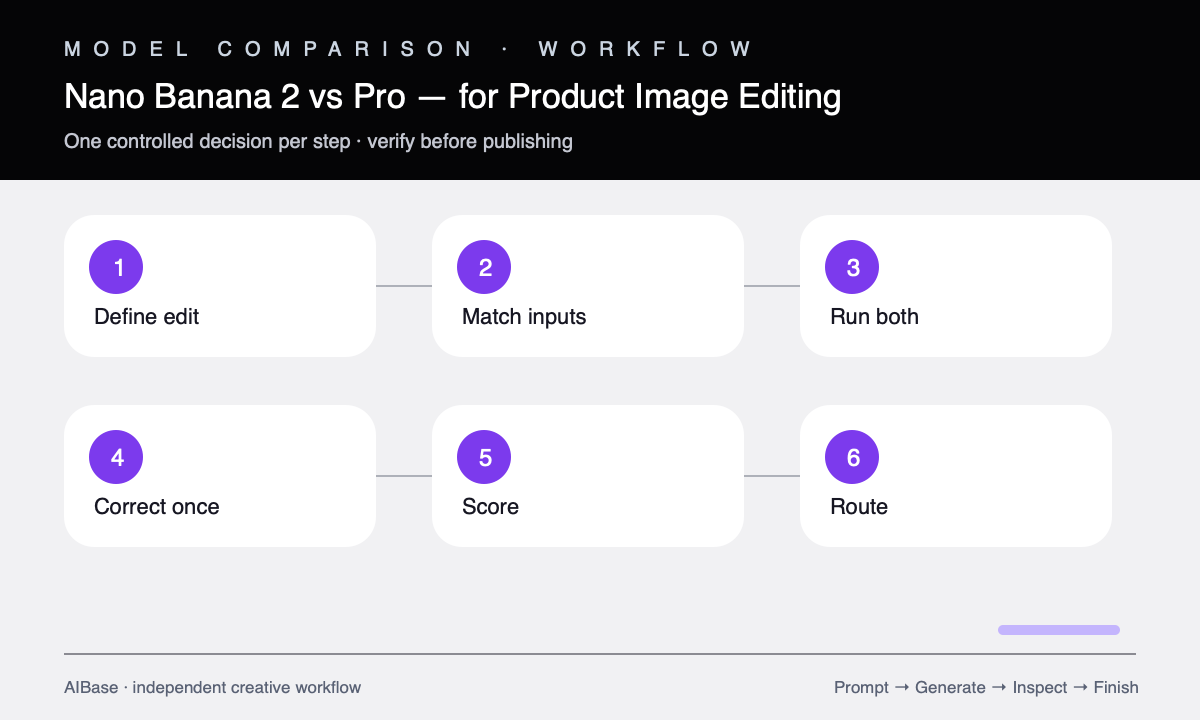
- Define one representative edit class and failure threshold, such as background replacement, surface recolor, shadow addition, object cleanup, material study, or campaign scene.
- Prepare one approved source and a hand-checked truth sheet covering geometry, parts, materials, colors, labels, reflections, camera, light, crop, and protected regions.
- Write one model-neutral prompt, one narrow correction instruction, a fixed attempt budget, and a weighted scorecard before opening either workflow.
- Generate the same number of outputs in both models, record elapsed working time and usable-candidate rate, and avoid model-specific extra detail during the first pass.
- Blind-score edit accuracy, protected-detail fidelity, material behavior, lighting coherence, artifacts, crop, editability, correction reliability, time, and cost.
- Route by evidence: keep the simplest passing workflow for routine edits, reserve the stronger measured route for edit classes where added fidelity changes the production result, and retest when inputs change.
Example prompt variants
- Matched background edit: preserve the exact approved coffee grinder and replace only the white background with a pale warm kitchen counter scene; keep silhouette, dial, hopper, label zone, reflections, camera, scale, and light.
- Matched material edit: change only the chair upholstery from gray woven fabric to cognac leather with realistic grain and seams; preserve frame, cushion geometry, piping, camera, room, shadow, and exposure.
- Matched cleanup edit: remove only the temporary support stand behind a jewelry pendant and reconstruct the small hidden background area; preserve pendant geometry, chain, stones, metal color, reflections, scale, crop, and all other pixels.
Quality checklist
- Both workflows receive the same source, edit job, protected details, prompt, ratio, attempts, correction, time capture, and review threshold.
- The scorecard weights the actual production need and separates edit accuracy, protected fidelity, materials, light, artifacts, editability, correction, time, and cost.
- Reviewers inspect full-size anonymized outputs against the approved source rather than judging attractiveness from thumbnails.
- Labels, typography, logos, compliance marks, geometry, construction, colors, materials, reflections, shadows, and nonedited pixels remain verified.
- The routing decision is documented by edit class and includes a fallback to manual retouching or approved photography when neither workflow passes.
Mistakes to avoid
- Giving Nano Banana Pro a more detailed prompt or better reference and treating the result as a fair model comparison.
- Comparing one lucky output instead of matched attempt counts, corrections, and usable-candidate rates.
- Choosing the higher-detail image when it also changed protected geometry, labels, materials, reflections, or product truth.
- Declaring one model the universal winner instead of routing background, recolor, cleanup, material, and hero-scene edits separately.
Related AIBase pages
- Open Nano Banana 2 image-to-image
- Open Nano Banana Pro image-to-image
- Learn controlled reference prompts
- Use a high-fidelity Pro workflow
Practical next step
Open the most relevant AIBase generator, run one narrow prompt first, and save the best result before adding more constraints. The fastest way to improve output quality is to compare one variable at a time: subject, camera, background, lighting, then final polish.