
Nano Banana Pro Electric Kettle Campaign Product Photo Prompts
Build reference-led electric-kettle campaign scenes while preserving exact body, lid, spout, handle, base, controls, cord, scale, finish, and supported use context.
Quick answer
Use a complete approved reference pack for the exact kettle and base, then lock body profile, capacity scale, lid mechanism, spout, filter, handle clearance, water window, controls, indicators, cord exit, materials, finish, color, and required clearances before changing the scene. Generate one bounded countertop composition at a time. Add temperature, speed, capacity, safety, certification, energy, warranty, price, and availability claims later as verified editable content, and never depict steam, pouring, hands, children, or proximity to water or heat in ways the real product instructions do not support.
Who this guide is for
Small-appliance brands, kitchen retailers, ecommerce teams, studios, and agencies creating launch heroes, category banners, product-detail scenes, retailer modules, and social campaign crops for a documented electric kettle SKU.
Recommended model
| Use case | Recommended model | Why |
|---|---|---|
| This workflow | Nano Banana Pro image-to-image for exact reference-led kettle scenes | Higher-fidelity reference work suits material, reflection, and product-shape control, but functional state, thermal behavior, safety clearances, accessories, and performance claims still require source evidence and product review. |
AIBase is an independent creative platform. Model names are shown only to identify supported underlying technologies and workflow choices.
Prompt template
Use the complete approved references for [exact electric kettle SKU, base, color and region]. Create a [ratio and channel] campaign product photo in [documented safe countertop context]. Preserve exact body profile, scale, capacity proportions, lid, hinge, release, spout, filter, handle, water window, base, controls, indicators, cord exit, plug region, seams, fasteners, materials, finish, color and branding placement. Product state [empty and off / documented filled level], safe clearances [specific], camera [specific], light [specific], protected copy zone [specific]. No invented steam, boiling, pour, hand, child, sink edge, hot surface, cable change, feature, accessory, claim, word, number or watermark.
Step-by-step workflow
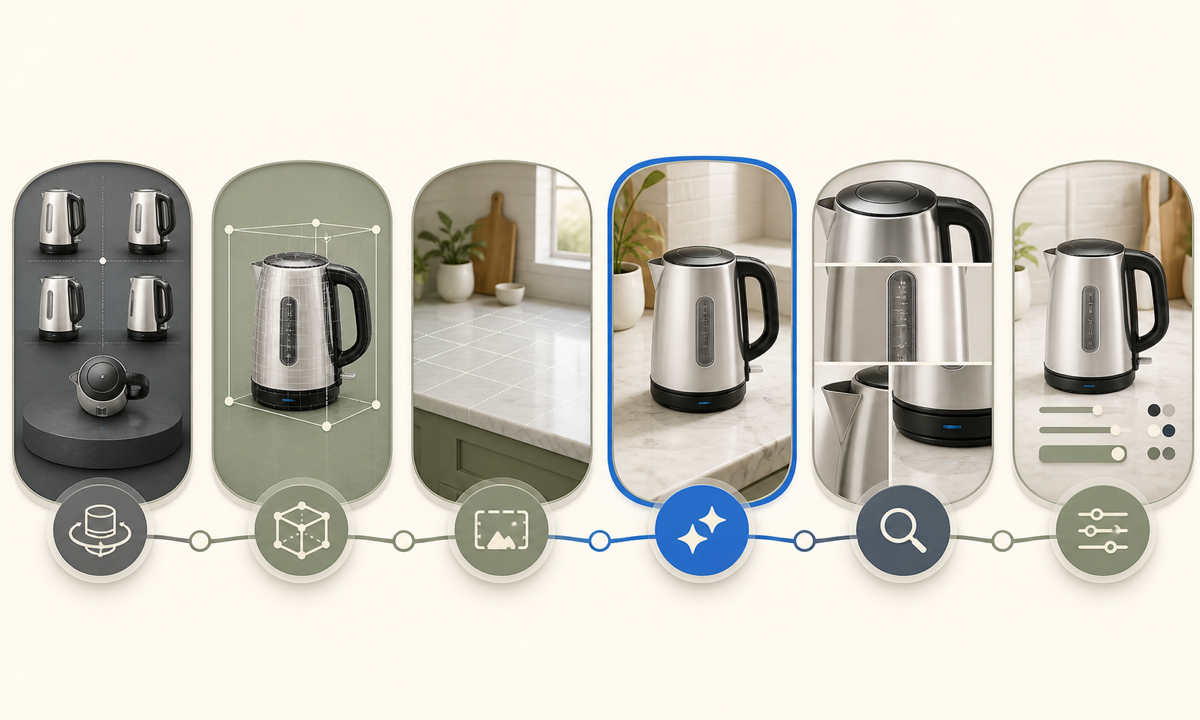
- Freeze SKU, regional plug and base, dimensions, capacity, materials, controls, indicator states, included parts, approved operating states, clearances, claims, manuals, certifications, price, availability, and channel rights.
- Capture authorized front, rear, sides, top, lid open and closed, base, cord exit, controls, water window, spout, filter, material, finish, scale, packaging, and safe-use references.
- Choose one asset job and draw a scene map with product footprint, base contact, cord route, safe distances, camera, light, crop, copy zone, and explicit no-go areas.
- Generate a locked product scene first; reject extra buttons, moved seams, altered spout, missing base, impossible cord, unsupported steam, unsafe placement, or material drift before styling variants.
- Compare outputs with the approved turntable and manual at full resolution for silhouette, lid geometry, handle gap, scale, controls, reflections, cable path, contact shadows, and operating state.
- Composite verified labels, specifications, claims, price, offer, availability, safety copy, accessibility text, disclosure, and CTA in editable masters, then review every ratio and retailer rule.
Example prompt variants
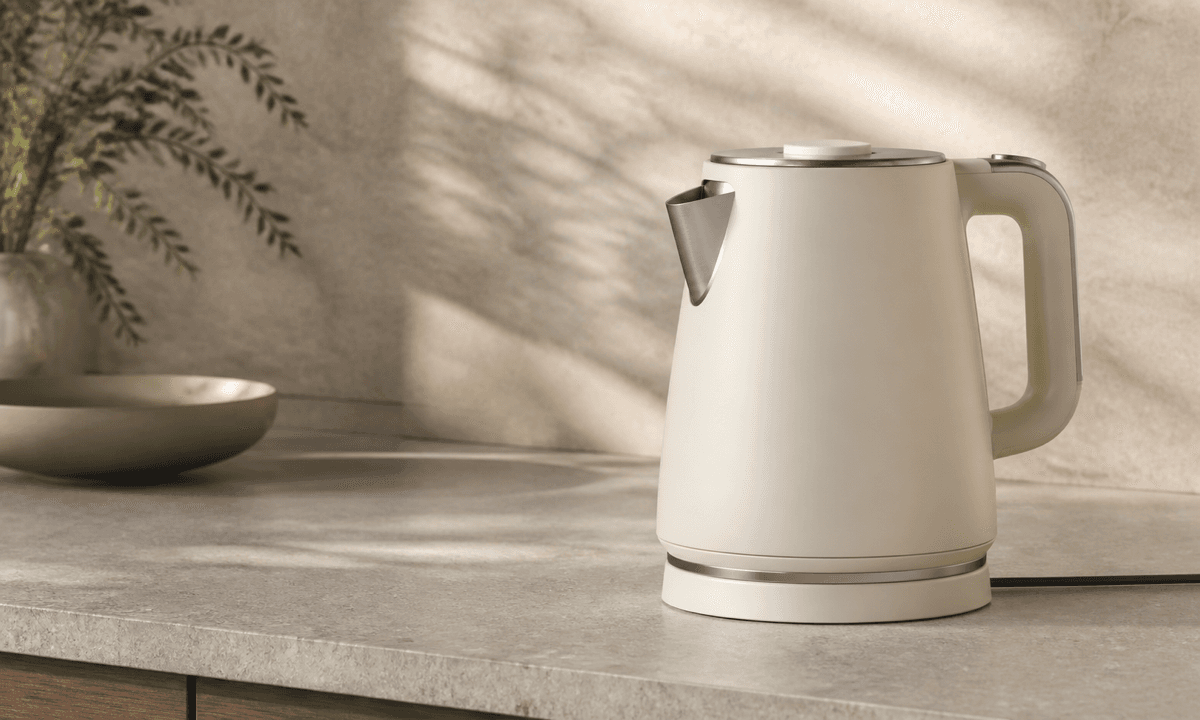
- Wide breakfast-counter hero using the exact approved matte cream kettle and matching base, empty and off, dry stone surface, cord routed safely away from the edge, soft morning side light, copy space left.
- Square material-detail campaign image of the documented brushed-steel kettle at three-quarter view, lid closed, base fully visible, restrained dark countertop, no steam, cup, hand, control light or text.
- Vertical tea-preparation context with the exact kettle parked safely on its base behind a dry tray and documented mug, no pouring or boiling, protected upper headline zone, preserve scale, spout, handle, cord and finish.
Quality checklist
- SKU, region, dimensions, capacity, lid, spout, filter, handle, window, base, controls, indicators, cord, plug, materials, finish, color, logo placement, and included parts match approved references.
- Product state, fill level, base contact, cord route, clearances, surrounding surfaces, hands, vessels, heat, steam, and water context follow documented safe use.
- Generated pixels contain no invented performance, temperature, speed, quietness, safety, certification, energy, durability, warranty, price, stock, review, or comparative claim.
- Silhouette, scale, materials, reflections, seams, controls, shadows, crop, copy zones, mobile overlays, labels, claims, disclosure, and CTA pass product and channel review.
- References, manuals, prompts, outputs, comparison sheets, approvals, masters, publication, corrections, and rollback remain traceable.
Mistakes to avoid
- Using one front image and allowing the model to invent the rear controls, base, cord, plug, lid mechanism, or filter.
- Adding dramatic steam, boiling water, a midair pour, wet hands, sink proximity, edge placement, or child interaction without product-supported safety context.
- Changing body scale or handle clearance to fit a composition, making the product look smaller, lighter, larger-capacity, or easier to grip than documented.
- Embedding temperature, speed, safety, energy, capacity, certification, price, availability, or review claims inside generated pixels.
Related AIBase pages
Practical next step
Open the most relevant AIBase generator, run one narrow prompt first, and save the best result before adding more constraints. The fastest way to improve output quality is to compare one variable at a time: subject, camera, background, lighting, then final polish.