
Nano Banana Pro Pet Accessories Campaign Prompts That Preserve Product Fit
Build premium harness, collar, leash, bed, bowl, and carrier campaign concepts from approved references without changing hardware, scale, fit, safety, or materials.
Quick answer
Start from approved front, back, side, underside, closure, hardware, and scale references for the exact SKU and colorway. Lock strap count and route, buckle orientation, rings, adjustment points, seams, padding, materials, dimensions, and included parts before changing the environment. Use a product-only concept first; if an animal is needed, use authorized photography or a reviewed composite and never infer fit, restraint, comfort, safety, behavior, or veterinary suitability from a generated scene.
Who this guide is for
Pet brands, marketplaces, retailers, photographers, and agencies creating campaigns for harnesses, collars, leashes, beds, bowls, carriers, toys, and travel accessories.
Recommended model
| Use case | Recommended model | Why |
|---|---|---|
| This workflow | Nano Banana Pro for reference-led pet product campaign concepts | Multi-reference image generation can explore premium environments while approved product photography remains authoritative for construction, scale, fit, materials, and safety. |
AIBase is an independent creative platform. Model names are shown only to identify supported underlying technologies and workflow choices.
Prompt template
Use the uploaded authorized [pet accessory SKU and colorway] references as exact product truth. Create a [wide / square / vertical] product-only campaign concept in [safe setting], with [camera], [surface], and [light]. Preserve exact silhouette, dimensions, strap count and route, buckle, clasp, ring, adjuster, seam, padding, edge binding, closure, opening, base, material texture, color, logo zone, included parts, setup state, contact, and wear. No animal, person, body fit, open closure not shown, extra strap, changed hardware, invented feature, size claim, pull force, escape prevention, comfort, calming, ergonomic, orthopedic, food-safe, medical, durability, sustainability, text, logo, or watermark.
Step-by-step workflow
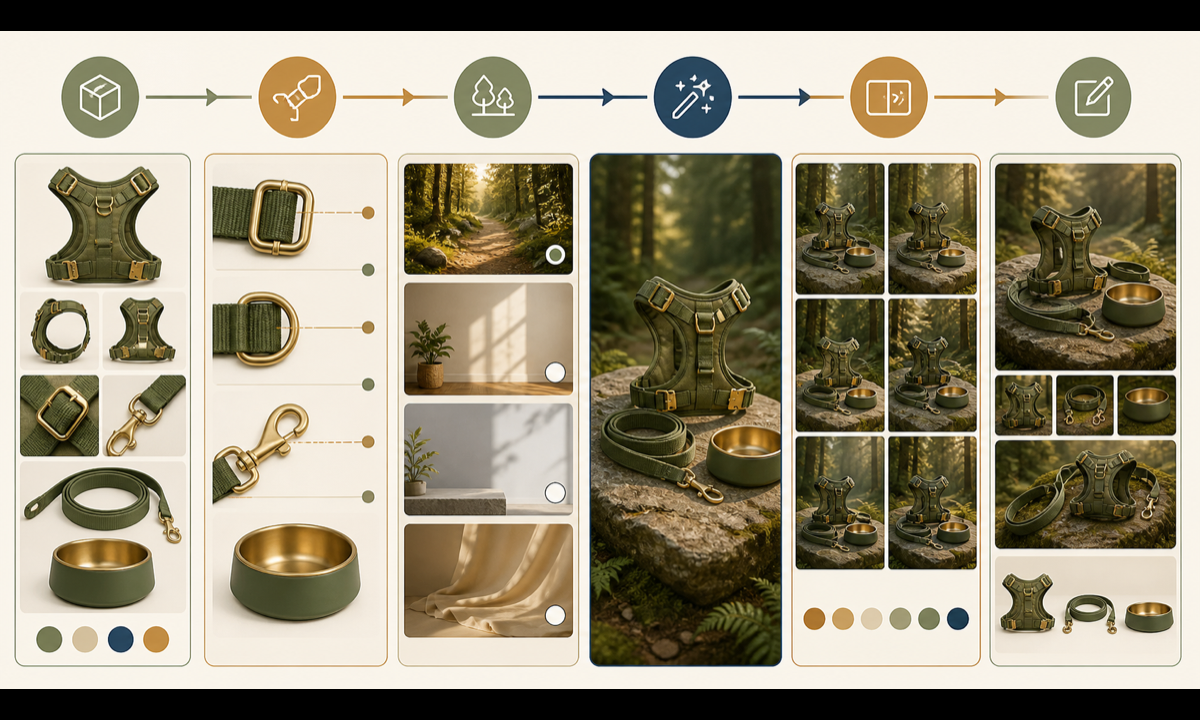
- Freeze SKU, revision, colorway, measurements, size range, materials, hardware, included parts, care, warnings, approved claims, rights, and destination.
- Build a protected anchor map from multi-angle and detail references, including every strap path, closure orientation, seam, edge, fastener, and scale cue.
- Choose one product-only scene with stable support and no setup, behavior, safety, health, or performance implication.
- Generate one view and lighting setup at a time, then add authorized animal context through photography or controlled compositing only when required.
- Inspect geometry, scale, hardware count, closures, strap continuity, material, contact, shadows, color, and any implied use at full resolution.
- Add real packshots, size charts, fitting instructions, warnings, claims, price, availability, disclosure, and CTA as editable reviewed layers.
Example prompt variants
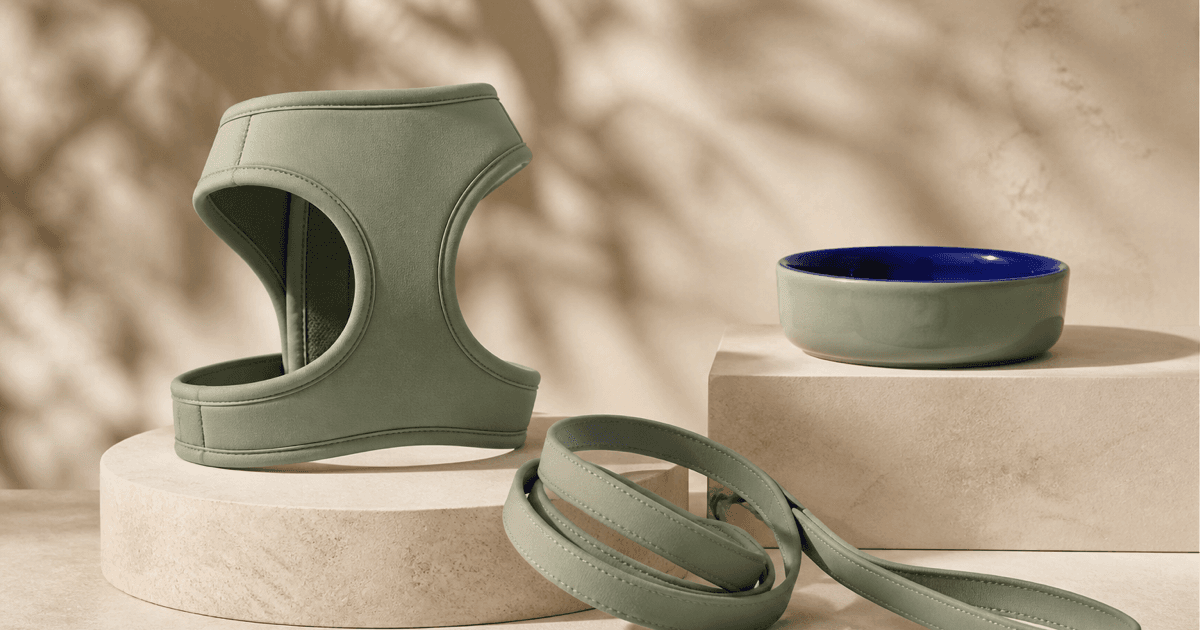
- Approved sage harness and matching leash on warm limestone plinths, three-quarter product-only arrangement, preserve exact Y-front, four straps, two buckles, D-ring, adjusters, seams and color; no pet, fit or safety claim.
- Approved ceramic travel bowl beside its real folded mat, top-down square composition, preserve diameter, rim, silicone base, glaze variation and scale; no food, capacity, dishwasher or food-safe claim.
- Approved soft carrier closed on a clean studio floor, side view, preserve mesh panel count, zipper routes, handles, base, strap, vents and dimensions; no pet, airline, load, escape, comfort or travel claim.
Quality checklist
- SKU, revision, geometry, hardware, straps, seams, closures, materials, colorway, included parts, setup, and scale match approved references.
- Any pet identity, species, body shape, pose, handling, environment, and consent are real, authorized, and appropriate for the product context.
- The image does not function as evidence for fit, comfort, restraint, escape prevention, safety, calming, health, load, capacity, durability, or materials claims.
- Size, fitting, care, warnings, claims, price, availability, disclosure, and CTA remain verified editable content.
- References, prompt, output, comparison, reviewer, composite, approvals, market, and expiry remain traceable.
Mistakes to avoid
- Supplying one front image and allowing the model to invent the underside, strap routing, closures, or hardware count.
- Putting a generated animal into a harness and treating the image as proof of fit, comfort, safety, or control.
- Changing product scale, opening, color, padding, ring position, or included accessories to make the scene look better.
- Embedding size, veterinary, calming, orthopedic, food-safe, airline, recycled-content, or durability claims in generated visuals.
Related AIBase pages
Practical next step
Open the most relevant AIBase generator, run one narrow prompt first, and save the best result before adding more constraints. The fastest way to improve output quality is to compare one variable at a time: subject, camera, background, lighting, then final polish.