
Nano Banana Pro Portable Speaker Campaign Product Photo Prompts
Build reference-led portable speaker campaign scenes while preserving enclosure geometry, grille weave, controls, ports, strap, scale, colorway, and supported usage claims.
Quick answer
Create a reference pack for the exact speaker SKU and colorway before asking for a scene. Include front, rear, top, bottom, controls, ports, feet, grille, strap, scale, included accessories, and honest condition. Use Nano Banana Pro to place that documented product in one dry, plausible context at a time. Protect dimensions, driver and grille geometry, button count, port covers, indicator zones, strap attachment, material finish, shadows, and orientation. Do not add waterproof splashes, stereo pairs, voice assistants, battery indicators, lighting effects, outdoor durability, floating sound waves, or accessories unless the approved product evidence and claims support them.
Who this guide is for
Consumer-electronics brands, marketplace sellers, audio startups, retailers, agencies, and product teams creating campaign heroes, lifestyle scenes, listing support images, launch ads, and retail concept boards.
Recommended model
| Use case | Recommended model | Why |
|---|---|---|
| This workflow | Nano Banana Pro image-to-image for high-fidelity reference-led speaker scenes | The task benefits from detailed material rendering and controlled scene generation, but only when exact product references and protected hardware details constrain the model. |
AIBase is an independent creative platform. Model names are shown only to identify supported underlying technologies and workflow choices.
Prompt template
Use the approved reference set for [exact speaker SKU and colorway] as the product source. Place one speaker in [documented use context] at [camera angle and crop]. Preserve exact enclosure dimensions, silhouette, grille area and weave, driver zones, top and bottom caps, buttons, icons zones, indicator zones, ports and covers, feet, seams, strap and attachment, materials, color, accessories, condition, scale, camera perspective, and coherent shadow. Lighting [specific]. Leave [copy zone]. No extra speaker, invented control, open port, glowing light, splash, dust proof, floating sound wave, unsupported environment, altered logo, readable text, or watermark.
Step-by-step workflow
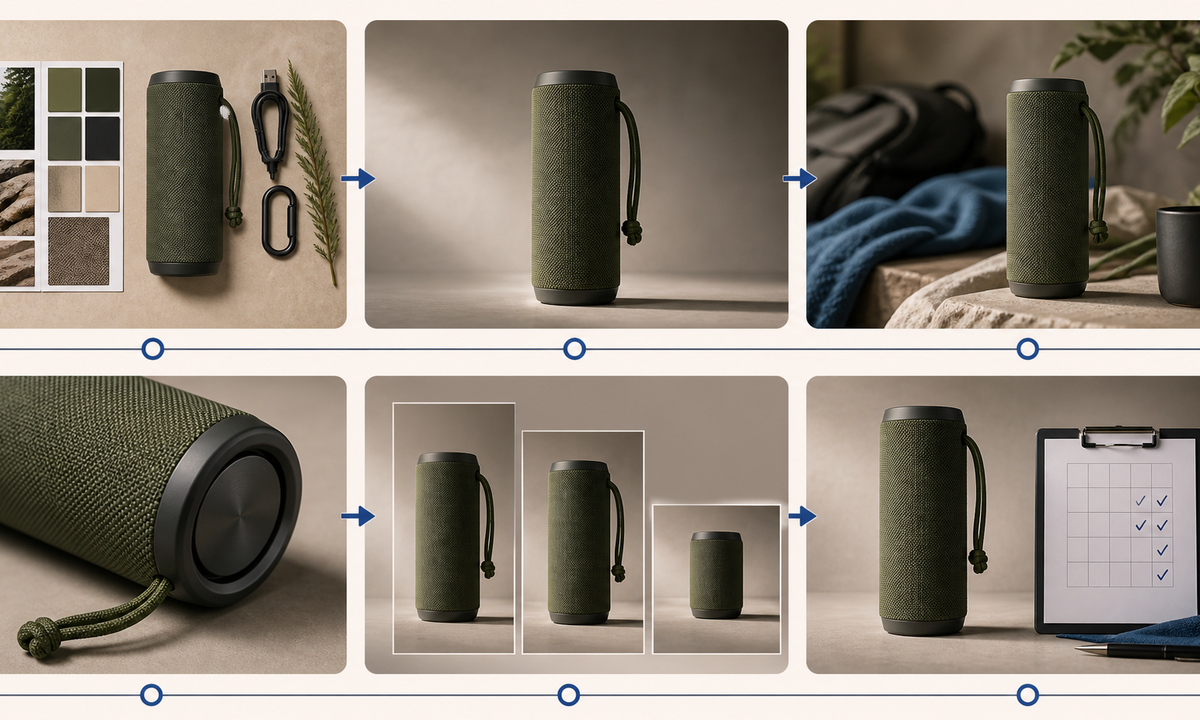
- Freeze SKU truth: dimensions, weight, colorways, grille, drivers, controls, ports, charging cable, strap, ratings, compatibility, battery claim, protection rating, included items, and market restrictions.
- Capture authorized views on a measured neutral setup plus macro details of every control, seam, texture, port cover, foot, attachment, accessory, and condition mark.
- Choose one campaign job per prompt: clean hero, home lifestyle, dry outdoor context, feature detail, scale reference, or crop-safe paid-social background.
- Build the reference-led scene with protected geometry and material instructions; keep water, sand, drops, heat, charging, pairing, and performance demonstrations out unless documented.
- Inspect enclosure length, end caps, grille alignment, button and port count, strap anchor, shadows, reflections, scale, support surface, accessories, and color across every candidate.
- Add verified feature copy, specifications, price, availability, compatibility, disclosure, alt text, and CTA separately; retain references, prompts, reviews, and channel crops.
Example prompt variants
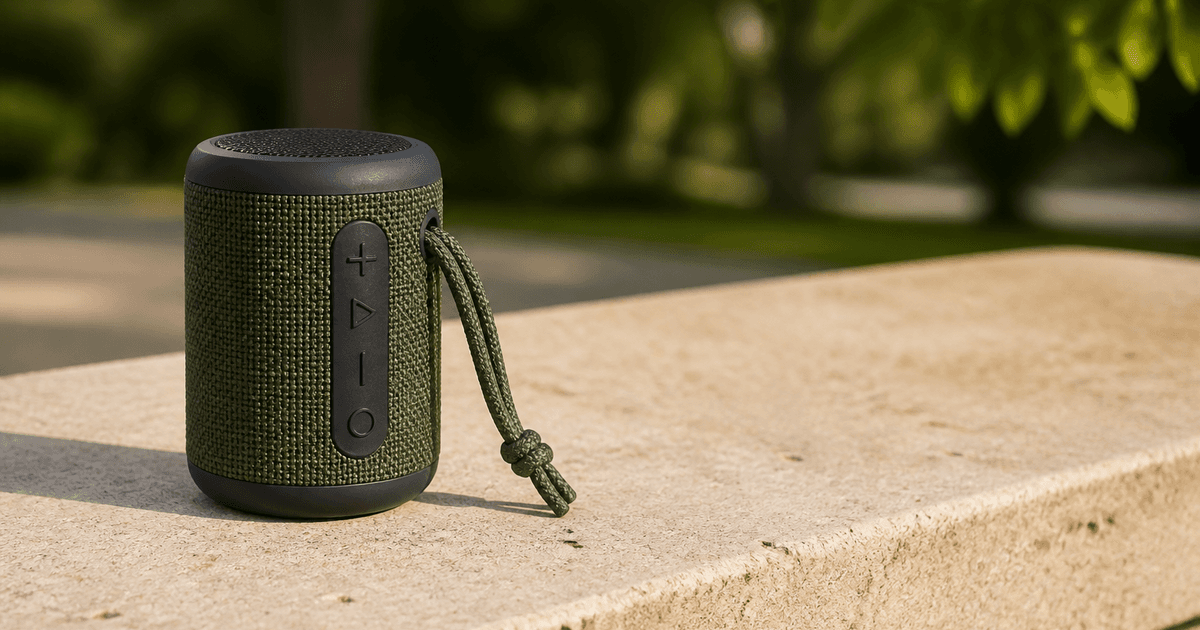
- Place the approved moss-green speaker upright on a pale stone picnic bench in dry weather, preserve exact grille, caps, four control zones, closed port cover, strap, scale and shadow, wide hero crop.
- Create a warm bedside lifestyle scene with the approved graphite speaker on a walnut shelf, preserve all hardware and materials, no glowing indicator, phone, voice assistant, charging cable, sound waves, or extra unit.
- Make a macro detail of the approved woven grille and strap anchor at three-quarter angle, preserve rib spacing, seam, rubber cap, color and wear, with clean negative space for separately added feature copy.
Quality checklist
- SKU, colorway, dimensions, controls, ports, covers, grille, drivers, feet, strap, accessories, condition, ratings, and claims match approved evidence.
- Enclosure geometry, material boundaries, texture, scale, perspective, contact, shadows, reflections, and orientation remain coherent across the campaign.
- No extra control, port, driver, light, cable, phone, speaker, splash, sound wave, assistant, rating, certification, or accessory appears.
- Context does not imply unsupported waterproofing, drop resistance, battery life, loudness, connectivity, outdoor range, or compatibility.
- Reference pack, truth sheet, prompts, outputs, product review, claims review, crops, publication, correction, and withdrawal remain traceable.
Mistakes to avoid
- Starting from one front photo and letting the model invent the rear ports, top controls, strap anchor, or bottom geometry.
- Adding water, sand, drops, pool edges, extreme weather, or glowing effects that imply unsupported protection and performance.
- Generating a stereo pair, phone connection, charging state, or accessory bundle not included in the exact offer.
- Approving an attractive scene without checking grille weave, button count, port cover, scale, shadows, colorway, and claim context.
Related AIBase pages
- Open Nano Banana Pro
- Create compact projector campaign photos
- Plan ecommerce product photo workflows
Practical next step
Open the most relevant AIBase generator, run one narrow prompt first, and save the best result before adding more constraints. The fastest way to improve output quality is to compare one variable at a time: subject, camera, background, lighting, then final polish.