
Seedance 2 Letterpress Printing Process Video Prompts
Turn authorized letterpress workshop stills into bounded Seedance 2 process clips while protecting press geometry, hands, type, and craft evidence.
Quick answer
Use Seedance 2 only when you have authorized photographs of the actual press, type, paper, workshop, and maker. Animate one bounded action—inking, feeding paper, one crank rotation, or pulling a proof—and protect machine geometry, hand positions, type orientation, and light. If the clip could be mistaken for documentary evidence of your process, caption it as AI-assisted motion or use real footage instead.
Who this guide is for
Letterpress studios, stationery brands, craft educators, and small-batch printmakers promoting workshops or process storytelling from still photography.
Recommended model
| Use case | Recommended model | Why |
|---|---|---|
| This workflow | Seedance 2 | Image-to-video is useful for a short source-led action from an approved still, while real footage remains better for unscripted hands, precision work, and process proof. |
AIBase is an independent creative platform. Model names are shown only to identify supported underlying technologies and workflow choices.
Prompt template
Use the uploaded authorized letterpress workshop photograph as the exact first frame. Preserve press body, roller path, ink drum, chase, type lockup, plate, paper size, table, tools, maker identity, sleeves, hands, camera, and lighting. Animate only [one action] for [4-6 seconds] with [direction and speed]. Keep [safe area] clear for captions. No extra machine, hand, type block, paper, word, sound claim, historical implication, or watermark.
Step-by-step workflow
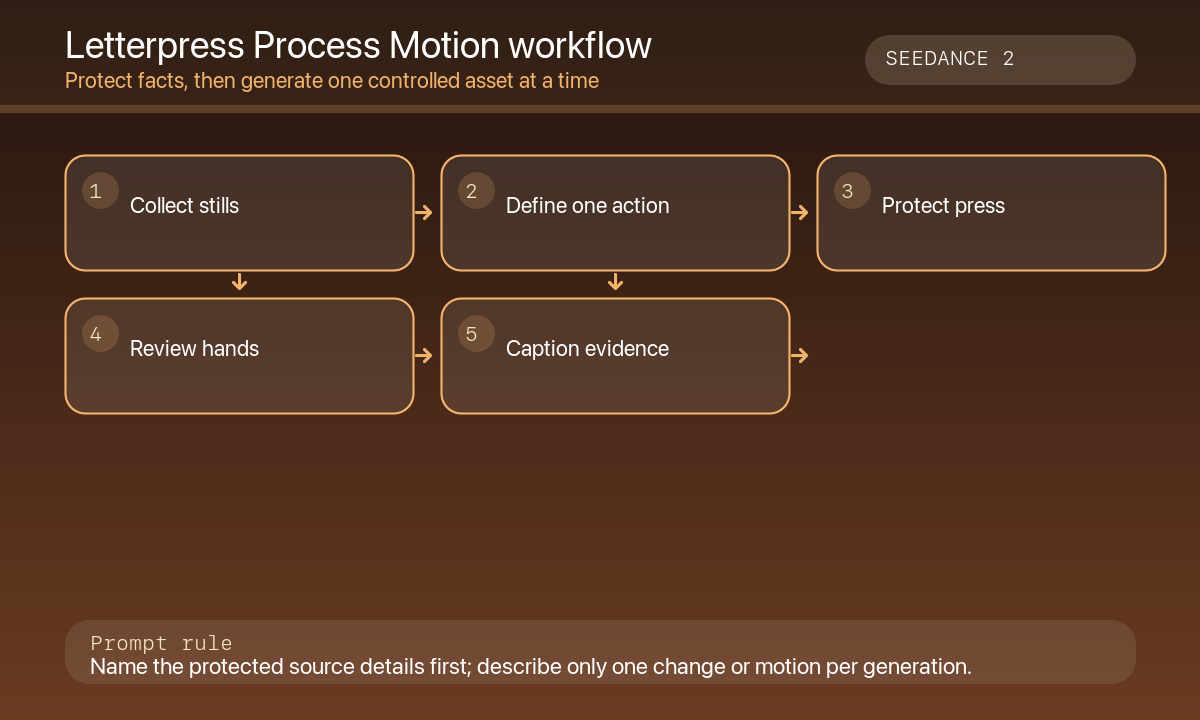
- Inventory authorized press photos, maker releases, workshop location, equipment identity, materials, and process order.
- Choose one visible action that can be completed in four to six seconds without hiding the product or machine.
- Write protected elements before motion: press, rollers, chase, type lockup, paper, hands, table, and light.
- Generate at normal speed, then review at quarter speed for hand anatomy, roller path, type orientation, paper flex, and shadows.
- Assemble the truthful process sequence with real footage where evidence matters; label AI-assisted motion in context.
- Add captions, workshop facts, safety notes, timing, pricing, booking links, and audio in post-production.
Example prompt variants
- Four-second close-up: the existing hand feeds one cream sheet into the approved press while the roller remains aligned; preserve sleeve, type lockup, light, and camera; no extra hand or printed word.
- Five-second detail: one smooth crank rotation moves the existing roller across the ink plate; preserve press geometry and workshop background; no person or newly printed sheet.
- Six-second proof pull: the existing maker lifts one edge of the paper from the platen just far enough to reveal the previously printed safe area; no new text, typeface, logo, or historical claim.
Quality checklist
- Press, roller, chase, type orientation, paper, tools, maker, clothing, and workshop match authorized source media.
- Only the requested action changes; hands, fingers, and material contact remain plausible.
- Generated motion is not presented as documentary proof of skill, authorship, or production method.
- Captions, process order, safety notes, timing, pricing, and booking details are accurate and editable.
- Source rights, releases, prompt, output, approvals, and disclosure are recorded.
Mistakes to avoid
- Inventing an artisan, historic workshop, press brand, or traditional lineage.
- Asking the model to generate readable printed words or a new typeface design.
- Animating multiple mechanical actions in one clip until hands and rollers morph.
- Using synthetic process footage as evidence of how every order was made.
Related AIBase pages
Practical next step
Open the most relevant AIBase generator, run one narrow prompt first, and save the best result before adding more constraints. The fastest way to improve output quality is to compare one variable at a time: subject, camera, background, lighting, then final polish.