
Veo 3.1 Fast Specialty Grocer New Arrivals Reel Prompts
Plan fast vertical new-arrivals reels for specialty grocers while keeping products, prices, origin, allergens, storage, availability, dates, labels, and food presentation accurate.
Quick answer
Use Veo 3.1 Fast for generic establishing shots, aisle transitions, light sweeps, and text-free end-card motion, then cut in real approved product and shelf footage for each arrival. Keep exact package, label, size, price, origin, certification, allergens, storage, use-by information, alcohol restrictions, and stock state as live editable overlays from the store system.
Who this guide is for
Independent grocers, delicatessens, cheese shops, bakeries, beverage stores, food halls, market stalls, import retailers, and local social teams publishing frequent arrival updates.
Recommended model
| Use case | Recommended model | Why |
|---|---|---|
| This workflow | Veo 3.1 Fast for generic reel hooks and transitions around real product footage | Fast iteration suits short-lived social creative, while the facts that can affect purchase, diet, safety, or availability remain anchored to real inventory and packaging. |
AIBase is an independent creative platform. Model names are shown only to identify supported underlying technologies and workflow choices.
Prompt template
Create a [3-5 second] vertical 9:16 text-free transition for a specialty-grocer new-arrivals reel. Scene: [generic aisle / market paper texture / refrigerated case light / produce color field] with [specific camera move] and protected center and lower zones for later editable copy. Warm natural retail light, appetizing but realistic surfaces, no identifiable product, package, label, price, barcode, certification, country flag, ingredient, allergen symbol, health claim, alcohol service, customer face, employee face, text, music, or watermark. End on a clean frame designed to cut to real approved product footage.
Step-by-step workflow
- Export the approved arrival list with exact SKU, variant, size, package revision, price, tax or deposit, origin, certification, allergens, storage, use-by display rules, age restriction, availability, limits, and owner.
- Capture real vertical product plates, shelf context, labels, case temperature context, serving state, and store exterior only after checking brand, customer, employee, and location rights.
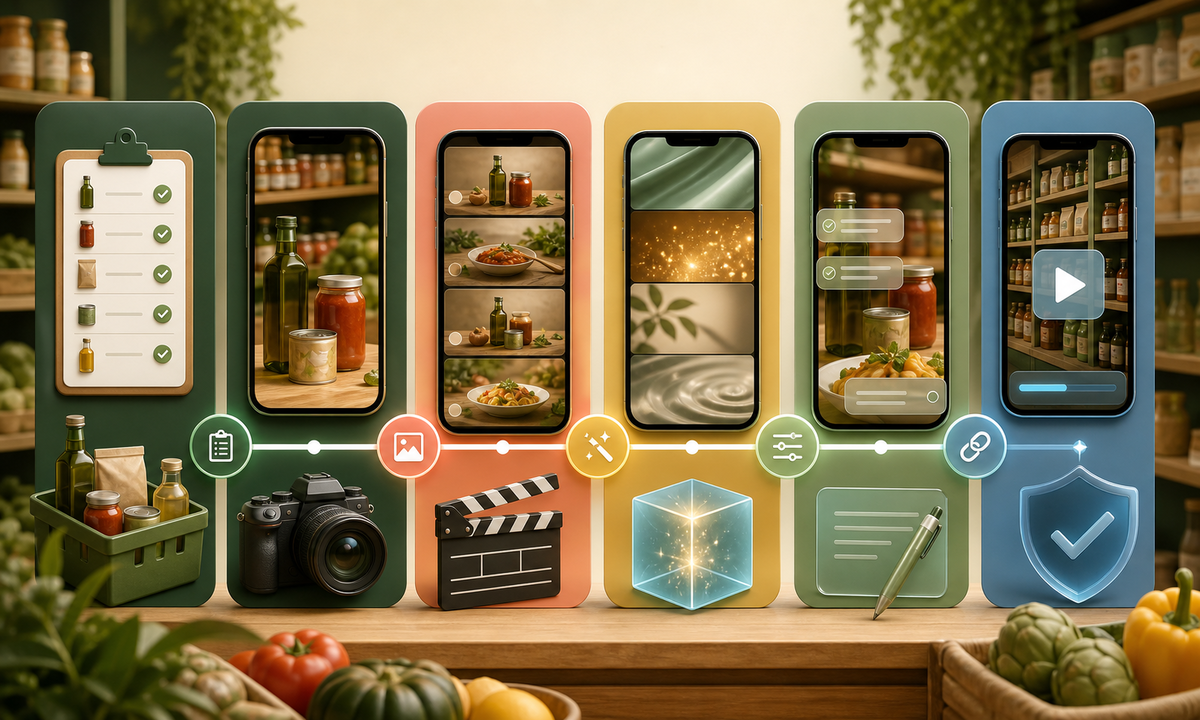
- Write a six-to-ten-second structure: one generic generated hook, two or three real product cuts, one factual availability card, and one real store or pickup CTA.
- Generate only text-free atmosphere, transitions, or end-card motion that does not invent food, packaging, abundance, shoppers, service, or store conditions.
- Assemble exact product footage and live editable overlays for name, size, price, origin, allergen or age notices, stock qualifier, date, location, and CTA.
- Test first-frame clarity, sound-off captions, contrast, safe zones, product match, date rollover, stock changes, store hours, link, accessibility, and rapid takedown.
Example prompt variants
- Three-second refrigerated-case light sweep with abstract glass reflections and cool-to-warm color transition, protected center zone, no package, label, food, price, person, condensation claim, or text.
- Four-second top-down market-paper transition with three empty color blocks inspired by produce, cheese, and pantry goods, subtle push-in, no actual food or certification motif.
- Five-second evening storefront end-card motion using a generic independent-market facade with no readable sign, customers, stocked-window claim, opening-hours cue, or logo; leave large CTA and date zones.
Quality checklist
- Every shown arrival matches the exact SKU, variant, package, size, price, tax or deposit, origin, certification, allergens, storage, date rule, restriction, and current stock source.
- Generated frames contain no identifiable product, label, food claim, customer, employee, fake abundance, misleading freshness, or invented store condition.
- Real footage and generated transitions cut cleanly without changing package geometry, color, scale, food state, shelf context, or temperature implication.
- Names, prices, dates, locations, notices, captions, disclosure, CTA, and stock qualifiers remain editable, readable, and accessible.
- Inventory export, references, prompts, edits, approvals, publication window, stock updates, corrections, and takedown remain traceable.
Mistakes to avoid
- Generating the actual package and trusting small labels, origin marks, allergens, certifications, or size to remain accurate.
- Showing abundant shelves or fresh service when inventory, staffing, preparation, or case conditions are not verified.
- Embedding price, date, address, or availability in pixels that cannot be updated when the reel is scheduled.
- Using cinematic food close-ups that imply serving suggestion, ingredient, portion, freshness, or preparation not shown by the sold product.
Related AIBase pages
Practical next step
Open the most relevant AIBase generator, run one narrow prompt first, and save the best result before adding more constraints. The fastest way to improve output quality is to compare one variable at a time: subject, camera, background, lighting, then final polish.