
Veo 3.1 Fast vs Wan 2.7 for Ecommerce Social Product Videos
Compare Veo 3.1 Fast and Wan 2.7 for ecommerce social product videos with matched prompts, references, attempts, fidelity scoring, motion review, time, and production routing.
Quick answer
Choose by shot class, not by a universal winner. Run the same approved product reference, neutral motion prompt, aspect ratio, duration, attempts, correction round, and scorecard in both models. Route each repeatable job—product hold, light sweep, turn, reveal, or lifestyle concept—to the workflow that meets its fidelity threshold with the least correction time.
Who this guide is for
Ecommerce brands, marketplace sellers, performance teams, creative studios, agencies, and developers deciding how to produce vertical product hooks, catalog loops, short demos, and paid-social concepts.
Recommended model
| Use case | Recommended model | Why |
|---|---|---|
| This workflow | Choose per shot class after a matched Veo 3.1 Fast and Wan 2.7 test | Social product videos combine different constraints: one job may reward rapid concept iteration while another depends on reference fidelity or subtle object motion, so matched evidence is more useful than model reputation. |
AIBase is an independent creative platform. Model names are shown only to identify supported underlying technologies and workflow choices.
Prompt template
MATCHED ECOMMERCE VIDEO TEST using the same authorized product source. SHOT JOB: [product hold/light sweep/minimal turn/reveal/lifestyle concept]. Preserve exact silhouette, dimensions, construction, color, material, label zone, typography, logo placement, accessories, camera, crop, background, light, shadow, and reflection. Animate only [one camera, object, or environmental motion] from [start] to [end] over [duration] in [ratio]. No morph, extra part, changing label, invented feature, hand, text, price, claim, CTA, rating, logo invention, or watermark. Run the same prompt, reference, duration, ratio, attempt count, correction instruction, time capture, and review threshold in Veo 3.1 Fast and Wan 2.7.
Step-by-step workflow
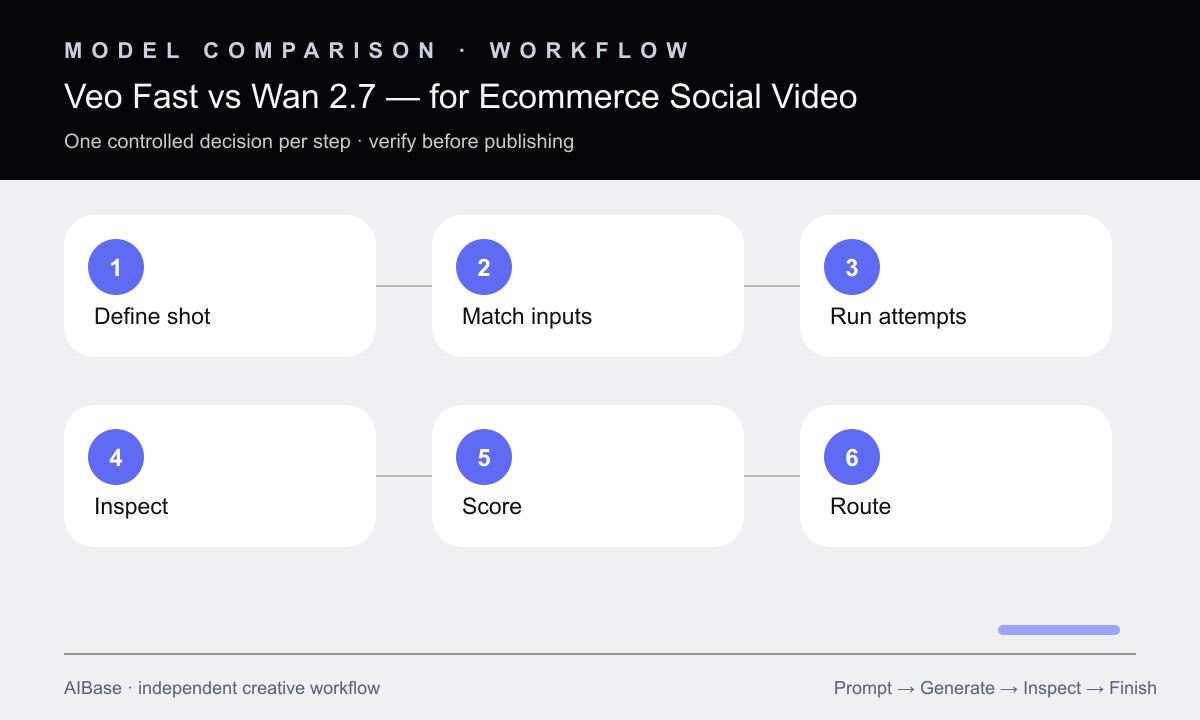
- Define one representative shot class, channel, crop, duration, product-fidelity threshold, source assets, edit deadline, and failure conditions.
- Prepare an approved product truth sheet and one model-neutral prompt with a single motion, then fix attempt count, correction round, and time budget.
- Generate matched first passes in both workflows without giving either route a better reference, longer prompt, easier motion, or extra cleanup.
- Blind-review frame-level product fidelity, motion plausibility, camera stability, background continuity, crop safety, artifacts, usable duration, and correction reliability.
- Record usable-candidate rate, hands-on time, generation time, output duration, post-production burden, and actual platform or account cost at test time.
- Route by shot class, composite approved pack shots and campaign elements where needed, and retest whenever product geometry, reference quality, duration, or motion complexity changes.
Example prompt variants
- Matched five-second 9:16 skincare bottle hold, locked product and camera, one soft reflected light sweep travels left to right across the background only, preserve bottle, cap, label zone, shadow, and scale.
- Matched six-second square sneaker reveal, very slow lateral camera slide from heel detail to three-quarter product view, preserve sole, laces, stitching, color, logo zone, floor contact, and studio lighting.
- Matched five-second landscape kitchen-appliance concept, subtle push-in toward the approved appliance on a clean counter, product remains still, preserve controls, seams, material, reflections, background, and no hand interaction.
Quality checklist
- Both models receive the same source, prompt, motion, ratio, duration, attempts, correction, time budget, export target, and pass threshold.
- Reviewers inspect anonymized clips frame by frame against the approved product instead of judging only smoothness or first-frame attractiveness.
- The scorecard separates product fidelity, motion, camera, background, crop, artifacts, usable duration, correction, post-production, time, and cost.
- Final labels, logos, prices, claims, CTA, ratings, product details, captions, sound, and disclosures come from current approved assets.
- The routing decision is documented per shot class with a fallback to real footage, compositing, 3D, or manual motion when neither model passes.
Mistakes to avoid
- Testing Veo with text-to-video and Wan with a strong product reference, then calling the outputs directly comparable.
- Choosing the smoothest clip when product parts, labels, colors, materials, or proportions drift between frames.
- Comparing one lucky attempt instead of matched candidate rates, correction rounds, usable seconds, and hands-on time.
- Declaring one model best for every product instead of routing locked holds, turns, reveals, demos, and lifestyle concepts separately.
Related AIBase pages
- Open Veo 3.1 Fast
- Open Wan 2.7
- Compare image-to-video and text-to-video ads
- Choose an ecommerce product-ad workflow
Practical next step
Open the most relevant AIBase generator, run one narrow prompt first, and save the best result before adding more constraints. The fastest way to improve output quality is to compare one variable at a time: subject, camera, background, lighting, then final polish.