
Image-to-Video vs Text-to-Video for Product Ads: A Practical Test
Choose image-to-video or text-to-video for product ads by testing SKU fidelity, concept range, motion, camera, editability, time, and truthful representation.
Quick answer
Use image-to-video when an approved product photo must anchor the SKU, packaging, color, label zone, or composition. Use text-to-video when you need broad mood, environment, action, or camera concepts and exact product identity is not yet required. A practical ad often explores hooks with text, animates verified product references for fidelity, and composites real pack shots and copy in post.
Who this guide is for
Ecommerce, paid social, creative strategy, production, and brand teams deciding which generation route to use for product hooks, pack shots, lifestyle concepts, demonstrations, and final composites.
Recommended model
| Use case | Recommended model | Why |
|---|---|---|
| This workflow | A matched route test using one text-to-video and one image-to-video workflow | The correct choice depends more on the source of truth than on a universal model ranking: text can maximize concept range, while a reference image can constrain product identity and layout. |
AIBase is an independent creative platform. Model names are shown only to identify supported underlying technologies and workflow choices.
Prompt template
TEST GOAL: [concept range or SKU-faithful motion]. VERIFIED PRODUCT TRUTH: [shape, color, materials, closures, label zones, included parts, allowed claims]. SHOT: [duration, ratio, action, camera, light, ending]. For text-to-video: depict a generic [product category] concept without implying an exact SKU, readable brand, feature, or claim. For image-to-video: use the uploaded approved SKU as the exact anchor and keep [protected details] unchanged; animate only [one motion]. For both: no invented feature, label, logo, certification, result, extra product, unsafe use, text, or watermark.
Step-by-step workflow
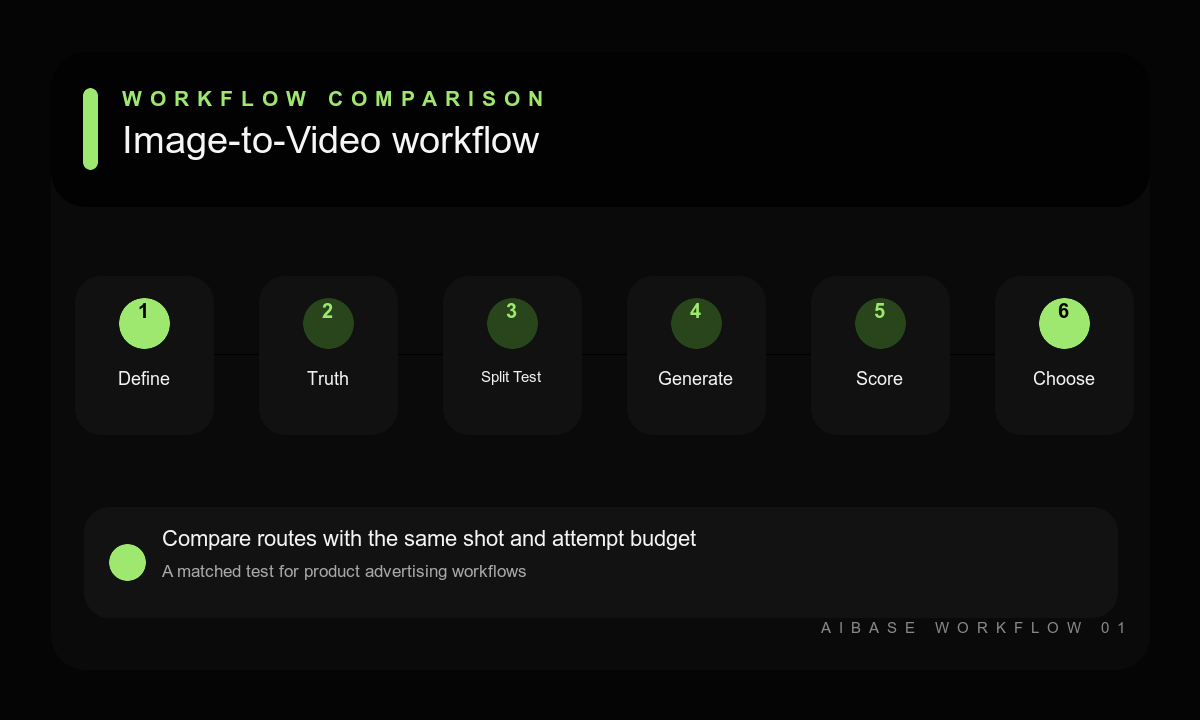
- Define the ad decision, target placement, product truth, acceptable concept freedom, fidelity threshold, and review scorecard.
- Prepare one text brief and one clean authorized reference so both routes share the same action, camera, light, duration, ratio, and attempt budget.
- Generate matched candidates without giving one route extra refinement time or relaxing its product-truth requirements.
- Blind-score concept usefulness, SKU fidelity, motion, physics, camera, artifacts, edit point, time, and cost.
- Choose the route per shot: broad concept, environment, and hook exploration or reference-anchored product motion.
- Composite approved product pixels, typography, audio, claims, and disclosures in post, then document the winning workflow for the shot class.
Example prompt variants
- Matched hydration-ad test: six-second 9:16 shot, one bottle on wet stone, small water arc behind it, locked camera, cool side light, stable ending; text route uses a generic bottle, image route protects the exact approved SKU.
- Matched desk-product test: eight-second 16:9 shot, one compact device on a walnut desk as morning light moves slightly, slow push-in, clean right copy zone; compare concept range against exact device fidelity.
- Matched snack-ad test: six-second square shot, one pouch upright while two verified ingredients move gently in the background, camera fixed, no nutrition claim; text route explores mood, image route anchors packaging.
Quality checklist
- Both routes use the same shot goal, action, camera, light, duration, ratio, attempts, and review threshold.
- The scorecard separates concept usefulness from exact product geometry, materials, colors, labels, and parts.
- Motion, physics, contact, camera stability, artifacts, editability, time, and cost are recorded independently.
- Generated concepts are not presented as exact products, demonstrations, or evidence unless verified.
- The chosen route is documented for this product and shot class, with final brand and claims review complete.
Mistakes to avoid
- Expecting a text-only prompt to reproduce an exact SKU without an approved reference or compositing step.
- Using image-to-video for every idea even when the source locks an unhelpful crop, light, or environment.
- Comparing different concepts, ratios, attempt budgets, or review standards and calling the result a route test.
- Choosing visual drama over product truth, editability, and the actual advertising job.
Related AIBase pages
- Animate a product photo with Seedance 2.0
- Explore concepts with Veo 3.1 Fast
- Follow the Wan 2.7 image-to-video workflow
- Compare AI video models for ecommerce ads
Practical next step
Open the most relevant AIBase generator, run one narrow prompt first, and save the best result before adding more constraints. The fastest way to improve output quality is to compare one variable at a time: subject, camera, background, lighting, then final polish.