
Wan 2.7 Food Photo Animation Prompts for Menu and Social Clips
Animate food photos with Wan 2.7 using believable steam, pours, garnishes, camera movement, stable plating, and appetizing final frames.
Quick answer
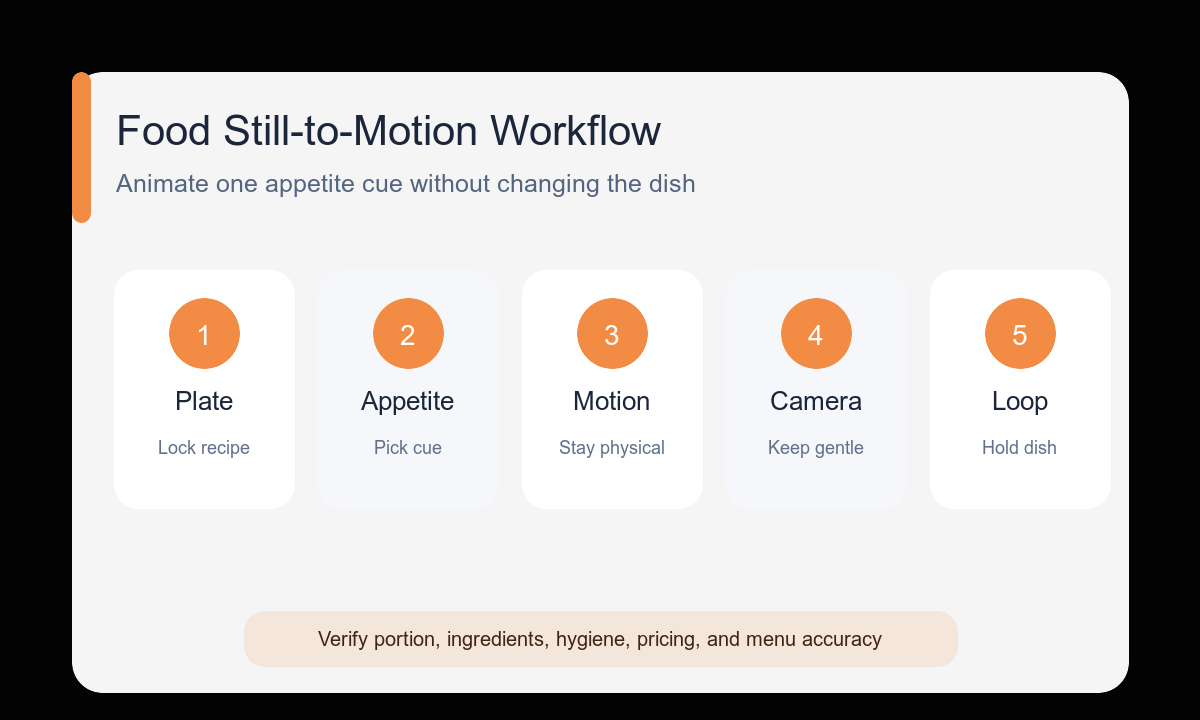
Lock the plate, ingredients, serving size, color, and camera crop from the source image. Add one appetizing motion—steam, a controlled pour, a garnish drop, or a gentle camera move—and keep it physically plausible so the dish does not melt, multiply, or change recipe.
Who this guide is for
Restaurants, food creators, delivery brands, and social teams turning approved menu photography into short motion concepts and vertical feed assets.
Recommended model
| Use case | Recommended model | Why |
|---|---|---|
| This workflow | Wan 2.7 in image-to-video mode | Its image-to-video and vertical-format workflow suits food clips where the supplied dish photo must remain the visual anchor. |
AIBase is an independent creative platform. Model names are shown only to identify supported underlying technologies and workflow choices.
Prompt template
Use the uploaded food photo as the exact first frame. Preserve the plate or package, ingredient count, portion size, arrangement, color, table surface, and crop. Primary appetizing motion: [steam/pour/garnish/utensil action]. Camera: [locked/slow push/short tilt]. Keep motion physically plausible and lower contrast than the dish. End frame: [stable plated composition or loop]. No ingredient changes, melting geometry, extra hands, spills, text, duplicate food, camera shake, or sudden cuts.
Step-by-step workflow
- Choose an approved image with sharp food texture and enough space for the intended motion.
- List plating and ingredient details that must remain identical.
- Select one motion appropriate to the dish’s temperature and texture.
- Use a locked camera for utensil or pour actions and a slow camera move for a still dish.
- Plan a stable ending that can hold for menu copy or return smoothly toward a loop.
- Review ingredient continuity, color, portion, hygiene, and brand accuracy frame by frame.
Example prompt variants
- Keep the exact ramen bowl, noodles, egg halves, scallions, broth level, and overhead three-quarter crop; gentle steam rises; very slow push-in; no utensil movement; end on the original centered bowl.
- Keep the iced coffee glass, foam layer, ice count, logo-free sleeve, and tabletop stable; one narrow stream of milk creates a realistic swirl; locked camera; end before overflow.
- Keep the plated tart, berry arrangement, powdered sugar, plate, and vertical crop unchanged; one mint leaf settles onto the edge; subtle downward tilt; end with clean top caption space.
Quality checklist
- The dish, package, portion, and ingredient arrangement remain recognizable.
- Steam, liquid, garnish, and utensil motion behave plausibly.
- Food color and texture stay appetizing without artificial saturation shifts.
- No extra fingers, ingredients, plates, spills, or hygiene issues appear.
- The final crop leaves safe space for verified menu text added later.
Mistakes to avoid
- Animating several ingredients independently until the plate loses continuity.
- Adding steam to a cold item or motion that contradicts the dish.
- Using a dramatic orbit that hides the hero ingredients.
- Allowing generated menu text, prices, portions, or nutrition claims into the final asset.
Related AIBase pages
- Animate food photos with Wan 2.7
- Follow the Wan 2.7 image-to-video workflow
- Prepare vertical social clips
Practical next step
Open the most relevant AIBase generator, run one narrow prompt first, and save the best result before adding more constraints. The fastest way to improve output quality is to compare one variable at a time: subject, camera, background, lighting, then final polish.