
HappyHorse 图生视频提示词指南:生成稳定动态概念
用 HappyHorse 图生视频提示词保护源图构图、定义单一动作、控制镜头并检查稳定性。
Quick answer
Start with a source image that already contains the desired composition. Tell HappyHorse what must remain fixed, then add one primary motion, one camera instruction, restrained environmental movement, and a specific final frame.
Who this guide is for
Creators testing motion concepts from portraits, products, illustrations, or campaign stills while keeping the original scene recognizable.
Recommended model
| Use case | Recommended model | Why |
|---|---|---|
| This workflow | HappyHorse 1.0 in image-to-video mode | AIBase lists HappyHorse as a text- and image-to-video option, so it is a relevant workflow choice when an existing still is the creative anchor. |
AIBase is an independent creative platform. Model names are shown only to identify supported underlying technologies and workflow choices.
Prompt template
Use the uploaded image as the exact opening composition. Preserve [identity/product geometry], [wardrobe/material], [background layout], and [color palette]. Primary motion: [one action]. Camera: [one subtle movement or locked frame]. Secondary motion: [one environmental detail]. End frame: [specific composition]. Avoid morphing, new objects, sudden cuts, camera shake, face drift, and changes to protected details.
Step-by-step workflow
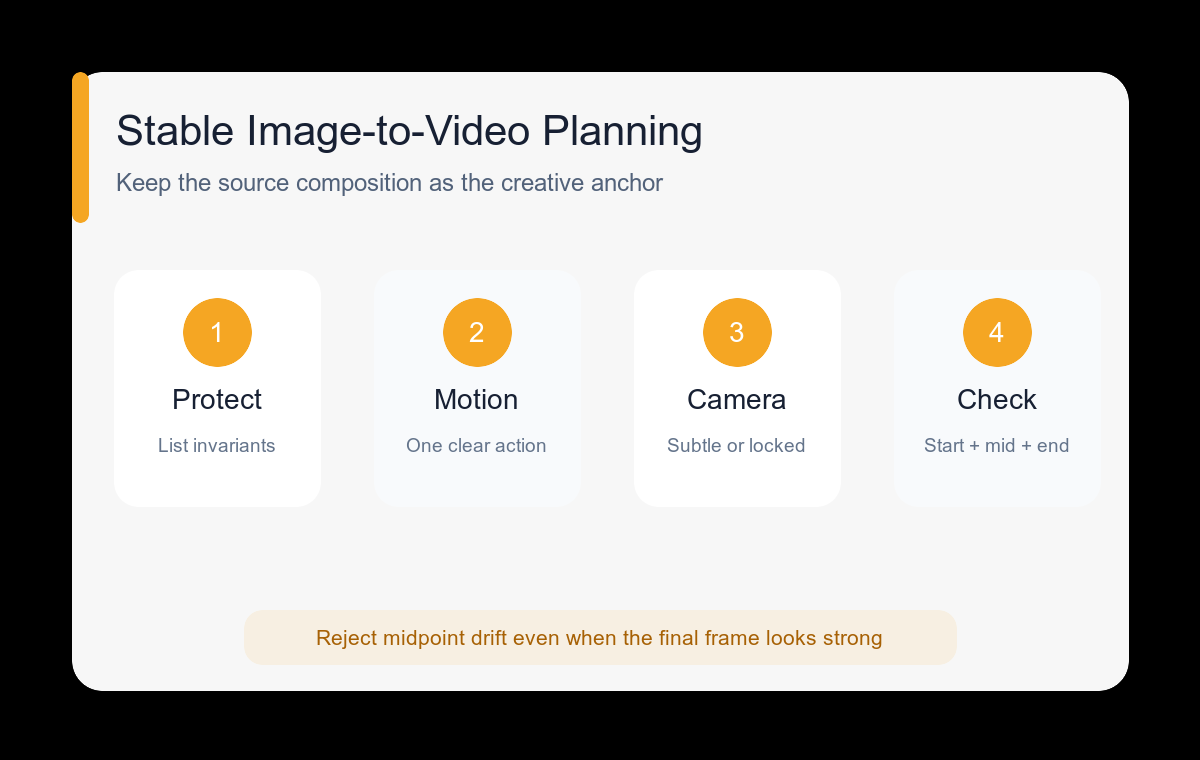
- Choose a sharp source image with a clear subject, plausible depth, and enough room for the planned motion.
- List protected details before writing any motion instruction.
- Select one primary action that can complete naturally within a short clip.
- Use a locked camera for complex subject motion or a subtle camera move for a mostly still subject.
- Keep secondary motion to one or two elements such as hair, fabric, steam, light, dust, or leaves.
- Review the opening, midpoint, and final frames for identity, geometry, background, and motion continuity.
Example prompt variants
- Portrait remains centered; subject takes one slow breath and turns eyes toward the window; locked camera; curtain moves gently; end with the same head position.
- Product bottle remains fixed on stone; narrow band of light moves across the glass; slow three-degree push-in; condensation stays realistic; end on a clean label-facing hero frame.
- Illustrated fox remains on the hill; tail sways once and distant grass moves in wind; no camera movement; preserve line style and palette; end near the opening pose.
Quality checklist
- The first frame matches the supplied image composition.
- Protected facial or product details remain recognizable at midpoint and end.
- The primary motion has a clear beginning and completion.
- Camera movement does not fight the subject action.
- New background objects or textures do not appear during the clip.
Mistakes to avoid
- Using a source image where the subject is already cropped too tightly for movement.
- Describing several actions with no priority or timing.
- Requesting a large orbit while also asking the subject to move dramatically.
- Evaluating only the final frame and missing midpoint morphing.
Related AIBase pages
Practical next step
Open the most relevant AIBase generator, run one narrow prompt first, and save the best result before adding more constraints. The fastest way to improve output quality is to compare one variable at a time: subject, camera, background, lighting, then final polish.