
Nano Banana 2 角色一致性提示词:稳定生成连续场景
用 Nano Banana 2 角色一致性提示词,在连续场景中稳定保留外貌、服装、比例和视觉风格。
Quick answer
Character consistency improves when you reuse one clean reference, write a fixed identity block, and change only the scene instructions between generations. Lock the face, hair, clothing anchors, proportions, and rendering style before asking for new poses or locations.
Who this guide is for
Illustrators, storytellers, campaign teams, and social creators building a sequence around one recurring person or mascot rather than a single standalone image.
Recommended model
| Use case | Recommended model | Why |
|---|---|---|
| This workflow | Nano Banana 2 in image-to-image mode | Its reference-image workflow makes it a practical starting point when the main job is preserving an established character while exploring controlled scene changes. |
AIBase is an independent creative platform. Model names are shown only to identify supported underlying technologies and workflow choices.
Prompt template
Use the uploaded character sheet as the identity reference. Preserve [face shape], [hair], [distinctive features], [body proportions], [signature clothing], and [rendering style]. Place the same character in [new scene] performing [single action]. Camera: [framing]. Lighting: [light]. Change only the pose, expression, and environment. Do not add accessories, alter age, redesign clothing, or change facial structure.
Step-by-step workflow
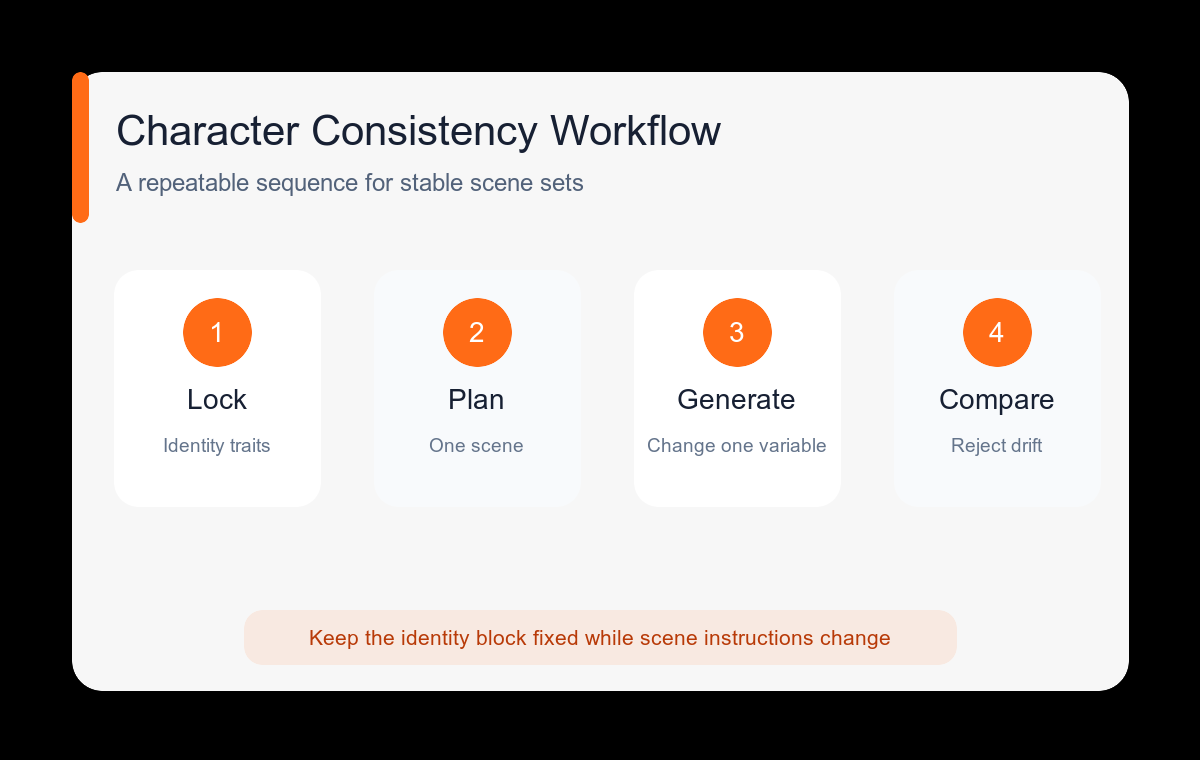
- Create a neutral identity image with a clear face, simple pose, and unobstructed signature outfit.
- Write a reusable identity block containing five to eight visible traits that can be checked in every result.
- Plan the sequence as a shot list, then generate one scene at a time instead of describing the whole story in one prompt.
- Keep camera distance and lighting similar for the first two scenes so identity errors are easier to spot.
- Reject a frame when two or more identity anchors drift; do not use a weak frame as the next reference.
- After the character is stable, vary location, pose, and mood one variable at a time.
Example prompt variants
- Same character from the reference, waist-up at a rainy bus stop, holding a transparent umbrella, calm expression, cool evening light, preserve jacket and facial proportions.
- Same character and exact outfit, full-body walking through a bright studio hallway, side profile, natural stride, keep hairstyle silhouette and color palette unchanged.
- Same character seated at a cafe table, three-quarter view, surprised expression, warm window light, no new jewelry or clothing details.
Quality checklist
- Face shape, eye spacing, hairstyle, and age read as the same character.
- Signature colors and clothing details stay in the same locations.
- Body proportions remain plausible across camera distances.
- The new pose does not introduce extra fingers, accessories, or duplicated objects.
- All frames share a compatible rendering and lighting style.
Mistakes to avoid
- Using a busy group scene as the first identity reference.
- Replacing the entire prompt instead of keeping a fixed identity block.
- Changing pose, wardrobe, age, camera, and art style in one pass.
- Continuing from a frame where the character has already drifted.
Related AIBase pages
- Create with Nano Banana 2
- Review reference-image prompt patterns
- Compare higher-fidelity image editing
Practical next step
Open the most relevant AIBase generator, run one narrow prompt first, and save the best result before adding more constraints. The fastest way to improve output quality is to compare one variable at a time: subject, camera, background, lighting, then final polish.