
Seedream 5.0 Lite 社媒广告变体:避免提示词漂移
用 Seedream 5.0 Lite 生成不同社媒广告变体,同时稳定产品、受众、活动承诺和布局约束。
Quick answer
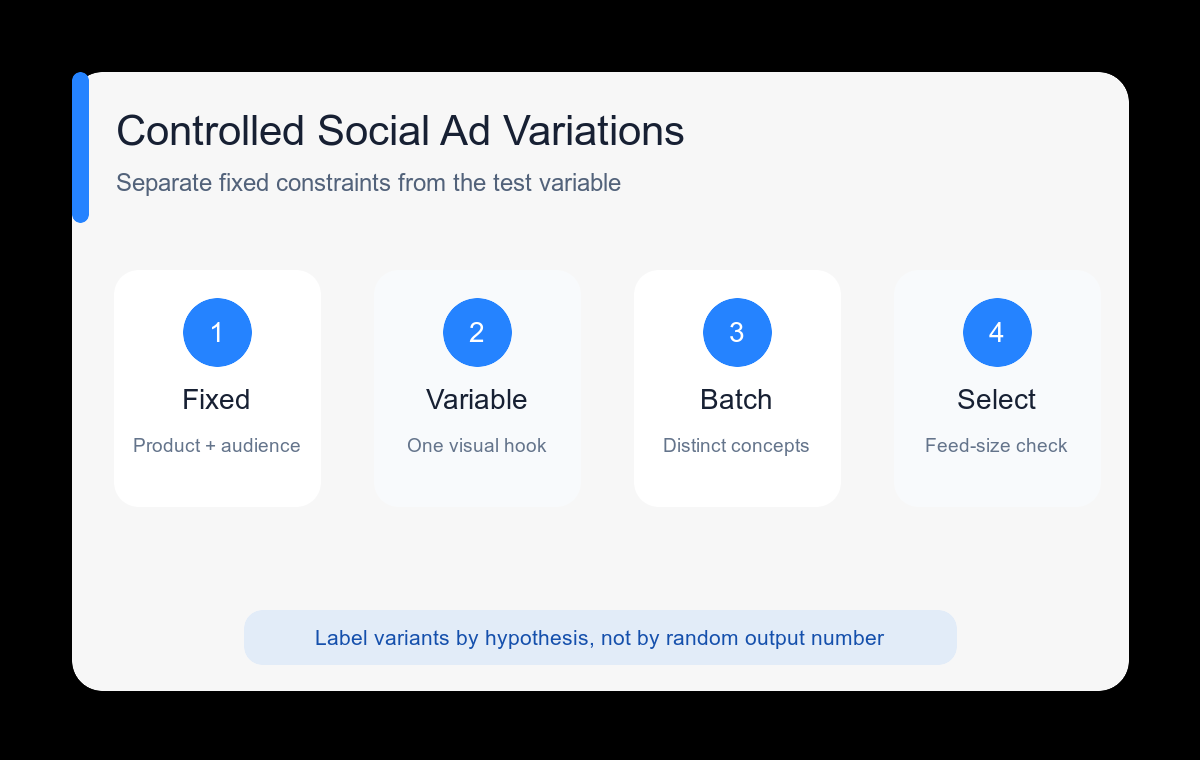
Separate fixed campaign constraints from the variable you are testing. Keep the product, audience, promise, crop, and copy zone fixed; change only the hook, setting, color direction, or camera treatment for each variation.
Who this guide is for
Paid social teams and small brands that need a broad concept set for Instagram, TikTok, LinkedIn, or other feed placements without losing campaign consistency.
Recommended model
| Use case | Recommended model | Why |
|---|---|---|
| This workflow | Seedream 5.0 Lite | Its role in the current AIBase catalog makes it useful for rapid image exploration, including text-to-image concepts and reference-based variations. |
AIBase is an independent creative platform. Model names are shown only to identify supported underlying technologies and workflow choices.
Prompt template
Create variation [A/B/C] of a [platform and aspect ratio] ad image for [product] aimed at [audience]. FIXED: [product details], [campaign promise], [subject placement], [copy zone], [brand palette]. CHANGE ONLY: [visual hook or setting]. Style: [direction]. No readable text, fake logos, unsupported claims, or extra products.
Step-by-step workflow
- Write a fixed brief with the product, audience, single promise, placement, and protected details.
- Choose one variable to test first: visual metaphor, lifestyle setting, camera angle, or color temperature.
- Generate three meaningfully different concepts with the same aspect ratio and copy zone.
- Label outputs by hypothesis, such as proof, routine, aspiration, or contrast, instead of numbering random variants.
- Shortlist only images that preserve the fixed block and remain legible at feed size.
- Add final copy and brand assets in a layout tool, then export platform-specific crops.
Example prompt variants
- FIXED reusable bottle, young office commuters, vertical crop, product lower right, empty upper third; CHANGE ONLY hook to a condensation-covered bottle beside a sunlit train window.
- FIXED project-management app campaign, small agency owners, square crop, laptop on right, left copy zone; CHANGE ONLY hook to neatly arranged colored task cards turning into one clear path.
- FIXED healthy snack pouch and packaging colors, parents, vertical story placement, center product; CHANGE ONLY setting to an organized school-morning kitchen counter.
Quality checklist
- Every variation preserves the same campaign promise and protected product details.
- Each version tests a recognizable hypothesis rather than a minor decoration change.
- The product and visual hook read at a small feed preview size.
- The reserved copy zone remains uncluttered after cropping.
- No version introduces claims or brand elements absent from the source brief.
Mistakes to avoid
- Changing the audience, benefit, layout, and style between every output.
- Calling color swaps distinct campaign concepts.
- Keeping an attractive result that no longer represents the product accurately.
- Letting generated text become part of the final ad artwork.
Related AIBase pages
- Generate with Seedream 5.0 Lite
- Start from Seedream prompt examples
- Use the social media prompt template
Practical next step
Open the most relevant AIBase generator, run one narrow prompt first, and save the best result before adding more constraints. The fastest way to improve output quality is to compare one variable at a time: subject, camera, background, lighting, then final polish.