
GPT Image 2 White Background Product Photo Prompts
Create clean white-background product photo concepts with GPT Image 2 using precise angle, surface, shadow, crop, and accuracy instructions.
Quick answer
For a clean product image, specify one item, one camera angle, a seamless neutral background, a controlled grounding shadow, and enough margin for the target crop. Treat generated images as concepts unless the product’s exact geometry, labeling, and marketplace requirements have been independently checked.
Who this guide is for
Store owners, product marketers, and creative teams drafting uncluttered listing-image directions, catalog layouts, or photography briefs from a text description.
Recommended model
| Use case | Recommended model | Why |
|---|---|---|
| This workflow | GPT Image 2 | It is a direct fit for text-to-image product concepts when the goal is a tightly bounded studio composition without a supplied reference image. |
AIBase is an independent creative platform. Model names are shown only to identify supported underlying technologies and workflow choices.
Prompt template
Create a clean ecommerce studio image of [single product]. Product construction: [shape, materials, components, colors]. Camera: [front/three-quarter/top-down] at [eye level or elevation]. Background: seamless [pure white or warm white] with no horizon line. Lighting: [large softbox direction] with a subtle realistic grounding shadow. Composition: product centered, fully visible, [margin percentage] clear space, [aspect ratio]. No props, hands, text, badges, invented logos, extra components, reflections that hide details, or clipped edges.
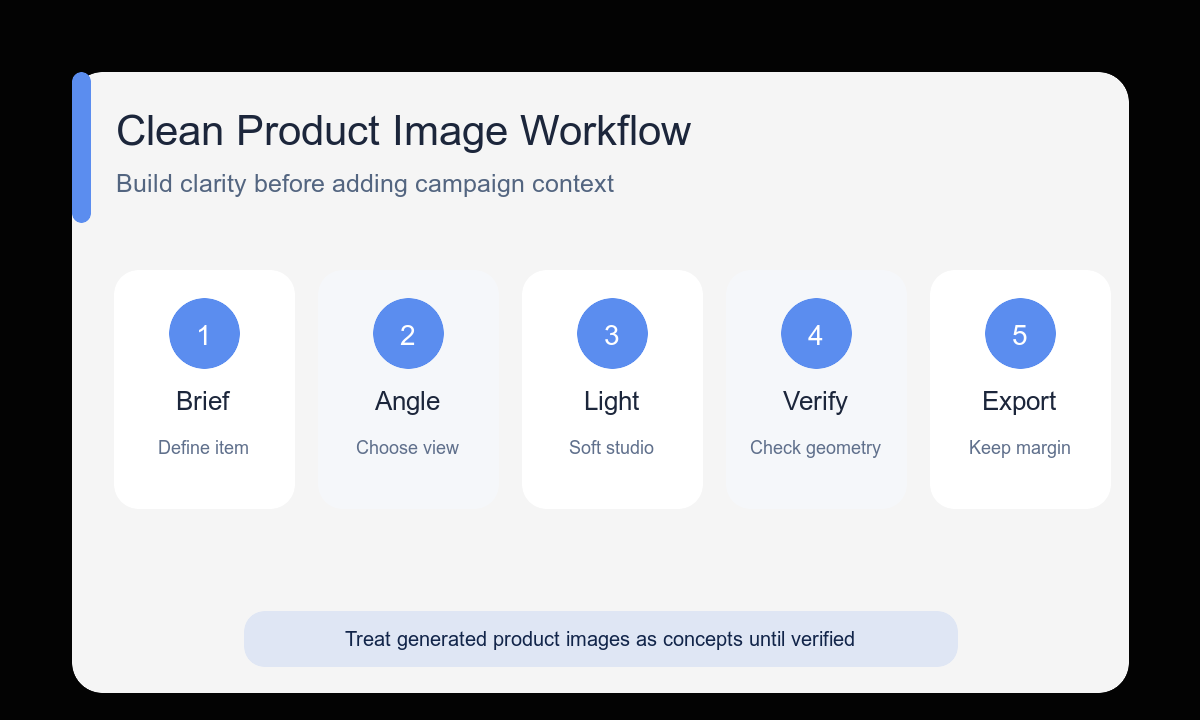
Step-by-step workflow
- Describe the physical product with nouns and materials before adding photographic language.
- Choose the view that best explains the product rather than defaulting to a dramatic angle.
- Define whether the background is pure white or a slightly warm neutral and keep it seamless.
- Request one believable grounding shadow so the item does not float.
- Generate secondary angles as separate prompts with the product description unchanged.
- Verify dimensions, components, labels, and channel rules before publishing or commissioning a shoot.
Example prompt variants
- Single matte-black electric kettle, rounded rectangular body, stainless spout and one side handle, three-quarter front view, seamless pure-white studio, large softbox from upper left, soft grounding shadow, generous square crop.
- One folded oatmeal-colored linen tote with two equal handles, front view at eye level, warm-white seamless background, diffuse frontal light, faint natural shadow, no contents or props.
- Single ceramic pour-over dripper, ivory ribbed cone on a round base, slightly elevated three-quarter view, clean white sweep, crisp but soft studio light, full object visible with 15 percent margin.
Quality checklist
- Only one product appears and every requested component is plausible.
- The product is fully inside the frame with consistent breathing room.
- The background is uniform without an unwanted horizon or color cast.
- The shadow grounds the object without becoming a dramatic prop.
- No generated labels, claims, dimensions, or accessories are treated as verified facts.
Mistakes to avoid
- Using premium and photorealistic without describing the product’s construction.
- Adding lifestyle props to an image whose job is product clarity.
- Requesting several camera angles in one frame.
- Publishing a concept as an exact SKU image without an accuracy and marketplace review.
Related AIBase pages
- Create product concepts with GPT Image 2
- Read the GPT Image 2 product photo guide
- Plan a complete ecommerce image set
Practical next step
Open the most relevant AIBase generator, run one narrow prompt first, and save the best result before adding more constraints. The fastest way to improve output quality is to compare one variable at a time: subject, camera, background, lighting, then final polish.