
Nano Banana 2: Change Clothes and Keep the Face
Change an outfit with Nano Banana 2 while protecting the person's face, pose, proportions, hands, background, and lighting through a controlled image-to-image workflow.
Quick answer
Use a clear, authorized portrait and define two separate instruction blocks: identity and composition details that must remain fixed, then the one garment change you want. Describe the replacement clothing by cut, material, color, fit, and layering, and reject outputs that alter the face, body shape, pose, hands, or scene.
Who this guide is for
Fashion teams, portrait photographers, creators, and shoppers testing wardrobe directions, lookbook concepts, costume options, or colorways with permission from the person shown.
Recommended model
| Use case | Recommended model | Why |
|---|---|---|
| This workflow | Nano Banana 2 in image-to-image mode | Its reference-led editing workflow fits a localized garment change where the source portrait should continue to control identity, pose, framing, and scene. |
AIBase is an independent creative platform. Model names are shown only to identify supported underlying technologies and workflow choices.
Prompt template
Use the uploaded portrait as the authorized source. Keep the exact face, expression, hairstyle, skin tone, body proportions, pose, hands, camera angle, crop, background, shadows, and lighting unchanged. Replace only [current garment] with [garment type], [cut and fit], [material], [color], and [layering details]. Make seams, folds, closures, and contact points physically believable. Preserve natural fabric interaction at the shoulders, waist, arms, and hands. No face change, body reshaping, pose change, extra accessory, exposed area not requested, logo, text, watermark, or background edit.
Step-by-step workflow
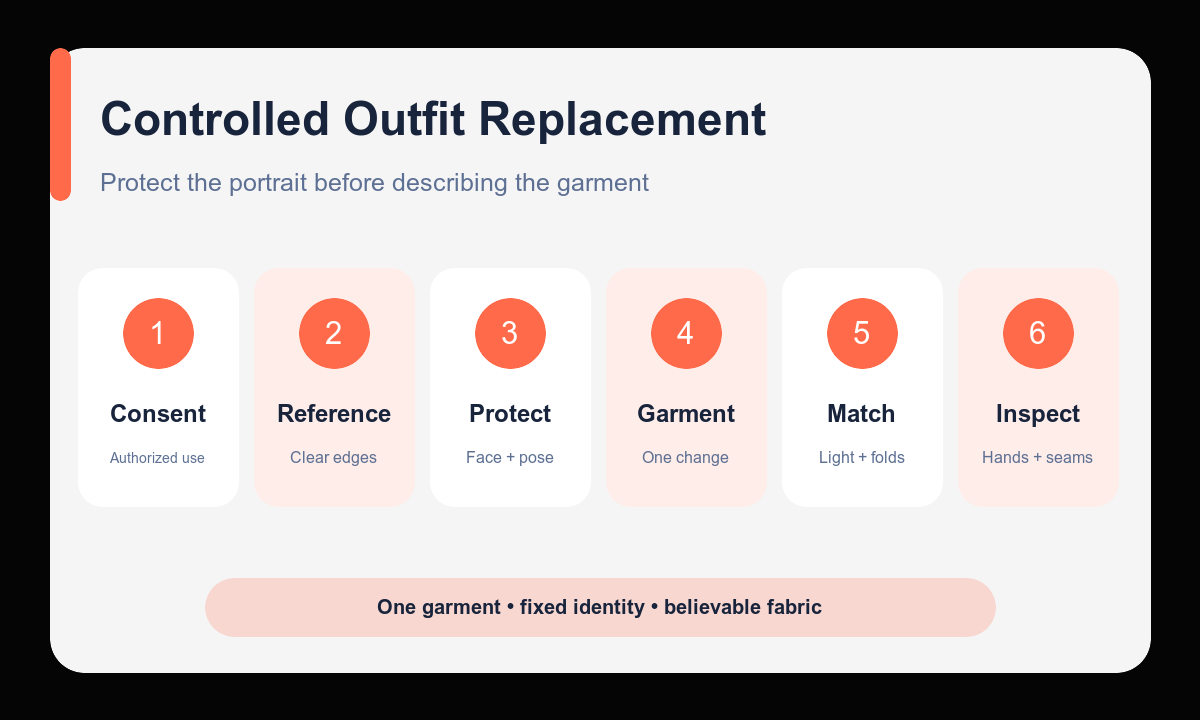
- Confirm permission to edit the portrait and choose a source where the face, garment boundaries, hands, and pose are easy to inspect.
- Write the protected identity and composition block before describing any new clothing.
- Specify one replacement outfit with concrete construction details such as neckline, sleeve, length, material, fit, and color.
- Generate the first pass without changing accessories, background, camera, or lighting.
- Compare the result with the source at the face, hairline, shoulders, hands, waist, and garment contact points.
- Refine only the weakest garment detail, then label or disclose synthetic wardrobe concepts where context could otherwise mislead.
Example prompt variants
- Keep the exact person, expression, hair, seated pose, hands, office background, and window light; replace only the gray crewneck sweater with a navy single-breasted blazer over a white cotton shirt, realistic lapels and sleeve folds.
- Keep the face, body proportions, standing pose, camera, street background, and evening light unchanged; replace only the denim jacket with a knee-length camel wool coat, relaxed fit, matte horn buttons, natural fabric weight.
- Keep the person, face, hairstyle, pose, jewelry, studio sweep, and softbox reflections unchanged; replace only the black T-shirt with an emerald silk blouse, long sleeves, modest collar, realistic drape and seams.
Quality checklist
- The face, expression, hairstyle, skin tone, and body proportions still match the authorized source.
- Pose, hands, camera, crop, background, shadows, and lighting remain fixed.
- The garment has coherent seams, closures, folds, layering, and contact with the body.
- No unwanted exposure, accessory, logo, text, or body reshaping was introduced.
- The output is reviewed at full size and disclosed appropriately for its intended use.
Mistakes to avoid
- Writing only change the outfit and leaving identity and composition unprotected.
- Requesting several garments, a new pose, and a new location in the same first pass.
- Ignoring hands, shoulder seams, waist contact, or fabric intersections during review.
- Editing or publishing a person’s likeness without permission or in a misleading context.
Related AIBase pages
- Edit an outfit with Nano Banana 2
- Use character consistency prompts
- Change a background without changing the subject
Practical next step
Open the most relevant AIBase generator, run one narrow prompt first, and save the best result before adding more constraints. The fastest way to improve output quality is to compare one variable at a time: subject, camera, background, lighting, then final polish.