
Nano Banana 2: Change the Background and Keep the Subject
Change a photo background with Nano Banana 2 while preserving the person, product, pose, crop, and other protected details.
Quick answer
Upload a clean reference, list the subject details that cannot change, and describe only the replacement environment. A reliable prompt separates protected subject attributes from editable background attributes, then asks for matching perspective, light direction, depth, and contact shadows.
Who this guide is for
Sellers, portrait photographers, social teams, and creators who already have a usable subject photo but need a cleaner studio, lifestyle, seasonal, or location-specific background.
Recommended model
| Use case | Recommended model | Why |
|---|---|---|
| This workflow | Nano Banana 2 in image-to-image mode | The reference-image workflow fits edits where an existing subject is the source of truth and the background is the controlled variable. |
AIBase is an independent creative platform. Model names are shown only to identify supported underlying technologies and workflow choices.
Prompt template
Use the uploaded image as the subject reference. Keep [identity/product geometry], [pose], [wardrobe/packaging], [camera angle], and [crop] unchanged. Replace only the background with [new environment]. Match the original subject perspective and lens. Relight the new environment so [light direction and softness] matches the subject. Add realistic contact shadow and edge integration. Do not alter the face, hands, product label, silhouette, colors, or subject scale. No extra objects, text, or watermark.
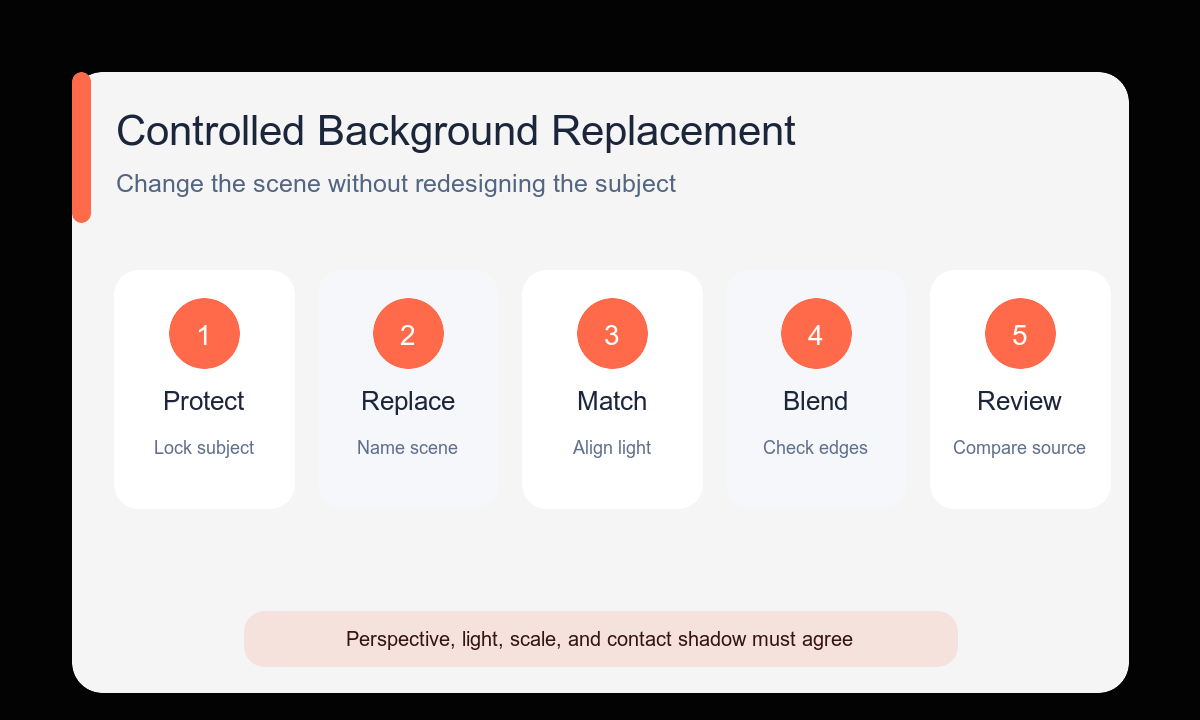
Step-by-step workflow
- Choose the highest-resolution source where hair, product edges, and foreground shadows are visible.
- Write a protected-details block before describing the replacement background.
- Match the new environment to the source camera height and viewing angle.
- Specify one light direction and softness so the subject does not look pasted into the scene.
- Generate the complete replacement before requesting small prop or color variants.
- Inspect the mask boundary, contact point, reflection, and subject scale at full size.
Example prompt variants
- Keep the person’s face, hair, navy jacket, seated pose, and waist-up crop unchanged; replace only the office with a warm library alcove, window light from camera left, natural depth, clean hair edges.
- Keep the exact bottle, cap, label placement, three-quarter angle, and size unchanged; replace only the gray sweep with pale limestone and a soft spa wall, diffused light from upper right, realistic base shadow.
- Keep the chair, upholstery color, front view, and centered crop unchanged; replace only the room with a bright Scandinavian dining space, matching eye-level perspective, subtle floor reflection.
Quality checklist
- Face, silhouette, product geometry, and protected colors match the source.
- Hair, transparent edges, handles, straps, and small gaps are clean.
- Subject perspective and scale make sense in the new environment.
- Light direction, color temperature, and contact shadow feel coherent.
- No unrequested props, labels, text, or body changes appeared.
Mistakes to avoid
- Describing a new scene without stating what must remain unchanged.
- Choosing a background with a camera angle that conflicts with the source.
- Asking for dramatic relighting and exact identity preservation in the first pass.
- Approving a convincing thumbnail before checking edges and protected details at full size.
Related AIBase pages
- Change a background with Nano Banana 2
- Use reference-image prompt patterns
- Compare reference-photo editing models
Practical next step
Open the most relevant AIBase generator, run one narrow prompt first, and save the best result before adding more constraints. The fastest way to improve output quality is to compare one variable at a time: subject, camera, background, lighting, then final polish.