
Nano Banana Pro Office Chair Campaign Prompts That Preserve Ergonomic Details
Create premium office-chair campaign scenes while preserving approved frame geometry, controls, casters, upholstery, materials, and support features.
Quick answer
Use an approved multi-angle chair reference as product truth and lock the frame, seat, back, headrest, armrests, adjustment controls, cylinder, base, casters, upholstery, seams, and finish before changing the room. Show only a physically supported configuration documented for the SKU. Composite the original chair when a campaign hero needs exact mechanisms or proportions.
Who this guide is for
Furniture brands, workplace retailers, contract dealers, ecommerce studios, launch teams, and agencies creating office-chair hero images, material stories, work-from-home scenes, and channel variants.
Recommended model
| Use case | Recommended model | Why |
|---|---|---|
| This workflow | Nano Banana Pro image-to-image | A fidelity-focused edit can explore refined interiors and lighting, while exact adjustment hardware, materials, proportions, and ergonomic claims remain tied to approved references and human review. |
AIBase is an independent creative platform. Model names are shown only to identify supported underlying technologies and workflow choices.
Prompt template
Use the uploaded authorized [office chair model/colorway] references as exact product truth. Preserve overall dimensions and proportions, back-frame shape, mesh or upholstery pattern, lumbar component, headrest, seat contour and depth, armrest count and form, control levers and knobs, recline mechanism, cylinder, base spoke count, caster count and design, seams, fasteners, openings, materials, colorway, logo placement, finish, and configured state. Place the unchanged chair in [workplace scene] on a level floor, at [camera angle/crop], with [lighting] and only [supporting objects]. Keep all feet and casters supported and perspective consistent. No redesigned frame, missing control, extra lever, impossible recline, floating caster, changed material, added footrest, person using an unsupported posture, health outcome, productivity claim, award, certification, readable screen, logo mutation, text, or watermark.
Step-by-step workflow
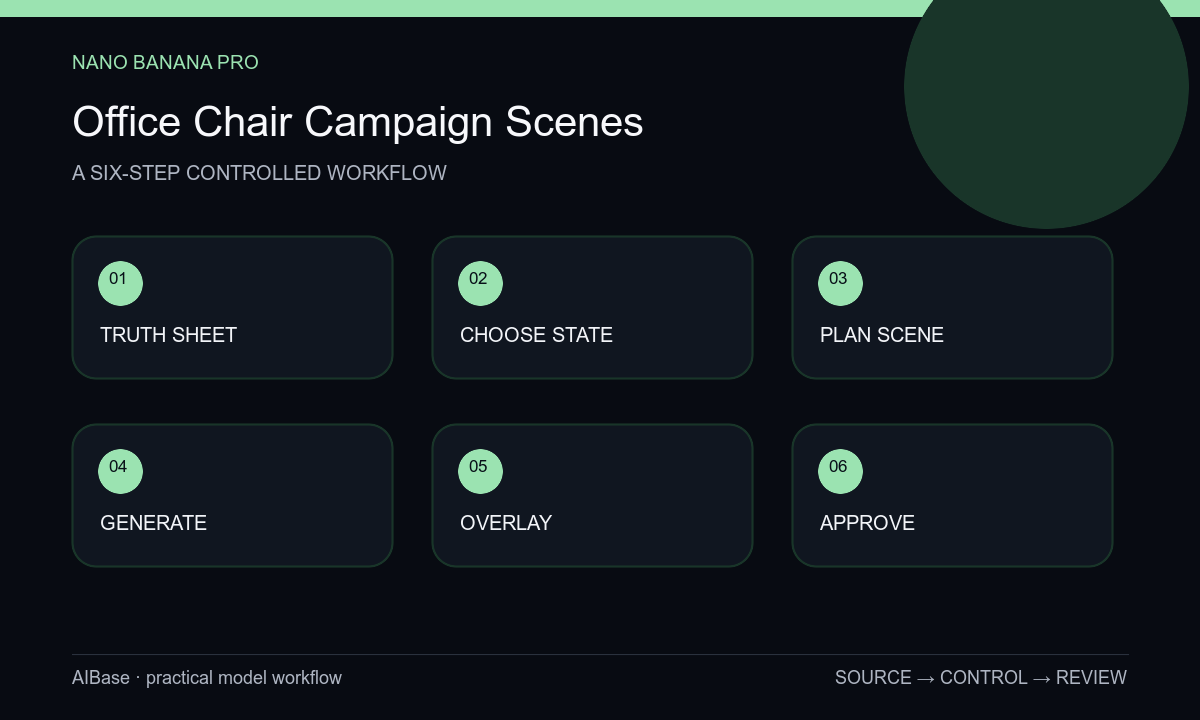
- Build a SKU truth sheet from approved front, side, rear, detail, dimension, control, material, and configuration references plus the claims permitted in the target market.
- Choose one image job and one documented chair state: upright hero, approved recline, material detail, compact home office, or collaborative workplace context.
- Plan floor contact, caster orientation, desk clearance, camera height, perspective, copy zone, and props without hiding defining controls or support components.
- Run a narrow image-to-image pass with product locks before scene language, varying only the environment, crop, or lighting across candidates.
- Overlay the source silhouette and inspect back, seat, arms, controls, cylinder, base, casters, seams, material scale, contact shadows, and configured state.
- Composite the approved cutout when exactness is uncertain, add claims and typography as controlled layers, then complete product, legal, accessibility, and channel review.
Example prompt variants
- Exact approved graphite mesh task chair in a quiet daylight home office, upright configured state, preserve back frame, lumbar part, seat, arms, two controls, cylinder, five-spoke base, five casters, mesh pattern, and floor contact; no person or screen text.
- Exact approved warm-gray upholstered office chair in a premium studio hero scene, three-quarter eye-level view, soft edge light, preserve cushion contours, seams, armrests, mechanism, base, casters, color, and proportions; calm left copy zone.
- Material-detail campaign crop of the exact approved chair back and lumbar assembly, grazing side light, preserve mesh scale, frame openings, fasteners, adjustment tab, seam path, color, and depth; no invented feature labels or anatomical diagram.
Quality checklist
- Silhouette, dimensions, frame, seat, back, headrest, arms, controls, cylinder, base, caster count, seams, openings, and repeated parts match the current SKU.
- Material type, weave or mesh scale, padding contour, colorway, finish, reflections, and logo placement remain source-accurate.
- The configuration is documented, mechanically plausible, fully supported by the floor, and free of impossible recline or floating components.
- Any ergonomic, comfort, health, sustainability, warranty, award, certification, or productivity statement is approved editable copy with evidence.
- References, prompts, outputs, overlays, composites, approvals, crops, alt text, and final exports remain traceable.
Mistakes to avoid
- Prompting a more ergonomic chair and letting the model invent lumbar hardware, controls, padding, or an unapproved configuration.
- Hiding the base or mechanism behind a desk and missing changed spoke, caster, lever, or cylinder geometry.
- Adding a generated person whose posture implies a health or comfort outcome the image cannot substantiate.
- Approving the room mood without comparing product proportions, mechanisms, material scale, and floor contact to source references.
Related AIBase pages
- Open Nano Banana Pro image-to-image
- Create furniture room scenes
- Build laptop accessory campaigns
- Compare product image workflows
Practical next step
Open the most relevant AIBase generator, run one narrow prompt first, and save the best result before adding more constraints. The fastest way to improve output quality is to compare one variable at a time: subject, camera, background, lighting, then final polish.