
Nano Banana Pro Robot Vacuum Campaign Product Photo Prompts
Build reference-led robot vacuum campaign scenes that preserve the exact chassis, sensors, dock, accessories, floor contact, clearances, and verified product claims.
Quick answer
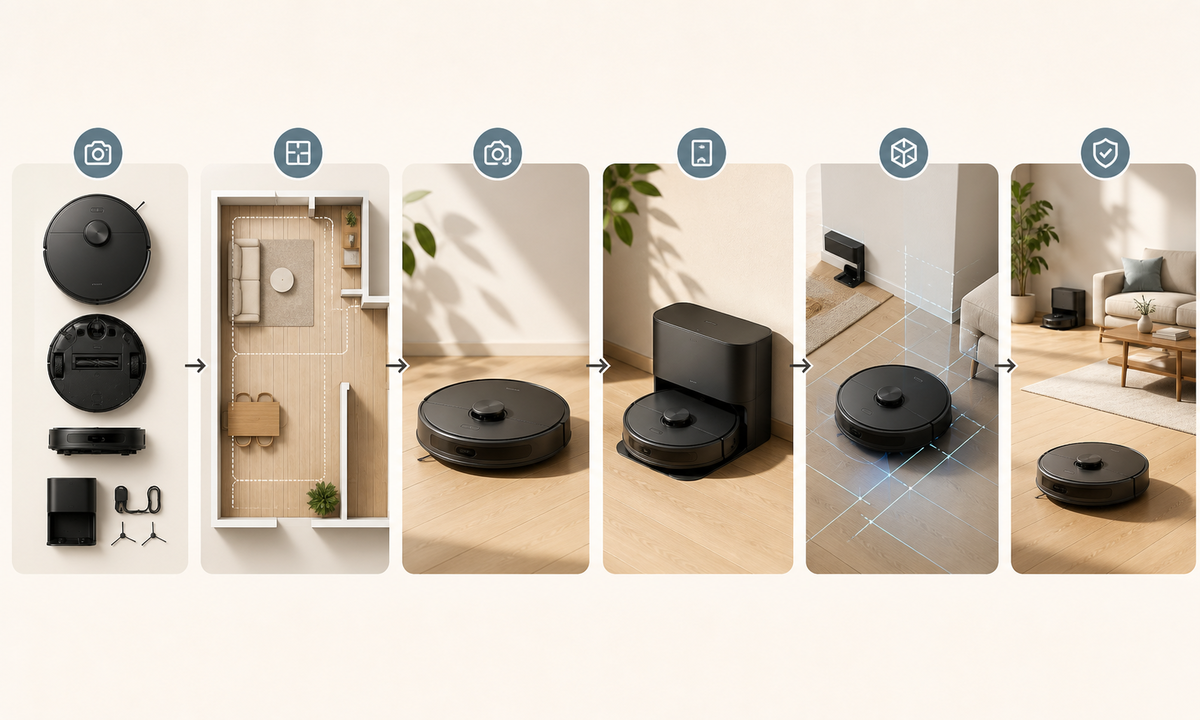
Start with an approved multi-angle reference set for the exact robot vacuum and dock revision. Lock the chassis diameter and height, bumper, lidar or camera modules, buttons, vents, wheels, brushes visible from the chosen view, charging contacts, dock openings, bags or tanks, cable exit, finish, and accessories. Place the product only in a measured scene with believable floor contact and docking clearance. Use real test evidence—not generated dust trails, maps, pet behavior, spotless rooms, or app screens—for cleaning, navigation, obstacle avoidance, battery, privacy, and performance claims.
Who this guide is for
Robot vacuum brands, smart-home retailers, marketplace teams, product photographers, and agencies developing launch heroes, feature section backgrounds, category images, and seasonal campaign concepts.
Recommended model
| Use case | Recommended model | Why |
|---|---|---|
| This workflow | Nano Banana Pro image-to-image for high-fidelity reference-led appliance scenes | Detailed product references and measured scene constraints support polished concepts without asking the model to redesign sensors, docks, moving parts, or accessories. |
AIBase is an independent creative platform. Model names are shown only to identify supported underlying technologies and workflow choices.
Prompt template
Use the uploaded authorized [exact robot vacuum SKU, dock revision and colorway] references as the product source. Place the same vacuum [docked / stationary on floor] in [measured interior scene]. Preserve chassis diameter and height, top plate, bumper seam, lidar or camera module, buttons, indicator zones, vents, side brush visibility, wheels visible from angle, charging contacts, dock shape, openings, ramps, tanks or bags, cable exit, finish, markings zones, accessories, scale, floor contact and documented clearances. Camera [specific], light [specific], copy zone [specific]. No redesigned sensor, extra brush, fake debris path, room map, app UI, pet interaction, moving vacuum, obstacle-avoidance proof, spotless transformation, privacy, runtime, suction or compatibility claim, word, logo change or watermark.
Step-by-step workflow
- Freeze exact SKU, region, hardware revision, dimensions, sensors, controls, consumables, dock type, included accessories, clearance requirements, compatible floors, claims, warnings, price, availability, and rights.
- Capture approved top, underside, front, rear, sides, bumper, sensor, wheel, brush, bin, filter, contact, dock, cable, accessory, packaging, scale, docked, and stationary views.
- Choose one verified floor type and measured scene with correct thresholds, rugs, wall distance, dock clearance, cable routing, furniture legs, reflections, and copy-safe zones.
- Generate a stationary product-locked beauty plate first, then a docked variation; never ask one frame to demonstrate navigation, pickup, avoidance, mapping, charging, or emptying.
- Inspect chassis circularity, sensor count and placement, bumper gap, wheel and brush geometry, floor contact, dock ramp, cable exit, scale, shadows, reflections, and occlusion.
- Composite authorized app screens, maps, tested results, compatibility, price, availability, privacy copy, warnings, disclosure, captions, and CTA as editable verified layers.
Example prompt variants
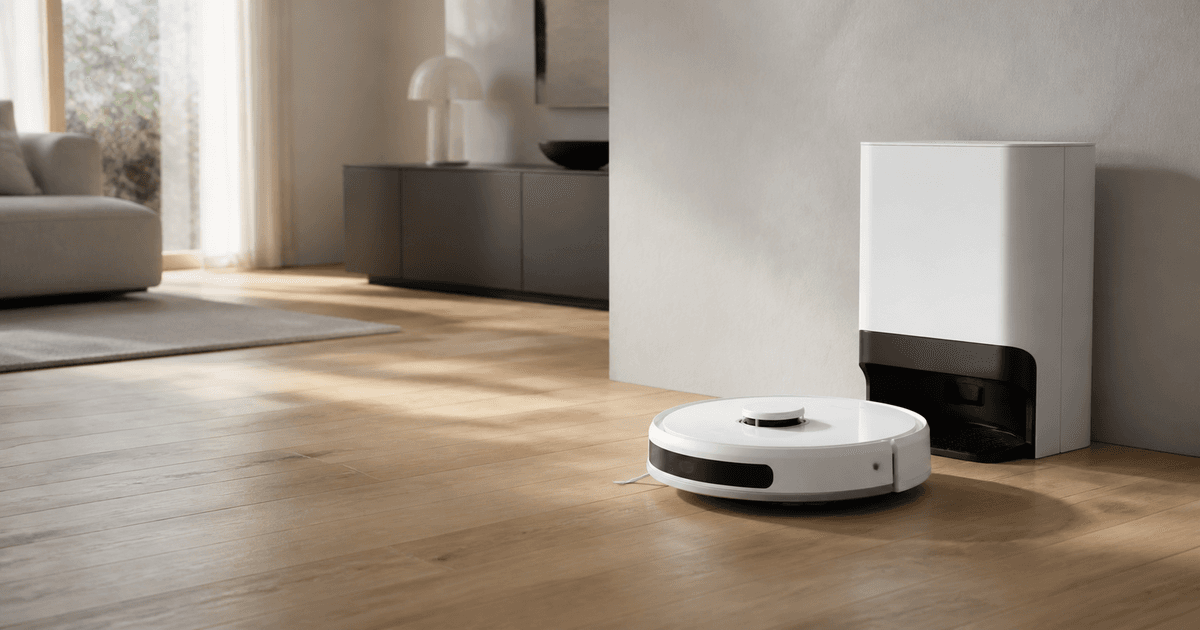
- Wide living-room hero using the exact approved matte-white robot vacuum stationary on measured pale oak flooring beside its matching dock, preserve lidar cap, bumper, side brush glimpse, ramp, cable exit and clearances, soft morning light, open left copy area.
- Square pet-home campaign scene using the approved black vacuum parked and powered off on a verified low-pile rug edge, preserve sensors, wheel height, brush visibility and condition; include only approved pet bed, no pet, hair, cleanup or avoidance claim.
- Vertical utility-room dock scene using exact vacuum and self-empty dock references, preserve opening, ramp, lid seams, bag access, cable route and scale, neutral daylight, no dust transfer, app, map or performance implication.
Quality checklist
- SKU, revision, chassis, sensors, buttons, vents, wheels, brushes, contacts, dock, consumables, accessories, finish, and condition match approved references.
- Floor contact, scale, thresholds, rug edge, dock ramp, wall and furniture clearances, cable routing, shadows, reflections, and camera are physically coherent.
- No cleaning path, dirt removal, mapping, obstacle avoidance, pet safety, automatic emptying, suction, runtime, privacy, coverage, compatibility, or health claim is invented.
- Screens, maps, labels, specifications, price, availability, claims, warnings, disclosure, and CTA remain editable outside generated pixels.
- Truth sheet, references, measurements, prompts, outputs, product and claims review, composite, approvals, and exports remain traceable.
Mistakes to avoid
- Building the exact product from one top view and allowing the model to invent the underside, dock, sensors, or cable path.
- Showing a clean-after trail, collected debris, mapped room, avoided obstacle, or emptied bin as synthetic proof.
- Placing the dock without manufacturer clearances or letting the vacuum float, sink into a rug, or intersect furniture.
- Adding a pet or child to imply safety, quietness, hygiene, autonomy, or successful avoidance without evidence and review.
Related AIBase pages
- Open Nano Banana Pro
- Create standing desk converter campaign photos
- Create wireless router campaign photos
Practical next step
Open the most relevant AIBase generator, run one narrow prompt first, and save the best result before adding more constraints. The fastest way to improve output quality is to compare one variable at a time: subject, camera, background, lighting, then final polish.