
Nano Banana Pro Standing Desk Converter Campaign Product Photo Prompts
Stage an exact standing desk converter in source-supported workspaces while protecting platform geometry, lift state, load context, dimensions, and ergonomic truth.
Quick answer
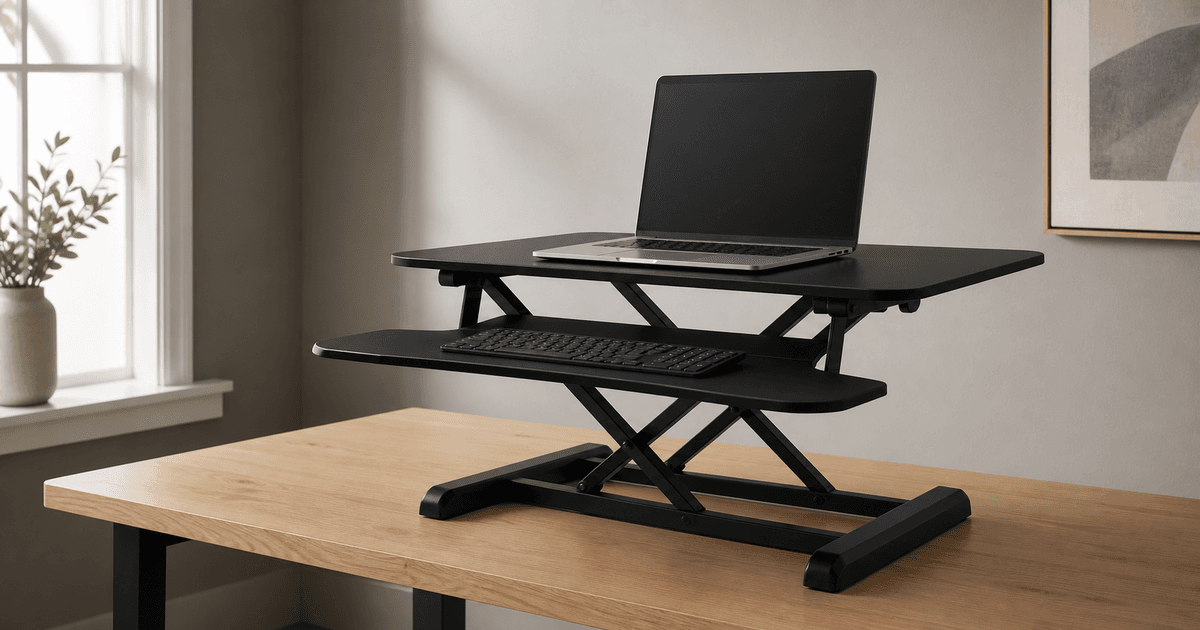
Provide approved front, side, top, base, mechanism, keyboard tray, height-state, finish, scale, and accessory references for one exact standing desk converter SKU. Ask Nano Banana Pro to preserve that product in one source-supported workspace and one documented lift state. Start unloaded, then add only verified monitor, laptop, keyboard, and cable arrangements within the approved footprint. Keep height range, load capacity, stability, smoothness, assembly, ergonomics, compatibility, safety, and health claims outside generated pixels unless supported by current evidence.
Who this guide is for
Office-furniture brands, ergonomic retailers, workplace teams, ecommerce studios, dealers, and agencies creating hero images, product-detail scenes, retailer banners, and social crops.
Recommended model
| Use case | Recommended model | Why |
|---|---|---|
| This workflow | Nano Banana Pro image-to-image for multi-reference desk converter staging | Multiple approved views can anchor platform proportions, mechanism geometry, and accessories while the model builds a controlled surrounding workspace. |
AIBase is an independent creative platform. Model names are shown only to identify supported underlying technologies and workflow choices.
Prompt template
Use the uploaded authorized standing desk converter references as the exact product source. Place the same [SKU, finish and documented height state] on a [verified desk surface and workspace]. Preserve upper platform outline, lower base, support arms, hinges, rails, handle, keyboard tray, slots, feet, fasteners, cable openings, finish, proportions, scale, contact points and included accessories. Add only [approved devices and arrangement]. Camera [specific], light [specific], protected copy zone [specific]. No redesigned mechanism, impossible lift state, unsupported load, floating base, clipped device, changed accessory, hidden cable claim, person unless supplied, ergonomic or health implication, certification, text, logo change, or watermark.
Step-by-step workflow
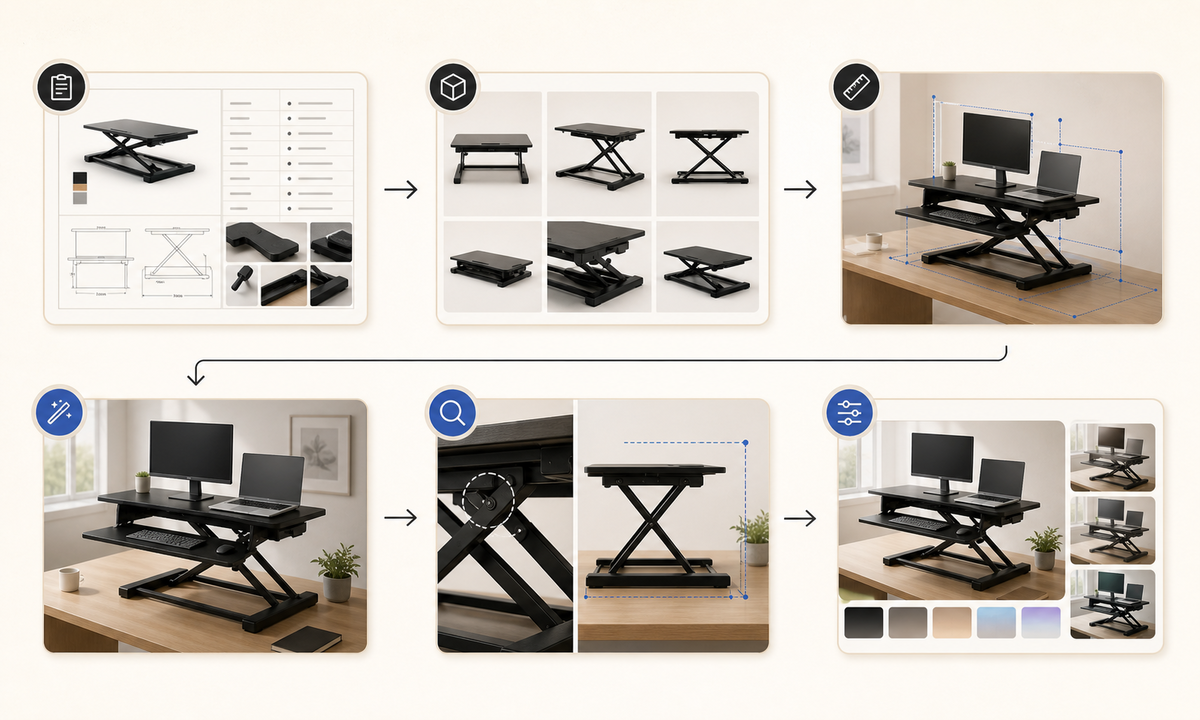
- Freeze SKU, regional revision, dimensions, weight, height positions, mechanism, platform and tray limits, included parts, compatible configurations, warnings, claims, finish, and rights.
- Collect approved orthographic and three-quarter views for each documented height state plus base contact, supports, handle, tray, fasteners, texture, packaging, and scale references.
- Choose a desk depth, wall clearance, device layout, chair relationship, cable route, camera, and lighting setup that fit measured source constraints.
- Generate an unloaded product scene first, then add one approved device arrangement without changing product geometry or lift state.
- Inspect platform parallelism, support symmetry, hinge and rail paths, base contact, tray attachment, device scale, center-of-mass implication, cables, shadows, and reflections.
- Composite exact marks, dimensions, price, capacity, compatibility, warnings, assembly details, disclosure, and CTA as editable verified layers.
Example prompt variants
- Wide home-office hero using the exact black converter at its documented lowest state on a measured oak desk, unloaded, soft window light, clear right copy zone, no person or device.
- Square retailer scene using the approved white converter at one documented mid-height state with one verified laptop and keyboard arrangement, preserve mechanism, tray, base, clearances and scale.
- Vertical campaign crop of the exact dual-monitor converter in a source-approved raised configuration, preserve monitor sizes, mounts, platform footprint, cable openings and desk contact; no stability or ergonomic claim.
Quality checklist
- SKU, revision, finish, platform, base, supports, hinges, rails, handle, tray, feet, fasteners, openings, dimensions, state, and included parts match references.
- Desk depth, clearances, contact, device arrangement, scale, cables, shadows, reflections, and camera are physically coherent.
- No load capacity, stability, lift effort, smoothness, assembly, compatibility, ergonomic, productivity, safety, certification, or health claim is invented.
- Marks, dimensions, price, availability, verified claims, warnings, disclosure, and CTA remain editable outside generated pixels.
- References, measurements, prompt, outputs, product and safety review, composite, approvals, and exports remain traceable.
Mistakes to avoid
- Using one front view and allowing the model to invent the rear supports, hinge path, tray attachment, or base footprint.
- Showing a raised platform with an impossible mechanism state, floating foot, unsupported device, or implausible center of mass.
- Adding a person whose posture implies guaranteed ergonomic benefit or correct setup without measured fit and review.
- Publishing generated load, height, compatibility, safety, assembly, or health implications as product evidence.
Related AIBase pages
- Open Nano Banana Pro image editing
- Create office chair campaign images
- Create wireless router campaign images
Practical next step
Open the most relevant AIBase generator, run one narrow prompt first, and save the best result before adding more constraints. The fastest way to improve output quality is to compare one variable at a time: subject, camera, background, lighting, then final polish.