
Seedance 2.0 Product Photo-to-Video Prompts for Short Ads
Animate a product photo with Seedance 2.0 using controlled product motion, camera paths, environmental cues, and a clean ad-ready ending frame.
Quick answer
Use the source product photo as a locked first frame, then animate one visible product proof or one atmospheric reveal. Keep packaging geometry and labels protected, choose one camera path, and end on a stable composition with space for approved copy.
Who this guide is for
Ecommerce and growth teams turning catalog stills, product renders, or campaign key art into short social ads, landing-page loops, and concept clips.
Recommended model
| Use case | Recommended model | Why |
|---|---|---|
| This workflow | Seedance 2.0 in image-to-video mode | The image-to-video workflow matches a product-led task where the supplied still defines the product, composition, and visual identity. |
AIBase is an independent creative platform. Model names are shown only to identify supported underlying technologies and workflow choices.
Prompt template
Use the uploaded product photo as the exact opening frame. Preserve [product silhouette], [components], [materials], [packaging colors], and [label placement]. Demonstrate one visual proof: [single action or material behavior]. Product motion: [specific movement or fixed]. Camera: [one path and pace]. Environment: [one subtle motion]. Duration and placement: [short ad format]. End on [stable hero frame and copy zone]. No morphing, invented features, extra products, readable generated text, sudden cuts, or camera shake.
Step-by-step workflow
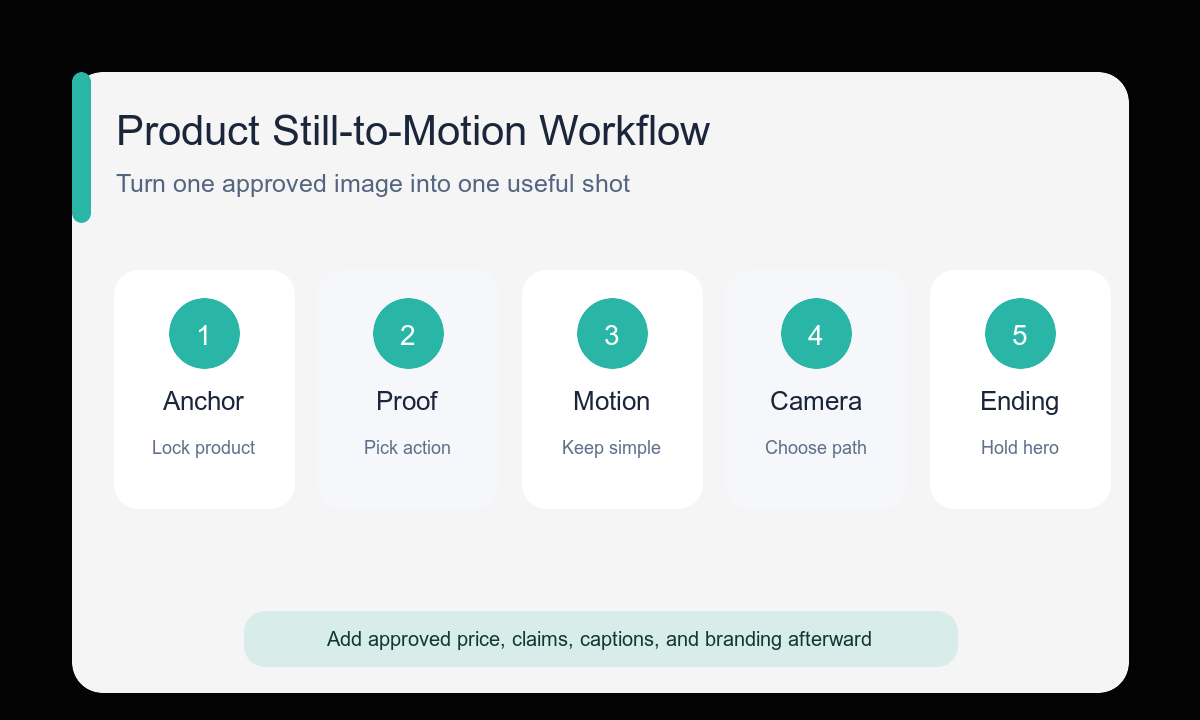
- Choose a source still that already works as a strong opening frame.
- List the product details that cannot change during motion.
- Select one visible proof, such as a closure, pour, texture, light sweep, or controlled reveal.
- Match camera complexity to subject motion: keep one of them simple.
- Describe the final hero frame before adding atmospheric movement.
- Review the label area, edges, controls, and product count at the start, midpoint, and end.
Example prompt variants
- Keep the exact insulated bottle fixed; one condensation bead travels down the metal while a narrow light band moves across it; slow push-in; end label-facing with clean upper copy space.
- Keep the exact headphone shape, ear cushions, and controls stable; ear cups rotate inward once to show the folding action; locked camera; soft shadow shifts; end in a centered folded product pose.
- Keep the skincare jar geometry, lid, and color stable; lid lifts slightly and settles beside the jar in one smooth motion; gentle lateral camera slide; end on a clean pair composition with no added packaging.
Quality checklist
- Product silhouette, count, components, and labels stay stable across frames.
- The clip demonstrates one visible idea instead of an abstract mood alone.
- Camera motion does not hide or distort the product proof.
- The final frame is stable enough for a hold, logo, or CTA added later.
- No unsupported feature, claim, accessory, or result appears.
Mistakes to avoid
- Starting with a weak or tightly cropped product still.
- Asking for a complex product transformation that invents unavailable features.
- Combining a large orbit, product rotation, splash, and scene change in one shot.
- Adding price, discount, or legal copy inside the generated video.
Related AIBase pages
- Animate a product photo with Seedance 2.0
- Control Seedance camera movement
- Review the general image-to-video prompt guide
Practical next step
Open the most relevant AIBase generator, run one narrow prompt first, and save the best result before adding more constraints. The fastest way to improve output quality is to compare one variable at a time: subject, camera, background, lighting, then final polish.