
Seedream 5.0 Lite Feature Deprecation Notice Banner Background Prompts
Create text-free feature deprecation notice backgrounds with clear deadline, impact, migration, help, and accessibility zones without false urgency.

Quick answer
Use Seedream 5.0 Lite to generate a quiet, text-free background system only after product and support teams freeze the affected feature, user segments, announcement date, final-use date, time zone, replacement options, migration steps, data handling, exceptions, support path, and rollback plan. Reserve editable zones for the plain-language change, user impact, exact deadline, recommended action, alternative, help, and dismissal behavior. Avoid countdowns, warning triangles, broken tools, locks, flames, or red emergency styling unless the documented impact truly warrants them.
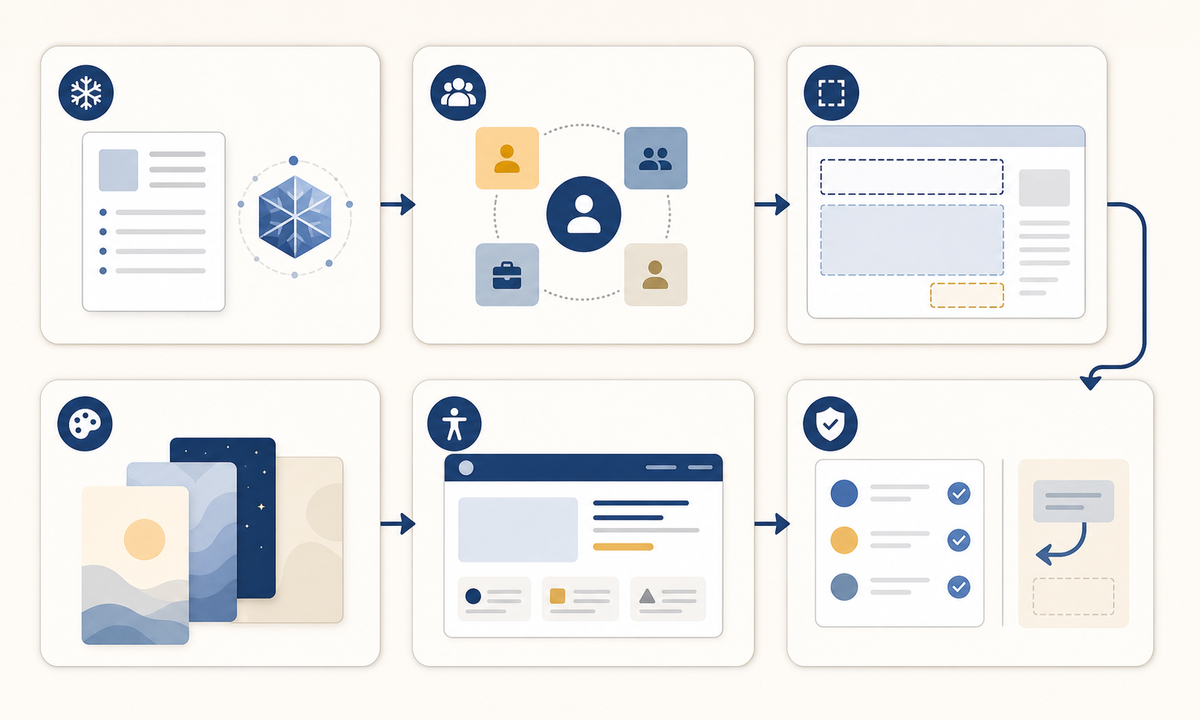
Who this guide is for
SaaS product teams, developer platforms, app operations, customer success, lifecycle marketing, documentation, and localization teams communicating a planned feature retirement.
Recommended model
| Use case | Recommended model | Why |
|---|---|---|
| This workflow | Seedream 5.0 Lite for coordinated text-free deprecation notice backgrounds | It can produce a consistent family for in-product banners, email headers, docs notices, and status cards while facts remain editable and channel-specific. |
AIBase is an independent creative platform. Model names are shown only to identify supported underlying technologies and workflow choices.
Prompt template
Create a coordinated text-free background family for a planned [feature deprecation / feature retirement] notice. Formats [in-product banner, email header, documentation notice, mobile card], palette [specific], abstract transition motif [specific], tone factual and calm. Protect high-contrast zones for change summary, affected users, exact deadline and time zone, impact, recommended action, replacement option, migration link, data note, support and dismissal state. No readable text, date, number, logo, product screenshot, countdown, clock, warning triangle, broken tool, lock, flame, outage cue, success check, guarantee, urgency badge, or watermark.
Step-by-step workflow
- Freeze the feature name, affected plans and roles, announcement and final-use dates, time zone, API or data effects, replacement, migration, exceptions, support, owner, and rollback criteria.
- Map channel and audience variants, including admins, end users, developers, inactive accounts, regulated customers, localized markets, and users already migrated.
- Define protected zones for summary, impact, deadline, action, alternative, docs, data note, support, dismiss or snooze behavior, and persistent reminder state.
- Generate one calm text-free visual system with intensity variants only for documented stages such as early notice, approaching deadline, and post-retirement guidance.
- Add semantic copy, dates, links, controls, icons, focus states, telemetry labels, and localization in real product, email, and documentation layers.
- Test comprehension, deadline interpretation, long translations, contrast, zoom, screen readers, reduced motion, dark mode, dismissal persistence, frequency, migration failure, and support escalation.
Example prompt variants
- Wide in-product banner background with muted amber and slate transition bands, spacious center-left message zone and right action zone, calm informational tone, no icon, word or clock.
- Email header background with layered indigo panels gently handing off from one shape to another, open lower half for editable deadline and migration copy, no broken object or warning symbol.
- Mobile retirement card background with a subtle path branching toward one clear destination, protected vertical zones for impact, date, alternative and help, no arrow label, countdown or urgency badge.
Quality checklist
- Feature, affected users, dates, time zone, impact, alternative, migration, data handling, exceptions, support, and rollback match approved sources.
- Visual tone differentiates informational notice from outage, security incident, billing failure, or emergency without minimizing real impact.
- All facts, dates, numbers, links, controls, icons, status, and localization remain editable accessible layers.
- Contrast, zoom, screen readers, reduced motion, dark mode, long copy, dismissal, frequency, and failure recovery are tested.
- Decision record, audience map, prompt, output, copy, accessibility review, approvals, rollout, correction, and rollback remain traceable.
Mistakes to avoid
- Generating an alarming countdown, warning symbol, broken product, lock, or red emergency plate for a routine planned change.
- Using vague retirement language without an exact user impact, date, time zone, replacement, migration path, and support owner.
- Baking deadlines or calls to action into pixels where they cannot update, localize, or meet accessibility requirements.
- Showing the same banner to unaffected, already migrated, exempt, and blocked users without state-aware targeting.
Related AIBase pages
- Open Seedream 5.0 Lite
- Create system migration notice backgrounds
- Create maintenance notice backgrounds
Practical next step
Open the most relevant AIBase generator, run one narrow prompt first, and save the best result before adding more constraints. The fastest way to improve output quality is to compare one variable at a time: subject, camera, background, lighting, then final polish.