
Seedream 5.0 Lite Instagram Carousel Background Prompts
Generate a coherent Instagram carousel background set with Seedream 5.0 Lite using fixed campaign anchors, slide roles, copy zones, and controlled variation.
Quick answer
Treat a carousel as a visual system, not eight unrelated images. Lock palette, subject language, light, texture, margins, and copy-safe zones; assign each slide a role; then change only one visual element while adding all final typography in a design tool.
Who this guide is for
Social media managers, educators, founders, and designers producing swipeable explainers, list posts, launch stories, or case-study carousels that need visual continuity and readable copy space.
Recommended model
| Use case | Recommended model | Why |
|---|---|---|
| This workflow | Seedream 5.0 Lite for rapid background-system exploration | Its fast image workflow supports testing several campaign directions, then producing coordinated background concepts from a repeated fixed block and slide-specific variable. |
AIBase is an independent creative platform. Model names are shown only to identify supported underlying technologies and workflow choices.
Prompt template
Create a text-free [4:5 or square] Instagram carousel background for slide [number and role: hook/context/step/proof/summary/CTA]. FIXED SYSTEM: [palette], [visual motif], [material or texture], [lighting], [subject treatment], [margin], [copy-safe zone]. THIS SLIDE ONLY: [one object, diagram-like arrangement, or scene change]. Keep the series visually consistent and leave calm high-contrast space for typography. No readable text, letters, numbers, logos, watermark, or interface elements.
Step-by-step workflow
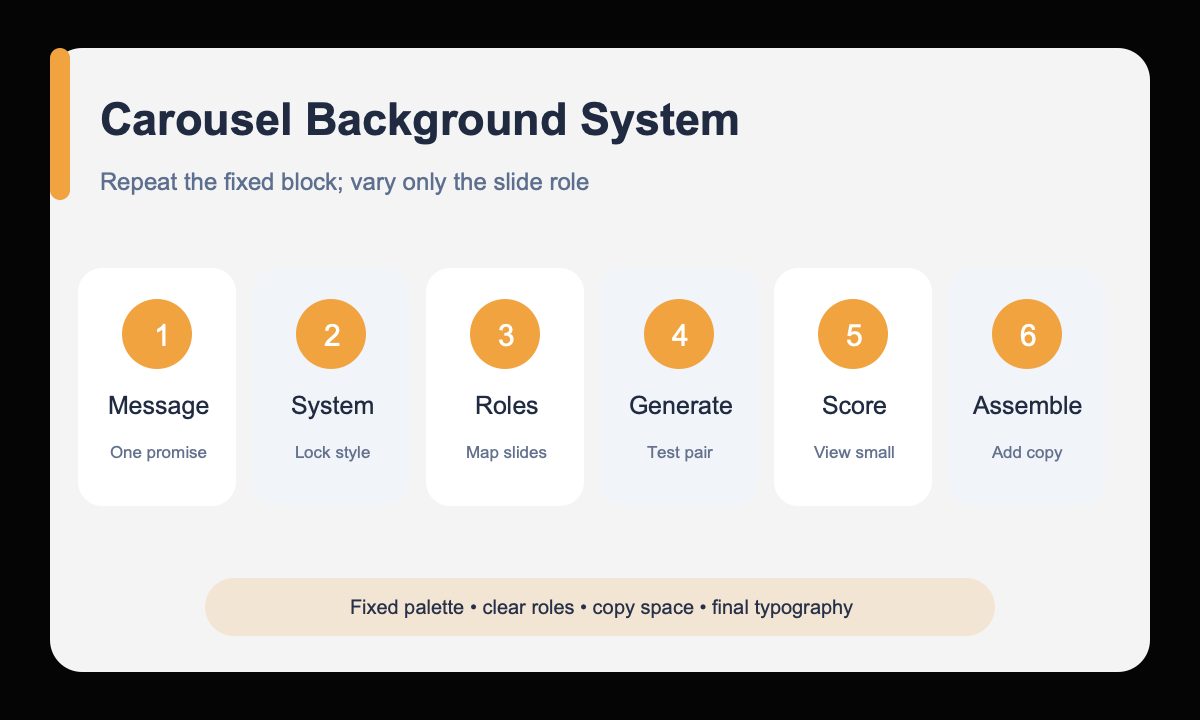
- Reduce the carousel to one audience, one promise, and a slide-by-slide message outline.
- Define a fixed visual system with palette, motif, texture, light, margins, and copy-safe zone.
- Assign each slide one job so the background supports rather than repeats the copy.
- Generate the hook and one middle slide first to test whether the system can vary coherently.
- Reuse the fixed prompt block and change only the slide-role section for the remaining backgrounds.
- Score continuity at thumbnail size, then add approved typography and accessibility details in layout software.
Example prompt variants
- 4:5 productivity carousel hook background, fixed cobalt and warm-white paper system, one folded-paper pathway entering from lower left, quiet cream copy zone in upper half, no text or symbols.
- 4:5 productivity carousel step background, same cobalt and warm-white paper system, three stacked tabs along lower third, preserve upper copy zone and light direction, no text or symbols.
- 4:5 productivity carousel summary background, same palette, texture, margins, and light, folded pathway resolves into one clean frame around the lower third, upper copy zone remains empty.
Quality checklist
- Every slide shares the same palette, texture, lighting, margins, and visual grammar.
- Each background reflects its slide role without becoming a literal text illustration.
- Copy-safe space remains calm, high contrast, and consistent across the series.
- The sequence feels varied when swiped but unified when viewed as thumbnails.
- All final words, numbers, logos, and calls to action come from approved layout assets.
Mistakes to avoid
- Writing eight independent prompts without a repeated fixed-system block.
- Asking the image model to render final carousel copy.
- Changing palette, motif, perspective, and texture from slide to slide.
- Adding visual detail inside the area reserved for readable mobile typography.
Related AIBase pages
- Draft carousel backgrounds with Seedream 5.0 Lite
- Create controlled social ad variations
- Use the social image prompt template
Practical next step
Open the most relevant AIBase generator, run one narrow prompt first, and save the best result before adding more constraints. The fastest way to improve output quality is to compare one variable at a time: subject, camera, background, lighting, then final polish.