
Seedream 5.0 Lite Podcast Cover Art Prompt Templates
Draft distinctive podcast cover directions with Seedream 5.0 Lite using a thumbnail-first concept, one focal symbol, copy-safe space, and human-set typography.
Quick answer
Design for the smallest thumbnail first: choose one recognizable symbol or portrait treatment, a restrained palette, strong light-dark contrast, and a clean zone for the show title. Generate art without final words, then add licensed fonts and exact typography manually so the title remains correct and legible.
Who this guide is for
Independent hosts, podcast networks, audio producers, and marketers exploring visual directions for a new show, season refresh, episode series, or promotional crop before final brand production.
Recommended model
| Use case | Recommended model | Why |
|---|---|---|
| This workflow | Seedream 5.0 Lite for rapid visual-direction drafts | Its fast image workflow is a practical fit for exploring multiple symbols, palettes, compositions, and moods before one concept receives final typography and brand refinement. |
AIBase is an independent creative platform. Model names are shown only to identify supported underlying technologies and workflow choices.
Prompt template
Create a square podcast cover art concept for a show about [specific topic] aimed at [listener]. Visual metaphor: [one symbol or scene]. Focal subject: [subject] filling [portion] of the frame. Style: [photo/illustration/collage/3D]. Palette: [two or three colors]. Mood: [tone]. Reserve one clean high-contrast zone for the show title; use no readable text in the generated art. The concept must remain recognizable at 80 pixels. No microphone cliché unless requested, no extra focal object, logo, letter, watermark, celebrity likeness, trademarked character, or copyrighted franchise style.
Step-by-step workflow
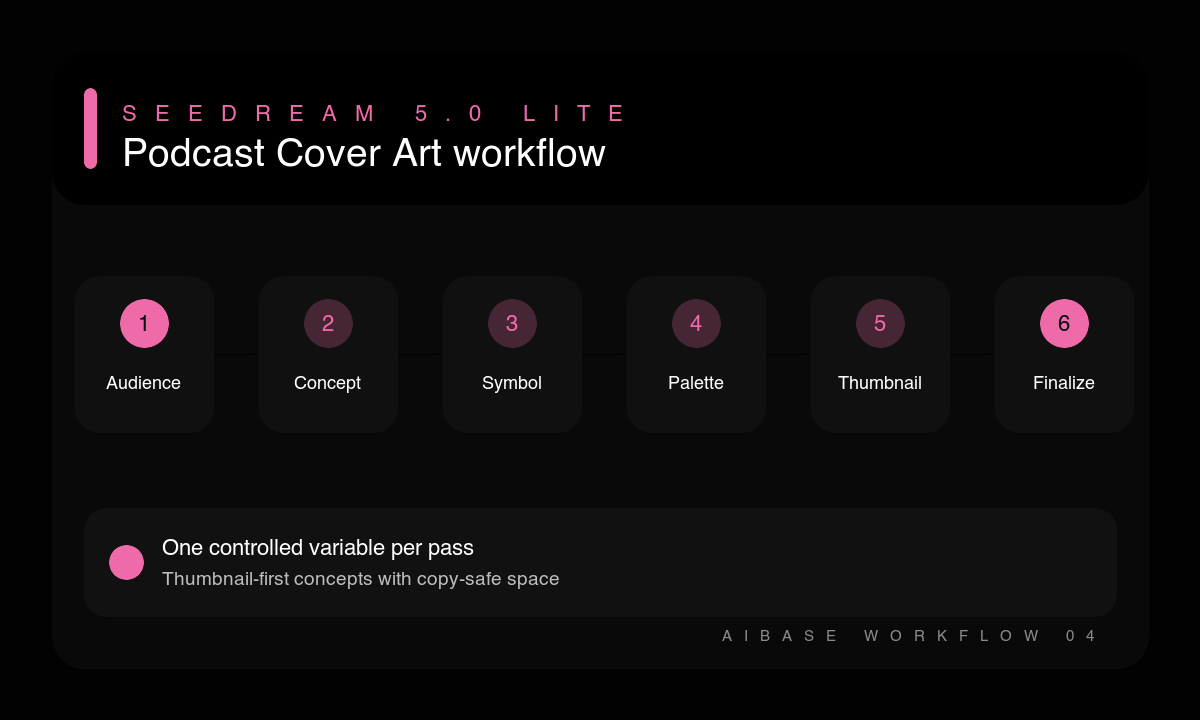
- Write the show’s specific promise, target listener, emotional tone, and one visual metaphor.
- Choose one focal subject and reserve a simple title zone before adding decorative detail.
- Generate several directions that vary only the medium, palette, or metaphor.
- Shrink candidates to a tiny thumbnail and reject any concept that loses its subject or contrast.
- Add the exact title, host line, and approved marks manually with licensed fonts.
- Check platform crop, color contrast, rights, small-size legibility, and consistency across episode and social variants.
Example prompt variants
- Square editorial collage for a podcast about practical climate adaptation, one house silhouette intersecting a topographic map, forest green, sand, and orange, optimistic investigative mood, clean upper title zone, no text.
- Square minimal 3D cover for a founder-operations podcast, one transparent cube containing a tangled red thread becoming orderly blue lines, charcoal background, sharp studio light, clean left title zone, no letters.
- Square photographic concept for a local food-history podcast, one worn recipe card beside a modern plated dish viewed overhead, warm cream and tomato palette, intimate archival mood, dark lower title zone, no readable writing.
Quality checklist
- The cover communicates the show’s topic and tone without relying on the title.
- One focal symbol remains recognizable at small thumbnail size.
- The final title is manually typeset, exact, high contrast, and crop-safe.
- The art avoids unlicensed likenesses, trademarks, characters, and copied signature styles.
- The master can adapt to platform, episode, and social formats without losing identity.
Mistakes to avoid
- Asking the image model to render the final show title and publishing spelling artifacts.
- Using generic microphones, headphones, waveforms, and neon gradients without a show-specific idea.
- Designing at full size and discovering that every meaningful detail disappears in a feed.
- Choosing a celebrity, franchise, or living artist reference instead of describing visual attributes.
Related AIBase pages
- Draft cover art with Seedream 5.0 Lite
- See fast Seedream prompt examples
- Adapt a concept for social posts
Practical next step
Open the most relevant AIBase generator, run one narrow prompt first, and save the best result before adding more constraints. The fastest way to improve output quality is to compare one variable at a time: subject, camera, background, lighting, then final polish.