
Veo 3.1 Fast Bakery Weekend Menu Reel Prompts
Create bakery weekend-menu reel concepts while keeping pastries, prices, availability, allergens, pickup times, and ordering details accurate and editable.
Quick answer
Freeze the actual weekend item list, photos, portion size, price, quantity, preorder cutoff, pickup window, allergens, dietary labels, and sold-out behavior before editing. Use real food footage for products customers can order and Veo 3.1 Fast for a short generic transition, light movement, or establishing plate. Add item names, prices, allergen information, availability, dates, location, and order links in editable overlays; never generate an unavailable pastry, dramatic food action, readable menu, or scarcity claim and present it as current stock.
Who this guide is for
Independent bakeries, pastry shops, cafes, market stalls, restaurant social teams, and local agencies producing a Friday preview, Saturday menu reel, preorder reminder, or weekend recap.
Recommended model
| Use case | Recommended model | Why |
|---|---|---|
| This workflow | Veo 3.1 Fast for quick text-free transitions around verified bakery footage | Fast iteration suits short social hooks and connective shots while real product footage and commerce data stay authoritative for food appearance, portion, availability, price, allergens, and ordering. |
AIBase is an independent creative platform. Model names are shown only to identify supported underlying technologies and workflow choices.
Prompt template
Create a [3-5 second] text-free vertical bakery reel plate for [opening hook / transition / closing hold]. Subject [generic flour dust crossing empty marble / warm window light moving over an empty tray / close abstract butter-paper fold], one motion [specific], camera [specific], palette matching [approved footage], protected upper title and lower menu-action zones. This is atmosphere, not a sellable product shot. No pastry not supplied as an approved reference, no hand, bite, steam, glaze pour, oven action, crowd, queue, menu, price, date, allergen symbol, sold-out cue, word, letter, number, logo, sound or watermark.
Step-by-step workflow
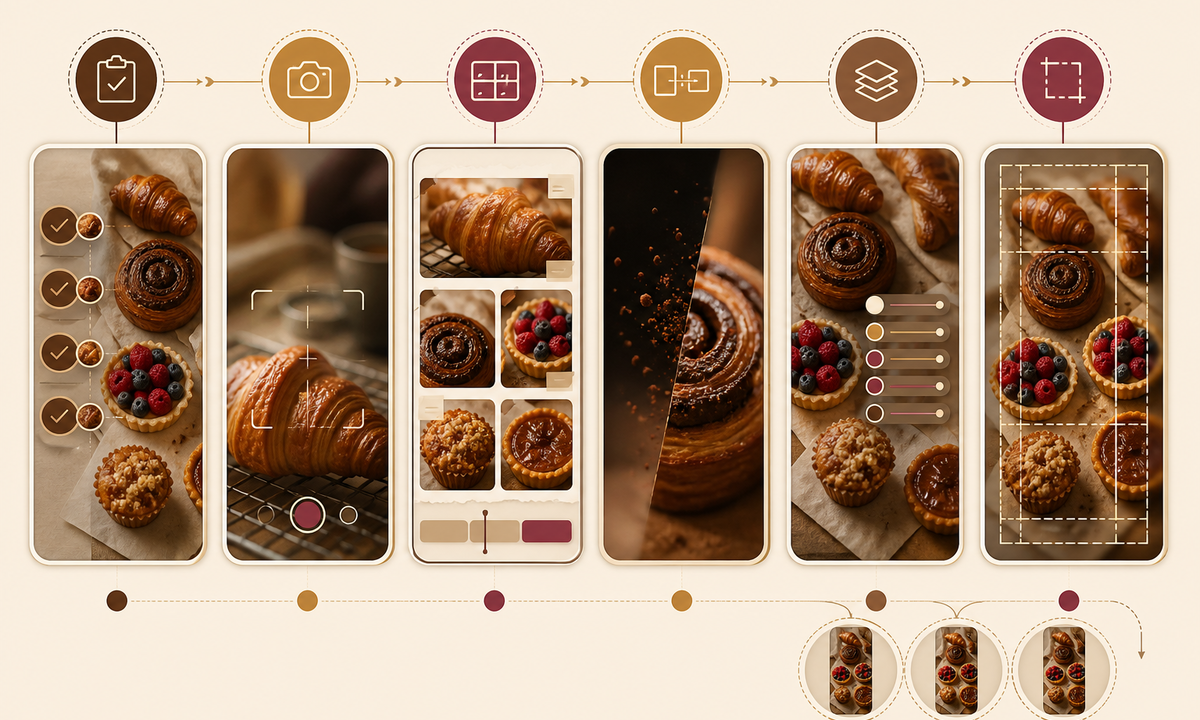
- Freeze the weekend menu by exact item, variant, portion, price, tax handling, quantity, preorder cutoff, pickup or delivery window, location, allergens, dietary labels, substitutions, and sold-out rule.
- Capture the actual products under consistent light: hero, tray, crumb, packaging, scale, counter, storefront, and safe staff action clips with food and music rights.
- Storyboard one opening hook, two or three real menu shots, one generated non-evidentiary transition, and a closing action card that can be updated without regenerating footage.
- Generate only generic atmosphere or transitions and reject invented pastries, toppings, portions, hands, oven techniques, queues, text, or availability cues.
- Assemble real product footage with editable item names, prices, allergens, dates, pickup details, location, order link, captions, disclosure, and live stock behavior.
- Test first-frame clarity, vertical crops, silent viewing, captions, long item names, menu changes, sold-out transitions, delayed posts, link accuracy, accessibility, expiry, and takedown.
Example prompt variants
- Three-second vertical opener: warm morning light slides across an empty floured marble counter, locked camera, protected center title zone, no food, hand, text or logo.
- Four-second transition: one sheet of plain unbranded bakery paper folds gently beside an empty cooling rack, shallow depth of field, no pastry, price, bag mark or word.
- Five-second closing plate: soft focus on the real approved storefront window after service with a quiet lower action zone, no queue, customer, menu board, opening-hours text or availability implication.
Quality checklist
- Item, image, portion, price, quantity, cutoff, pickup or delivery window, location, allergens, dietary labels, substitutions, and stock state match the current approved menu.
- Every purchasable pastry shown comes from real current footage; generated plates are generic and cannot be mistaken for inventory or preparation evidence.
- No invented steam, stretch, filling, glaze, ingredient, portion, hand technique, queue, popularity, freshness, availability, or sold-out state appears.
- Names, prices, dates, allergens, captions, location, CTA, order link, disclosure, and stock messages remain editable, localizable, accessible, and removable.
- Menu source, footage rights, prompt, output, food review, edit, publication time, inventory updates, expiry, and rollback remain traceable.
Mistakes to avoid
- Generating a beautiful pastry that is not on the approved menu and placing it between real products.
- Embedding prices, dates, pickup times, allergens, or sold-out language in video pixels.
- Using steam, dripping filling, oven action, or hand finishing to imply freshness, ingredients, or preparation that was not captured.
- Leaving a Friday teaser live after an item sells out, the menu changes, or the pickup window closes.
Related AIBase pages
Practical next step
Open the most relevant AIBase generator, run one narrow prompt first, and save the best result before adding more constraints. The fastest way to improve output quality is to compare one variable at a time: subject, camera, background, lighting, then final polish.