
Veo 3.1 Pro Climate Research Explainer Storyboard Prompts with Evidence Boundaries
Plan cinematic explainer beats around peer-reviewed findings while using generated visuals only for atmosphere, metaphor, and transitions—not evidence.

Quick answer
Let cited evidence and real data graphics carry the explanation. Use Veo 3.1 Pro only for clearly identified atmosphere or metaphor—water, ice, sky, soil, wind, or abstract transitions. Do not generate floods, wildfires, animals, instruments, field sites, scientists, projections, or outcomes that could be mistaken for observed research evidence.
Who this guide is for
Research communicators, universities, climate nonprofits, policy teams, and video producers translating peer-reviewed findings for public audiences.
Recommended model
| Use case | Recommended model | Why |
|---|---|---|
| This workflow | Veo 3.1 Pro | It can craft cinematic atmosphere and transitions, while scientific credibility requires sourced data, real imagery, and specialist review. |
AIBase is an independent creative platform. Model names are shown only to identify supported underlying technologies and workflow choices.
Prompt template
Create a [4-8 second] text-free climate-explainer plate for storyboard beat [number and purpose]. Visual type: [water surface / ice texture / sky gradient / soil cross-section / wind through grass / abstract transition]. Camera: [locked or one slow move]. Preserve a [caption / data graphic / expert interview] safe zone. Keep colors scientifically neutral rather than sensational. No flood, fire, storm damage, animal, species, instrument, field site, scientist, patient, projection map, dataset, number, location, date, policy claim, word, logo, or watermark.
Step-by-step workflow
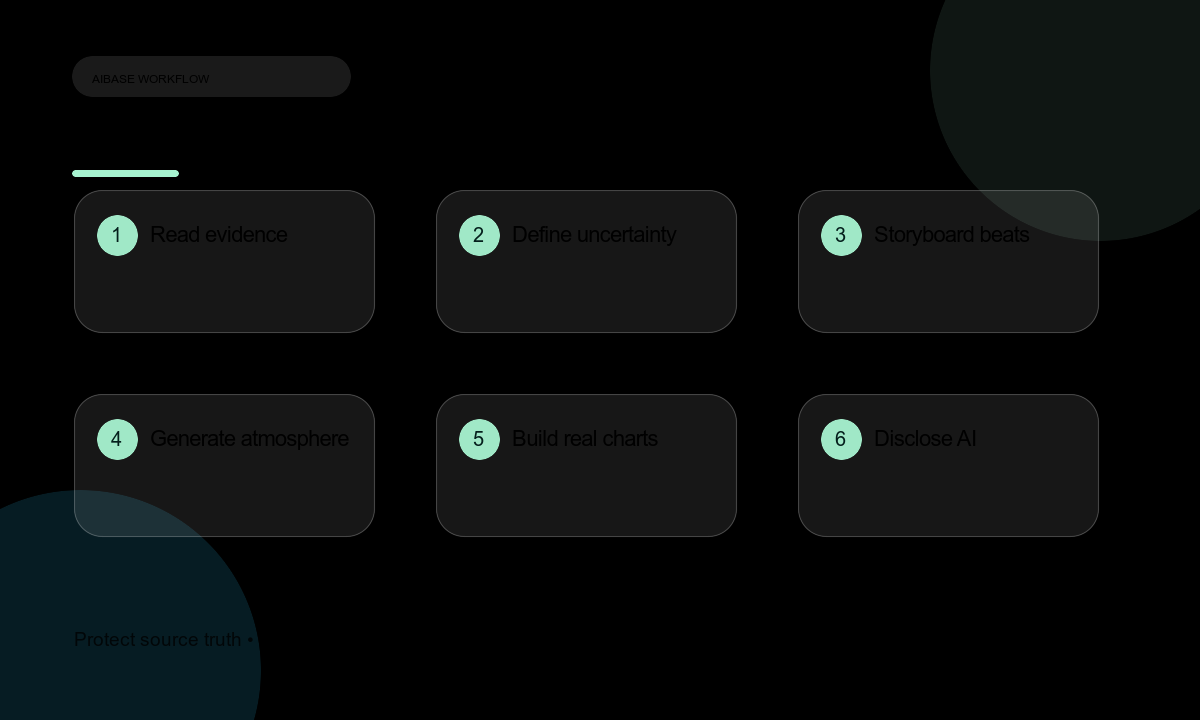
- Build an evidence table from peer-reviewed papers or official datasets: finding, uncertainty, period, geography, method, source, license, and citation.
- Separate the script into evidence beats, expert explanation, data graphics, real imagery, and generated atmosphere.
- Storyboard each beat with duration, source of truth, visual type, narration, caption, and uncertainty treatment.
- Generate only abstract atmosphere or transition plates and reserve clear zones for real graphics.
- Build charts from the actual data with correct axes, units, periods, uncertainty, accessibility, and citation.
- Record expert narration where needed and keep wording faithful to uncertainty and local context.
- Review with a domain specialist, disclose AI-assisted visuals, and archive sources, scripts, prompts, and approvals.
Example prompt variants
- Six-second neutral water plate: slow current over a shaded river surface, lower caption-safe zone; no flood, location, animal, data, or text.
- Five-second ice texture transition: cool light moves across abstract ice, no cracking disaster, map, timestamp, or narration.
- Four-second soil metaphor: fine grains settle in calm light, upper graphic-safe area; no crop failure, region, yield claim, or word.
Quality checklist
- Every finding, projection, uncertainty, period, geography, and policy implication traces to a cited authoritative source.
- No generated scene can be mistaken for observed extreme weather, field research, species behavior, or measured data.
- Charts use real values, correct units, comparable periods, uncertainty labels, and accessible descriptions.
- AI-assisted visuals are disclosed and visually separated from documentary evidence.
- Specialist review, source licenses, narration script, and correction plan are documented.
Mistakes to avoid
- Generating dramatic wildfires, floods, or storms as visual proof of a specific study.
- Inventing a location, date, species, instrument, emissions pathway, or projection value.
- Overselling certainty by removing uncertainty ranges or time-period caveats.
- Using aesthetic urgency to replace expert review and traceable sources.
Related AIBase pages
Practical next step
Open the most relevant AIBase generator, run one narrow prompt first, and save the best result before adding more constraints. The fastest way to improve output quality is to compare one variable at a time: subject, camera, background, lighting, then final polish.