
Wan 2.7 Watch Crown Turning Product Video Prompts
Animate one controlled crown turn from an approved watch photo while preserving the case, stem, guards, dial, hands, finish, and mechanism truth.
Quick answer
Use a sharp authorized macro photo where the exact crown, guards, stem state, case, dial, hands, crystal, strap, and reflections are visible. Animate only a small source-supported crown turn or one pull-to-setting-position movement, with the watch body locked. Do not infer winding efficiency, water resistance, power reserve, precision, screw-down construction, or internal movement behavior from the generated clip.
Who this guide is for
Watch brands, jewelers, marketplace teams, photographers, and editors making tactile product-detail loops from exact approved watch references.
Recommended model
| Use case | Recommended model | Why |
|---|---|---|
| This workflow | Wan 2.7 image-to-video for one bounded crown action | A constrained macro action can create a useful tactile detail while reducing the risk of dial, case, hand, and reflection drift. |
AIBase is an independent creative platform. Model names are shown only to identify supported underlying technologies and workflow choices.
Prompt template
Animate the uploaded authorized watch photo as the exact first frame. Motion only: the existing crown at [position] turns [one quarter turn / specified angle] in [direction] over [3-4 seconds] and stops, with [no axial movement / one source-supported pull state]. Preserve exact watch SKU, case diameter and profile, crown shape, logo zone, knurling count impression, guards, stem alignment, bezel, pushers, lugs, crystal, dial layout, indices, hands and their positions, date window, subdials, strap or bracelet, screws, finish, reflections, contact shadow, camera, crop, and light. No hand, tool, case movement, hand sweep, date change, opening, extra crown, altered logo, water, performance claim, tick sound, text, or watermark.
Step-by-step workflow
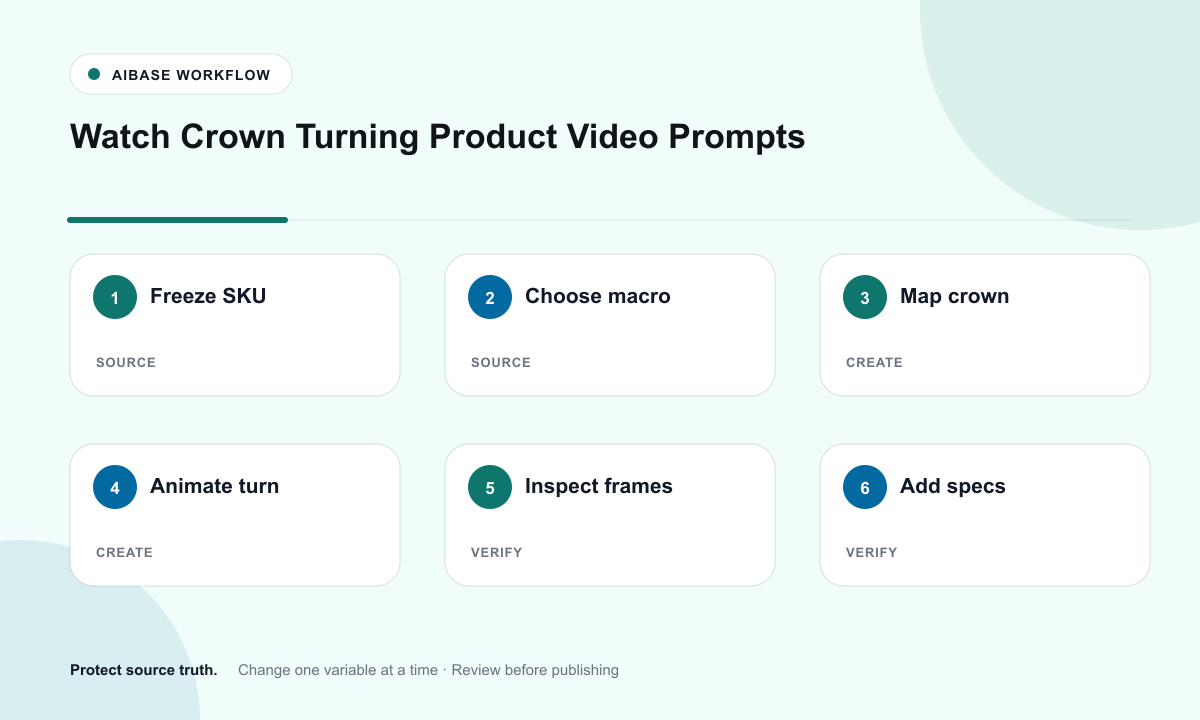
- Freeze SKU, crown type, winding or setting states, direction, travel, guards, case revision, dial, hand positions, movement facts, water-rating evidence, and usage rights.
- Choose an authorized macro source with sharp crown teeth, stem alignment, guards, dial, crystal, reflections, and stable support.
- Define one action, angle, direction, speed, axial state, and endpoint; explicitly lock the watch body and all dial indicators.
- Generate the locked-camera version before considering a minimal focus shift; do not add a hand, tool, time change, or second action.
- Inspect every frame for crown size, knurling, stem continuity, guard clearance, case deformation, dial drift, hand movement, logo mutation, and reflection jumps.
- Composite exact dial art or product plate where needed and add verified mechanism, setting, care, water, warranty, price, disclosure, and CTA separately.
Example prompt variants
- Four-second macro: the approved fluted crown turns one quarter turn clockwise without pulling out, preserve guards, knurling, polished case, dial, hands, date, bracelet, and camera.
- Three-second setting-state detail: the existing crown moves outward only to the verified first position and stops, preserve stem alignment, case profile, dial, all indicators, reflections, and no hand.
- Four-second side profile: the approved screw-down crown makes one small source-supported turn and holds, watch body locked, no claim about sealing, winding, precision, or water resistance.
Quality checklist
- Crown, knurling, guards, stem, case, bezel, pushers, lugs, crystal, dial, indices, hands, date, strap, and screws match the exact SKU.
- Turn angle, direction, axial travel, clearances, occlusion, reflection, and endpoint are physically plausible and source-supported.
- Dial text zones, logos, indices, subdials, hand positions, and date do not drift during the crown action.
- No visual or copy implies precision, power reserve, winding efficiency, screw-down status, durability, or water resistance without evidence.
- Truth sheet, source, motion map, prompt, frames, product review, composite, approval, and export remain traceable.
Mistakes to avoid
- Adding a hand and forcing fingers, crown, case, and reflections to deform at once.
- Letting watch hands move or the date change when the requested job is only crown motion.
- Turning a push-pull crown into a screw-down mechanism or inventing guards, teeth, pushers, or stem travel.
- Using the clip as proof of winding feel, timekeeping precision, water sealing, durability, or mechanical authenticity.
Related AIBase pages
Practical next step
Open the most relevant AIBase generator, run one narrow prompt first, and save the best result before adding more constraints. The fastest way to improve output quality is to compare one variable at a time: subject, camera, background, lighting, then final polish.