
Wan 2.7 Utility Knife Blade Slider Product Video Prompts
Animate one documented utility-knife slider action while preserving exact housing, blade track, lock positions, grip, fasteners, safety context, camera, and claim boundaries.
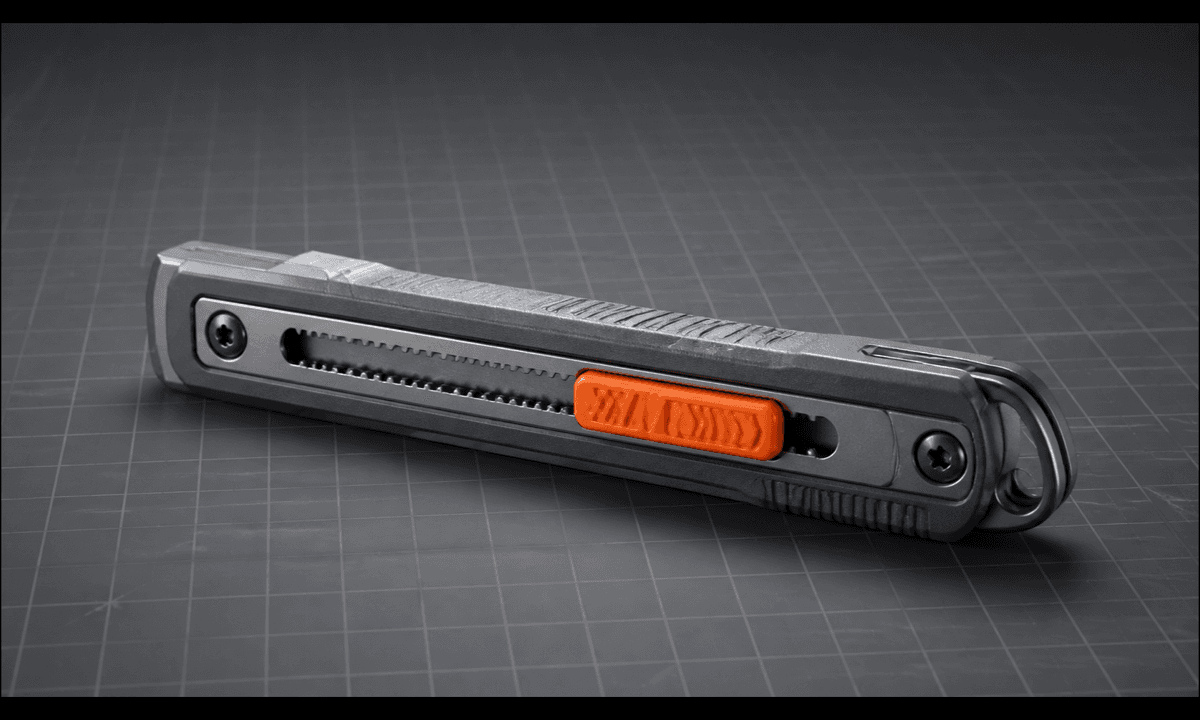
Quick answer
Start from authorized images of the exact utility knife in fully retracted and one documented extension position. Animate a single short slider movement on a clear empty work surface, with no cutting target and no hand unless the approved source already shows a safe grip. Lock the housing, slider track, detents, blade segment count, guide, fasteners, grip inserts, clip, shadows and camera. Do not invent auto-retraction, lock strength, blade sharpness, safety certification or internal mechanism.
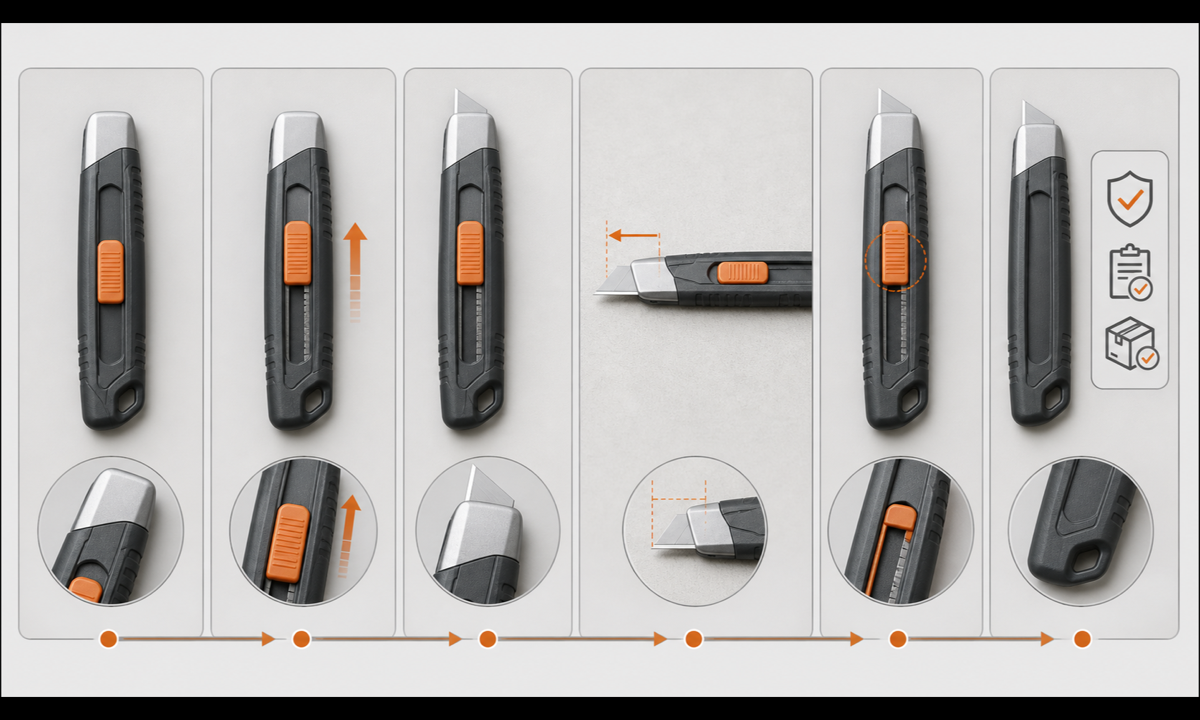
Who this guide is for
Tool brands, hardware retailers, marketplaces, product photographers and editors creating controlled mechanism details from exact SKU imagery.
Recommended model
| Use case | Recommended model | Why |
|---|---|---|
| This workflow | Wan 2.7 image-to-video for one bounded documented slider action | Source-led motion can show a small visible state change when travel, endpoints and safety context are documented and the camera remains controlled. |
AIBase is an independent creative platform. Model names are shown only to identify supported underlying technologies and workflow choices.
Prompt template
Animate the uploaded authorized [exact utility knife SKU and revision] photo as the exact first frame, using approved fully retracted and [one detent extended] references. Motion only: the existing slider moves along its documented track from [start] to [end], the blade advances to the exact approved segment exposure, then both hold over [2-4 seconds]. Preserve housing silhouette, nose, blade guide, slider, track, detents, lock control, fasteners, seams, grip inserts, clip, blade width and break lines, finish, branding zones, empty work surface, shadow, camera, crop and light. No cutting target, free hand near blade, repeated motion, extra blade segment, disassembly, internal spring, auto-retract claim, sharpness claim, text, sound or watermark.
Step-by-step workflow
- Freeze SKU, revision, blade type and width, slider and lock design, retracted and permitted extension states, detents, safety instructions, claims, rights and audience.
- Capture approved top, bottom, sides, nose, slider, track, lock, fasteners, grip, clip, blade retracted, each permitted extension, branding and scale references.
- Choose one safe empty-surface shot and map fixed versus moving parts, track, endpoint, blade exposure, occlusion, reflections and shadows.
- Generate one slow extension or retraction with a locked camera; stop before cutting, snapping a segment, opening the housing or revealing undocumented internals.
- Inspect every frame for housing length, slider alignment, detents, blade width, segment count, guide contact, lock state, grip geometry, reflections and stable endpoint.
- Add verified safety instructions, blade compatibility, lock type, materials, availability, age restrictions, disclosure and CTA in editable reviewed layers.
Example prompt variants
- Three-second side macro: the approved slider moves from fully retracted to the first documented detent and exposes exactly one blade segment, then holds on an empty mat.
- Two-second retraction detail from the approved first-detent state: slider and blade return once to fully enclosed, no bounce, hand, cutting target or camera move.
- Four-second top view with one source-visible gloved hand completing only the final short retraction; preserve safe grip behind the nose, finger anatomy, slider contact, housing and shadow.
Quality checklist
- SKU, housing, nose, guide, slider, track, detents, lock, fasteners, grip, clip, blade, finish and branding zones match approved references.
- Slider and blade travel, endpoint, segment exposure, guide contact, occlusion, reflections and lock state are mechanically plausible.
- No target, cutting action, loose blade, extra segment, changing housing, invented spring, repeated motion or unsafe free hand appears.
- The clip does not prove sharpness, lock strength, auto-retraction, blade life, compatibility or certification without evidence.
- Truth sheet, source set, motion map, safety review, prompt, frames, mechanism approval and export remain traceable.
Mistakes to avoid
- Prompting a cut, blade snap and retraction in one clip instead of one bounded slider action.
- Letting the blade change width, segment count, angle or position relative to the guide.
- Adding a hand near the exposed blade or changing a safe source grip into an unsafe one.
- Using smooth synthetic motion as proof of sharpness, lock security, auto-retraction or workplace safety.
Related AIBase pages
Practical next step
Open the most relevant AIBase generator, run one narrow prompt first, and save the best result before adding more constraints. The fastest way to improve output quality is to compare one variable at a time: subject, camera, background, lighting, then final polish.