
Nano Banana Pro Bicycle Campaign Product Photo Prompts
Build high-fidelity bicycle campaign scenes with Nano Banana Pro while keeping exact frame geometry, components, colorway, safety details, and claims controlled.
Quick answer
Use Nano Banana Pro for lighting, environment, and campaign art direction, but keep the sellable bicycle as an approved packshot or precisely reviewed composite. Bicycle frame junctions, wheel size, drivetrain, brakes, suspension, controls, accessories, and colorway are high-risk facts. A visually polished generated bike can still depict an impossible or wrong configuration, so compare every result to the exact SKU before release.
Who this guide is for
Bicycle brands, retailers, distributors, creative studios, and campaign teams producing launch heroes, category banners, dealer assets, social crops, or seasonal lifestyle concepts for a specific bike model.
Recommended model
| Use case | Recommended model | Why |
|---|---|---|
| This workflow | Nano Banana Pro for high-fidelity scene plates, with exact bicycle compositing for final SKU truth | Its detail-oriented image workflow is useful for premium materials, lighting, and environments, while controlled compositing prevents generated component or geometry drift from becoming a product claim. |
AIBase is an independent creative platform. Model names are shown only to identify supported underlying technologies and workflow choices.
Prompt template
Create a high-fidelity text-free campaign scene plate for an approved [road / gravel / mountain / commuter / cargo] bicycle packshot. Audience and use: [specific]. Environment: [verified terrain or studio]. Camera: [angle, height, lens feel, crop]. Lighting: [one setup]. Reserve an unobstructed bicycle zone matching the approved source perspective and contact points, plus copy-safe space at [location]. Mood and materials: [specific]. Do not generate or alter a bicycle, frame geometry, fork, wheel, tire, drivetrain, brake, suspension, cockpit, battery, motor, cable, reflector, accessory, rider, helmet, road behavior, performance effect, logo, model name, specification, price, award, safety claim, trail designation, or text. Return a clean scene plate for exact product compositing and review.
Step-by-step workflow
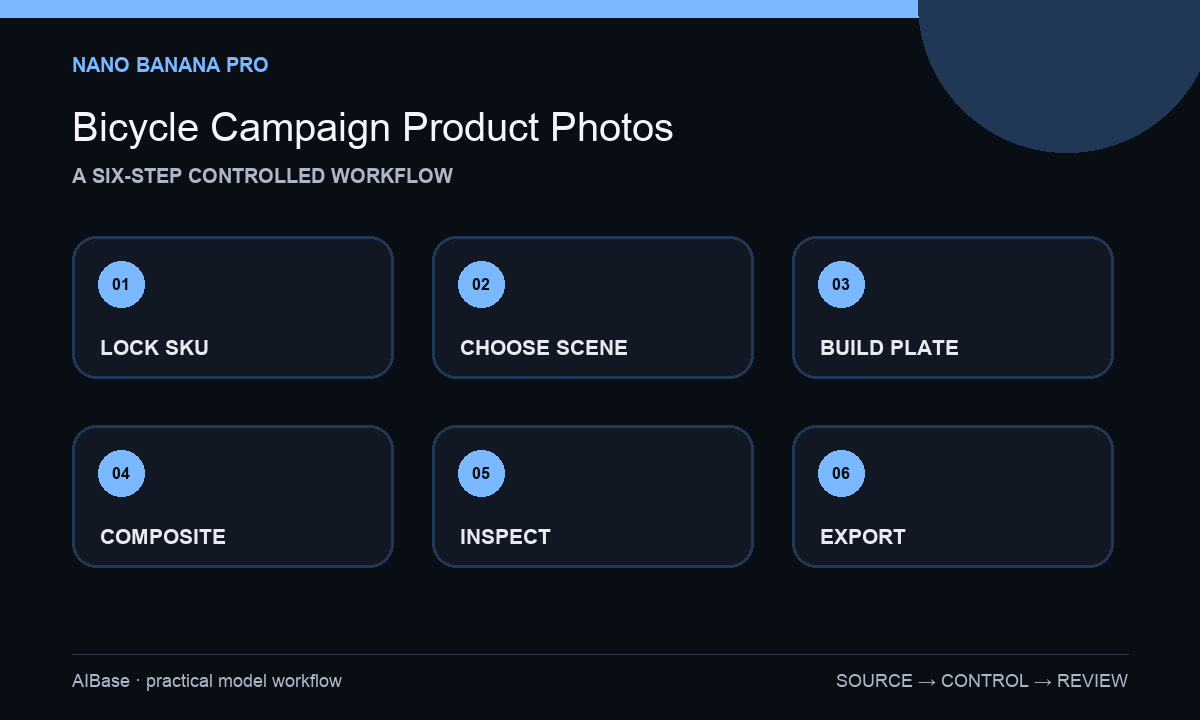
- Create a SKU truth sheet with model year, size, frame, fork, wheel and tire, drivetrain, brake, suspension, cockpit, battery or motor, accessories, colorway, region, approved claims, source photos, and owners.
- Choose one campaign job and one buyer context, then decide whether the scene needs a studio hero, parked lifestyle moment, rider action, detail crop, or text-free background plate.
- Match camera height, perspective, ground plane, contact points, light direction, and reflections to the authorized bicycle packshot before generating the environment.
- Generate the environment without a bicycle, then composite the exact SKU; use bounded image-to-image only for a small verified environmental adjustment, never a component redesign.
- Inspect frame junctions, wheels, spokes, tires, valves, drivetrain, brakes, cables, suspension, cockpit, pedals, accessories, shadows, terrain contact, rider interaction, and crop at full size.
- Add approved logo, copy, model name, specification, price, legal line, and CTA as editable layers; derive channel crops from the controlled master and retain approvals.
Example prompt variants
- High-fidelity dawn gravel-road scene plate, low three-quarter camera matching the approved gravel-bike packshot, pale dust held still, soft side light, open bicycle contact zone center-right and headline space left, no generated bike, rider, component, track, logo, or text.
- Premium commuter-bike campaign background, sheltered modern station entrance after light rain, realistic wet pavement reflection aligned to the approved packshot, calm morning light and mobile-safe center, no bicycle replica, traffic claim, person, signage, or text.
- Controlled studio scene plate for an approved mountain-bike composite, charcoal cyc wall, narrow amber rim light, realistic tire contact zone and generous component-detail crop, no generated frame, suspension, mud effect, performance cue, logo, or typography.
Quality checklist
- The final bicycle matches the approved model year, size, frame geometry, component group, wheels, tires, controls, accessories, colorway, and regional configuration.
- Perspective, scale, contact points, terrain, light, reflections, and shadow make the exact composite physically plausible.
- No generated action implies unsupported speed, range, load, safety, terrain, weather, race, or durability performance.
- Logo, model, specification, price, claims, legal text, and CTA remain approved editable layers with safe crops.
- Source packshots, truth sheet, prompt, plates, composite, reviewer, channel exports, and expiration conditions remain traceable.
Mistakes to avoid
- Generating the entire bicycle and overlooking subtle changes to frame junctions, brakes, gears, cables, suspension, or accessories.
- Using a dramatic trail, jump, load, or weather scene that implies unverified product capability or unsafe use.
- Combining multiple camera angles, environments, riders, and campaign messages in one prompt instead of building one controlled hero.
- Retyping specifications or model names into generated pixels rather than using approved product data and editable layout layers.
Related AIBase pages
- Open Nano Banana Pro
- Create footwear campaign photos
- Create outdoor apparel brand films
- Plan ecommerce product photos
Practical next step
Open the most relevant AIBase generator, run one narrow prompt first, and save the best result before adding more constraints. The fastest way to improve output quality is to compare one variable at a time: subject, camera, background, lighting, then final polish.