
Seedance 2.0 vs Veo 3.1 Fast for Short Social Ads: Workflow Comparison
Compare Seedance 2.0 and Veo 3.1 Fast for short social ads by source material, product fidelity, concept range, motion control, editability, and testing.
Quick answer
Choose Seedance 2.0 when an approved product or scene image should anchor the shot, and choose Veo 3.1 Fast when you need to explore broader hooks, environments, and storyboard ideas quickly. For a fair test, give both routes the same ad job, duration, ratio, action, camera, attempt budget, and scorecard, then select per shot rather than declaring one universal winner.
Who this guide is for
Performance marketers, ecommerce teams, agencies, creative strategists, and editors deciding how to split short-form ad work between reference-led animation and fast concept generation.
Recommended model
| Use case | Recommended model | Why |
|---|---|---|
| This workflow | Seedance 2.0 for reference-anchored shots; Veo 3.1 Fast for broad concept and storyboard exploration | The useful distinction is the source of truth and the shot job: a supplied image can constrain composition and product identity, while a fast text-led route can widen creative exploration before exact assets are composited. |
AIBase is an independent creative platform. Model names are shown only to identify supported underlying technologies and workflow choices.
Prompt template
MATCHED SHORT-AD TEST for [audience and one message]. DURATION/RATIO: [same for both]. SHOT JOB: [hook, use, transition, or resolve]. ACTION: [one action]. CAMERA/LIGHT: [same rule]. PRODUCT TRUTH: [verified shape, color, parts, use, allowed claims]. Seedance route: use the uploaded approved image as the exact anchor; animate only [motion] and protect [details]. Veo Fast route: explore a generic [category] concept with the same action and composition; do not imply an exact SKU. Both: clean end frame; no invented feature, logo, label, claim, result, text, extra product, unsafe use, or watermark.
Step-by-step workflow
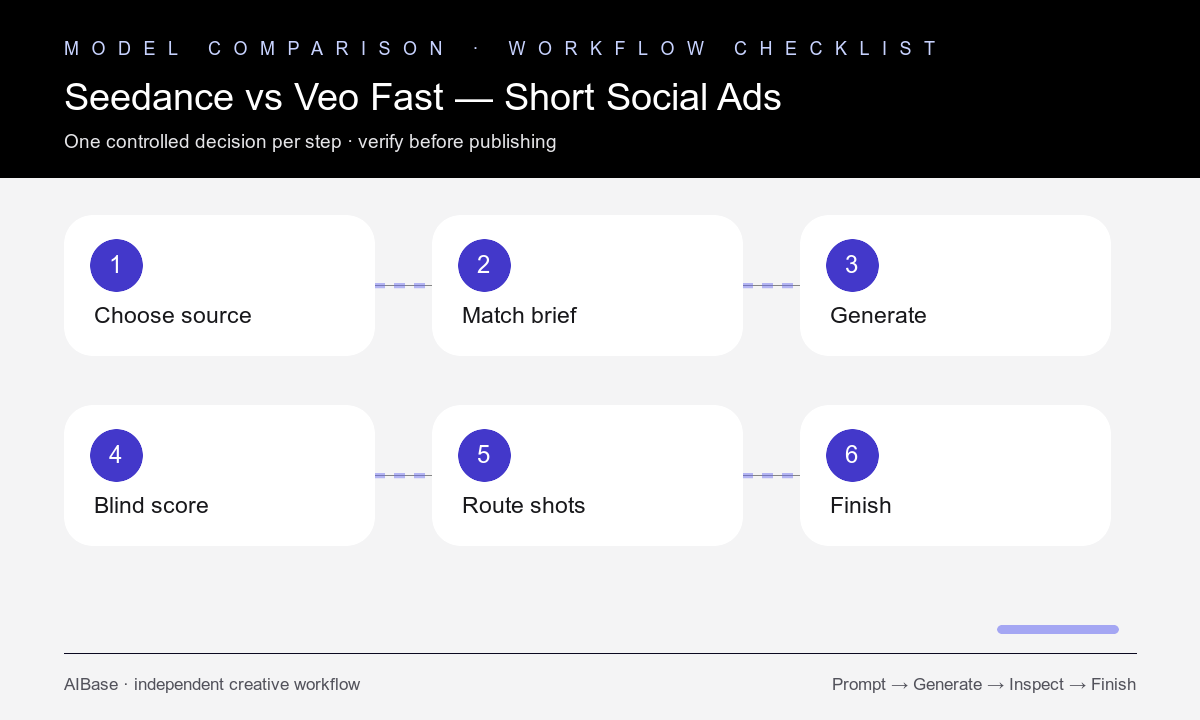
- Define the placement, audience, message, source material, fidelity threshold, concept freedom, attempt budget, and one scorecard before choosing a model.
- Prepare an authorized reference for Seedance and a product-truth brief for Veo Fast, then match action, camera, light, duration, ratio, and ending.
- Generate the same number of candidates per route without giving one workflow extra refinement, better inputs, or a looser truth standard.
- Blind-score first-frame clarity, product fidelity, hook novelty, motion, physics, camera, artifacts, edit point, turnaround, and cost.
- Assign a route per shot: reference-led product motion, broad hook exploration, generic environment, transition, or clean resolve.
- Composite approved product pixels and add verified copy, captions, audio, CTA, claims, and disclosures in post, then record the winner for that shot class.
Example prompt variants
- Matched skincare hook: five-second 9:16 shot, bottle rises through soft mist, locked camera, cool side light; Seedance protects approved bottle reference, Veo Fast explores a generic unbranded category concept.
- Matched desk-product use shot: six-second square composition, hand performs one verified adjustment, gentle push-in, clean ending; compare exact reference fidelity with concept flexibility.
- Matched travel-accessory resolve: five-second vertical shot, organized pouch rests beside a suitcase as light shifts subtly, camera fixed, no packing-capacity claim; identical scoring and attempts.
Quality checklist
- Both routes receive the same shot job, action, camera, light, duration, ratio, ending, attempt budget, and review threshold.
- The scorecard separates reference or SKU fidelity from hook novelty, visual appeal, motion, physics, editability, time, and cost.
- Seedance outputs preserve the approved source while Veo Fast concepts are not misrepresented as exact products.
- Hands, contact, labels, product geometry, reflections, background stability, camera, and end frames pass detailed review.
- The decision is documented per shot class and the final ad uses verified product pixels, copy, claims, audio, CTA, and disclosures.
Mistakes to avoid
- Comparing a polished reference-led shot with a vague text prompt and calling the result a model test.
- Expecting the text-led route to reproduce an exact SKU without an approved reference or compositing stage.
- Using the reference-led route for broad concepts when the source crop or lighting blocks useful exploration.
- Choosing one model for an entire campaign instead of routing each hook, product shot, transition, and resolve by job.
Related AIBase pages
- Open Seedance 2.0
- Open Veo 3.1 Fast
- Use the Seedance image-to-video guide
- Build a Veo social ad storyboard
Practical next step
Open the most relevant AIBase generator, run one narrow prompt first, and save the best result before adding more constraints. The fastest way to improve output quality is to compare one variable at a time: subject, camera, background, lighting, then final polish.