
Veo 3.1 Fast Social Ad Storyboard Prompts for 15-Second Concepts
Use Veo 3.1 Fast to test 15-second social ad storyboards with clear hooks, shot jobs, camera rules, product truth, edit points, and scoring.
Quick answer
Do not ask one generation to deliver an entire polished 15-second ad. Break the concept into three short shot jobs—hook, proof or use, and resolve—generate each with one action and one camera move, then edit the approved clips with real product pixels, copy, audio, and claims.
Who this guide is for
Paid-social teams, ecommerce marketers, creative strategists, and editors testing multiple hooks and visual structures before committing budget to a full shoot or high-fidelity production.
Recommended model
| Use case | Recommended model | Why |
|---|---|---|
| This workflow | Veo 3.1 Fast | A fast video workflow is valuable during storyboard exploration, where teams need to compare hook structures, camera ideas, and edit points before polishing a smaller number of approved directions. |
AIBase is an independent creative platform. Model names are shown only to identify supported underlying technologies and workflow choices.
Prompt template
SOCIAL AD SHOT [1, 2, or 3] for [audience/problem/use case]. JOB: [hook, demonstrate one verified benefit, or resolve]. DURATION: [4-6 seconds]. RATIO: [9:16 or 1:1]. SUBJECT: [generic category concept or approved reference]. ACTION: [one visible action]. CAMERA: [one move or locked]. LIGHT: [specific]. START FRAME: [composition]. END FRAME: [clean edit point]. Keep [protected product truths] stable. No invented feature, label, logo, claim, result, extra product, unsafe behavior, embedded text, or watermark.
Step-by-step workflow
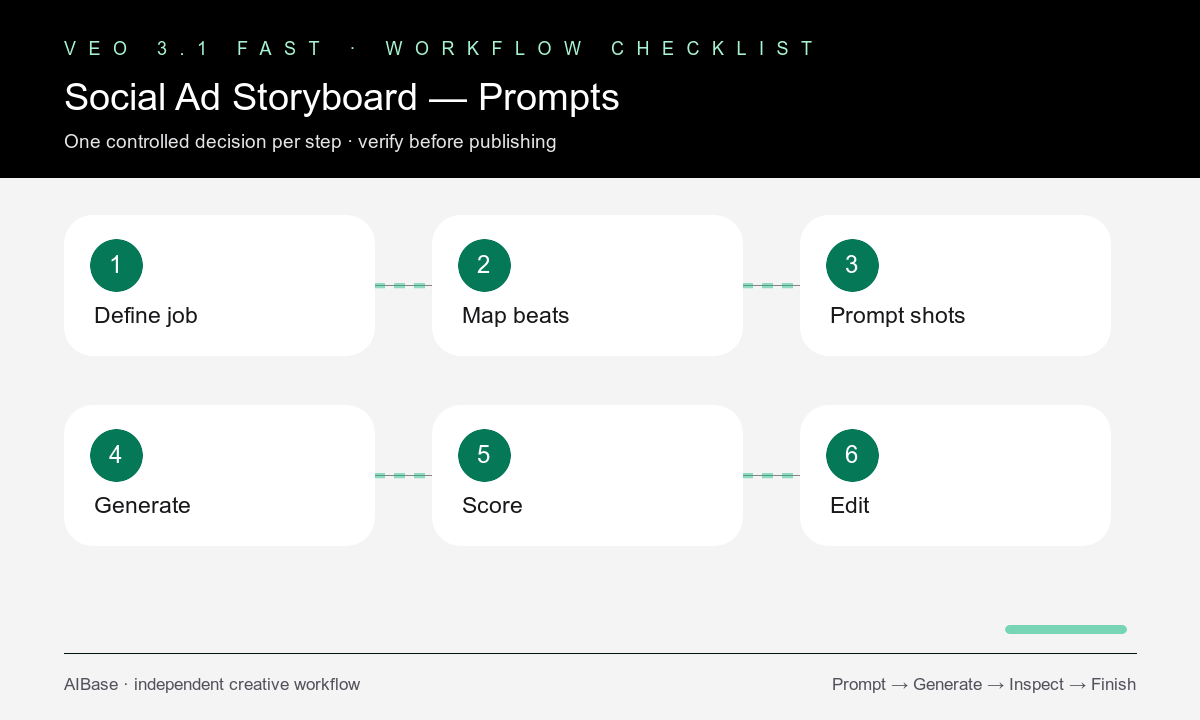
- Define the audience, placement, single message, verified proof, CTA destination, and what the generated footage may or may not represent.
- Write a three-beat board with one sentence each for hook, proof or use, and resolve; assign a measurable job to every shot.
- Turn each beat into an independent four-to-six-second prompt with one action, one camera rule, and a clear start and end frame.
- Generate matched hook variants while holding the middle and ending structure constant so the test reveals which opening earns attention.
- Score first-frame clarity, subject fidelity, motion, physics, edit point, sound-off comprehension, and usefulness rather than spectacle alone.
- Assemble approved clips with verified product imagery, live typography, licensed audio, captions, claims, CTA, and platform-safe margins in post.
Example prompt variants
- Hook shot for a generic travel organizer ad: five-second 9:16 overhead frame, neatly packed items slide into separate compartments, locked camera, bright window light, clean end frame, no labels or text.
- Proof shot for an approved desk-lamp reference: four-second vertical close-up, one hand adjusts the verified hinge once, gentle push-in, preserve exact shape and controls, no invented feature.
- Resolve shot for a hydration-routine concept: five-second square shot, generic bottle settles beside a gym bag as morning light shifts subtly, camera locked, open upper copy zone, no performance claim.
Quality checklist
- The opening frame communicates a recognizable audience situation or problem before sound or copy is added.
- Each shot performs one job and contains one readable action, one camera rule, and a usable edit point.
- Product geometry, use, and any depicted outcome remain within verified facts and the prompt’s allowed concept freedom.
- Motion, hands, contact, reflections, continuity, and final frames survive full-speed and frame-by-frame review.
- Final copy, claims, audio, captions, disclosures, safe zones, and CTA are assembled and reviewed outside the generated clip.
Mistakes to avoid
- Writing a paragraph that asks the model to execute the whole 15-second narrative in one continuous clip.
- Changing hook, product, camera, duration, and offer at once, which makes performance results impossible to interpret.
- Keeping a visually dramatic shot that has no clear role in the ad or clean edit point.
- Using generated behavior as evidence of a feature, result, or product performance that has not been verified.
Related AIBase pages
- Open Veo 3.1 Fast
- Build product demo prompts
- Test UGC ad concepts
- Compare image-to-video and text-to-video product ads
Practical next step
Open the most relevant AIBase generator, run one narrow prompt first, and save the best result before adding more constraints. The fastest way to improve output quality is to compare one variable at a time: subject, camera, background, lighting, then final polish.