
Seedream 5.0 Lite Abandoned Cart Email Background Prompts
Generate crop-safe, text-free abandoned-cart email backgrounds while keeping products, availability, prices, incentives, urgency, and checkout links authoritative.
Quick answer
Use Seedream 5.0 Lite for a lightweight, text-free background family—not for cart contents or offer copy. Insert real product thumbnails, variants, quantities, current prices, stock state, incentive terms, expiry, shipping information, consent controls, and the actual recovery link from commerce data. Design safe zones for long product names and mobile stacking, and avoid generated countdowns, scarcity cues, discounts, ratings, or customer details.
Who this guide is for
Ecommerce lifecycle marketers, CRM teams, agencies, and designers building cart-recovery email variants across locales and customer segments.
Recommended model
| Use case | Recommended model | Why |
|---|---|---|
| This workflow | Seedream 5.0 Lite for fast crop-safe lifecycle backgrounds | Rapid text-free variation supports email testing while dynamic cart facts, consent, and checkout state remain controlled by the commerce system. |
AIBase is an independent creative platform. Model names are shown only to identify supported underlying technologies and workflow choices.
Prompt template
Create a text-free [desktop email header / mobile email background] for a cart-recovery message in [brand palette and material style]. Reserve a calm headline zone, a plain dynamic product-card area, an incentive-terms strip, and a high-contrast CTA region. Keep the focal detail outside the center product zone and ensure a useful crop at [ratio]. No product, package, cart icon, checkout UI, customer data, price, discount, code, timer, stock cue, review, star, badge, shipping promise, logo, word, number, pseudo-text, or watermark.
Step-by-step workflow
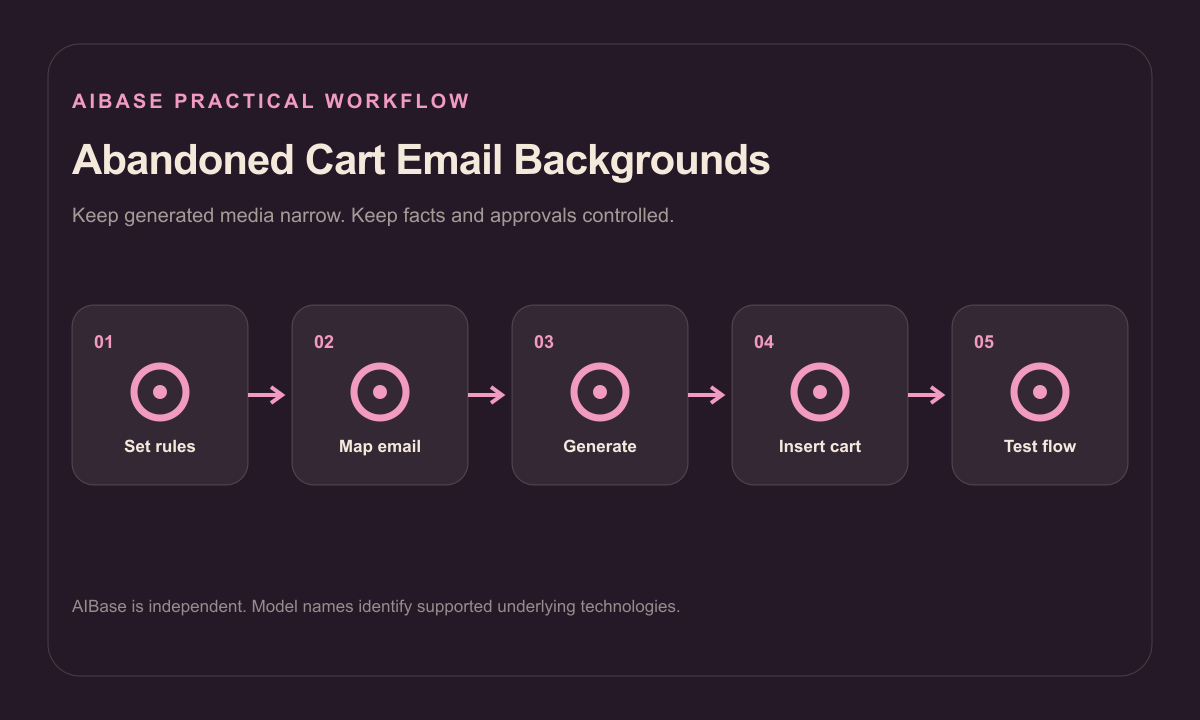
- Define trigger timing, consent basis, suppression rules, cart persistence, product and variant data, inventory, pricing, incentives, expiry, shipping, taxes, and recovery destination.
- Map headline, product list, fallback state, incentive terms, disclosure, CTA, unsubscribe, and mobile-stack zones using real worst-case content.
- Generate text-free desktop and mobile backgrounds with restrained detail and one consistent visual system.
- Populate actual product imagery, variants, quantities, prices, availability, personalized fields, terms, and links from authoritative systems.
- Test expired carts, changed stock, price changes, used discounts, logged-out recovery, localization, dark mode, image blocking, accessibility, analytics, and unsubscribe.
- Version each background with campaign rules and retire it when incentives, inventory logic, or brand guidance changes.
Example prompt variants
- Wide cart-reminder email background with soft folded coral paper at the outer corners, clean cream product-card center, quiet headline band and bottom terms strip, no bag icon, product or text.
- Mobile recovery-email background with muted midnight blue gradient and one warm edge glow, uninterrupted central stack for real cart items and clear CTA block, no timer, discount or UI.
- Minimal home-goods cart email background with abstract linen and wood-tone shapes confined to the top-right, large plain product area and high-contrast footer, no furniture replica, price or claim.
Quality checklist
- Products, variants, quantities, prices, availability, incentive, expiry, shipping, taxes, and destination reflect the current cart and rules.
- The background remains readable in mobile, desktop, dark mode, image-blocked, and long-localization states.
- Generated pixels contain no fake product, cart status, urgency, discount, timer, review, shipping promise, or personal data.
- CTA, recovery link, consent, preference, unsubscribe, disclosure, and analytics behavior are tested.
- Campaign rule, prompt, output, data version, QA, approval, expiry, and rollback remain traceable.
Mistakes to avoid
- Generating a complete email screenshot that invents products, prices, discount codes, timers, or checkout controls.
- Using false scarcity or urgency when inventory and cart reservation do not support it.
- Designing around one short product name and breaking mobile or localized carts.
- Sending recovery creative without testing consent, suppression, stale carts, changed prices, expired incentives, and unsubscribe behavior.
Related AIBase pages
Practical next step
Open the most relevant AIBase generator, run one narrow prompt first, and save the best result before adding more constraints. The fastest way to improve output quality is to compare one variable at a time: subject, camera, background, lighting, then final polish.