
GPT Image 2 Email Newsletter Hero Image Prompts with Copy-Safe Layouts
Draft email newsletter hero concepts with GPT Image 2 prompts for narrow mobile crops, one message, copy-safe space, brand assembly, accessibility, and honest claims.
Quick answer
Treat the generated image as the visual layer of the email, not the complete header. Define one editorial idea, a shallow landscape composition that survives mobile cropping, and a quiet copy zone; then add the real headline, logo, offer, CTA, and legal text as accessible HTML or editable design elements.
Who this guide is for
Lifecycle marketers, ecommerce teams, newsletter editors, founders, and agencies preparing launch emails, editorial digests, seasonal campaigns, webinar announcements, or product education sequences.
Recommended model
| Use case | Recommended model | Why |
|---|---|---|
| This workflow | GPT Image 2 | It is a useful text-to-image route for exploring bounded commercial scenes, visual metaphors, palettes, and layouts before verified copy and brand assets are assembled separately. |
AIBase is an independent creative platform. Model names are shown only to identify supported underlying technologies and workflow choices.
Prompt template
Create the visual background for an email newsletter hero about [one verified message] for [audience]. Canvas: wide shallow banner planned for desktop at [ratio], with the essential subject remaining readable in a centered mobile crop. Place one clear focal subject in [region] and leave a calm, low-detail, high-contrast copy-safe area in [region]. Scene: [specific concept]. Palette and mood: [brand-compatible direction]. No text, letters, logo, button, price, discount, metric, customer identity, product claim, certification, interface, or watermark. Avoid important details at outer edges, visual clutter, fake UI, and tiny repeated objects.
Step-by-step workflow
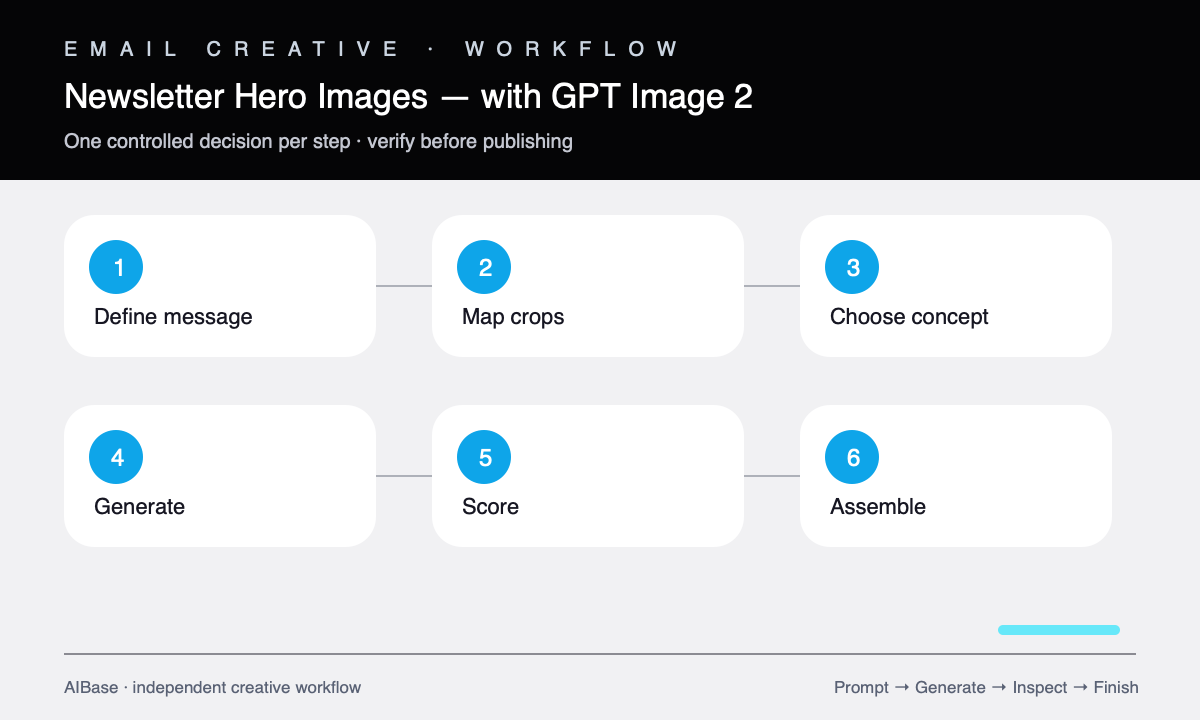
- Write the email job in one line: audience, lifecycle stage, one message, one action, and the verified facts that may appear in final copy.
- Map desktop, tablet, and mobile crops before generating, keeping the focal subject and copy-safe zone inside the shared center area.
- Choose one visual device: product context, editorial still life, literal use scene, or simple metaphor that supports the message without explaining it in pixels.
- Generate three directions with the same layout and palette while varying only the subject treatment or metaphor.
- Score hierarchy, brand fit, mobile crop survival, copy contrast, file-weight potential, plausibility, and risk of implying an unsupported offer.
- Assemble the final email with live or editable headline, logo, CTA, offer terms, and fallback color; compress the image and write descriptive alt text.
Example prompt variants
- Wide weekly product-update hero, one modular desk object opening into three neat components, clean editorial studio photography, cobalt and warm gray, focal subject right, quiet left copy zone, centered mobile crop safe, no words.
- Seasonal home-goods newsletter background, linen and ceramic objects in soft morning window light, restrained autumn palette, products clustered left-center, uncluttered cream area on right, no sale text or price.
- Research-digest email hero, layered translucent paper shapes forming one clear path through a dark navy field, sophisticated editorial abstraction, high-contrast empty center-left zone, no charts, numbers, or labels.
Quality checklist
- The image supports one email message and does not depend on generated words, buttons, prices, or interface details.
- The focal subject and meaning survive the planned mobile crop without moving essential information to the edges.
- The copy-safe zone has low detail and usable contrast after real headline and CTA placement.
- No visual element implies an unverified price, result, feature, endorsement, customer, certification, or deadline.
- The final image is compressed, has useful alt text or decorative treatment, and does not hide essential information from image-blocking clients.
Mistakes to avoid
- Generating a finished header with the headline, logo, CTA, and offer baked into inaccessible pixels.
- Designing only for a wide desktop crop and losing the subject or copy space on mobile.
- Combining several announcements in one image until none has a clear visual hierarchy.
- Using a beautiful metaphor that implies a performance result the email cannot substantiate.
Related AIBase pages
- Open GPT Image 2
- Build social media prompt templates
- Create Shopify hero banner concepts
- Plan LinkedIn ad visuals
Practical next step
Open the most relevant AIBase generator, run one narrow prompt first, and save the best result before adding more constraints. The fastest way to improve output quality is to compare one variable at a time: subject, camera, background, lighting, then final polish.