
GPT Image 2 Loyalty Email Banner Background Prompts
Create text-free loyalty email banner concepts with safe zones for verified rewards, member tiers, offer terms, dates, personalization, and accessible CTAs.

Quick answer
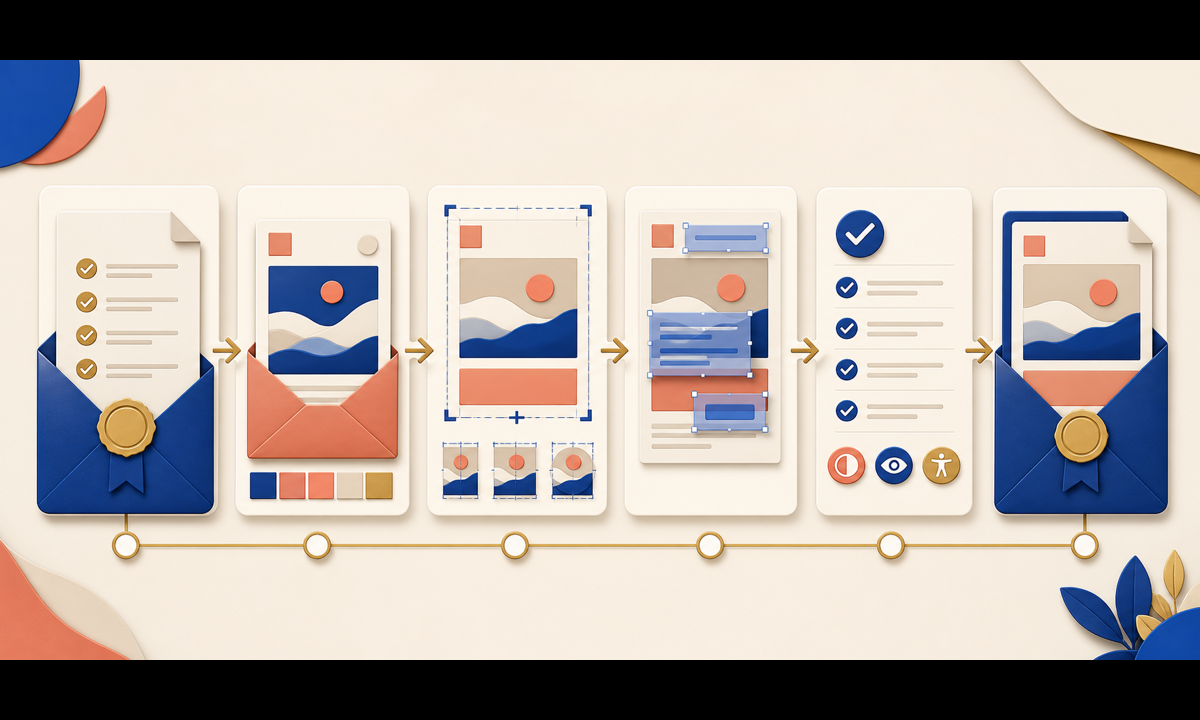
Write the reward logic before the visual prompt: eligible audience, tier, points or benefit, exclusions, start and end times, time zone, redemption steps, stacking rules, inventory, personalization fallback, and destination. Ask GPT Image 2 for a text-free decorative banner with protected headline, offer, terms, personalization, and CTA zones. Add every reward fact as editable HTML or design-layer copy so legal, accessibility, localization, and last-minute changes remain manageable.
Who this guide is for
CRM teams, ecommerce marketers, retention agencies, loyalty program managers, and designers building reward announcements, tier updates, birthday benefits, point reminders, and reactivation emails.
Recommended model
| Use case | Recommended model | Why |
|---|---|---|
| This workflow | GPT Image 2 for text-free loyalty banner concepts | Concept generation can explore a premium rewards mood quickly while exact member data, offer logic, and terms remain in controlled editable layers. |
AIBase is an independent creative platform. Model names are shown only to identify supported underlying technologies and workflow choices.
Prompt template
Create a text-free [wide email hero / compact module] background for a [loyalty message type] aimed at [audience]. Visual direction: [materials, palette, mood], with abstract cues for [welcome / appreciation / progress / gift] that do not imply a specific benefit. Preserve high-contrast safe zones for [headline], [verified offer], [member personalization], [terms], and [CTA]. No person, member name, tier, points, reward, price, discount, date, timer, product, gift value, badge, card number, QR code, word, letter, number, logo, pseudo-text, or watermark.
Step-by-step workflow
- Freeze eligibility, tier definitions, points, benefits, exclusions, dates, time zone, inventory, redemption, stacking, privacy, fallback content, and destination with program owners.
- Map desktop and mobile content hierarchy, live-text areas, alt text, CTA order, and the longest localization before generating a background.
- Generate text-free directions that communicate appreciation or momentum without visually promising a specific reward, value, or status.
- Test the selected concept under narrow mobile crops, dark mode, image blocking, dynamic personalization, and high-contrast copy overlays.
- Assemble verified member copy, offer terms, disclosure, preference controls, tracking, and CTA in accessible editable email components.
- Run eligibility, personalization, localization, link, expiry, deliverability, accessibility, and rollback checks before sending.
Example prompt variants
- Wide cream-and-cobalt loyalty appreciation background with layered translucent cards and a subtle gold ribbon curve, open center copy zone, no gift amount, badge, tier, point, word or number.
- Compact birthday-benefit module background with soft coral paper folds and one abstract wrapped-box silhouette, protected top and bottom copy zones, no cake age, person, reward, coupon or text.
- Dark-mode-friendly tier-progress background using restrained luminous arcs and brushed metal tokens without marks, quiet left copy area, no progress value, rank, crown, card, letter or logo.
Quality checklist
- Eligibility, tier, reward, points, terms, dates, time zone, inventory, redemption, stacking, personalization, and destination are approved.
- Generated pixels contain no invented benefit, value, member status, product, coupon, code, deadline, badge, claim, or personalized data.
- Desktop, mobile, dark mode, image-off state, localization, and high-contrast text remain usable.
- Headline, offer, terms, personalization, disclosure, alt text, and CTA are editable and screen-reader appropriate.
- Brief, prompts, approvals, audience rules, test sends, links, publication, expiry, and correction path remain traceable.
Mistakes to avoid
- Generating a complete banner with fake points, tier names, discount values, member data, or expiration dates.
- Using gift boxes, crowns, gold cards, or progress rings in ways that promise benefits not available to the recipient.
- Baking critical terms into an image and losing accessibility, localization, personalization, and update control.
- Skipping image-blocking, dark-mode, eligibility, link, time-zone, and expired-offer testing.
Related AIBase pages
Practical next step
Open the most relevant AIBase generator, run one narrow prompt first, and save the best result before adding more constraints. The fastest way to improve output quality is to compare one variable at a time: subject, camera, background, lighting, then final polish.