
Seedream 5.0 Lite Customer Survey Invitation Banner Prompts
Create coordinated text-free survey invitation banners while keeping purpose, audience, duration, incentive, privacy, deadline, and response links accurate and editable.
Quick answer
Use Seedream 5.0 Lite for the text-free visual layer behind a survey invitation, not for the questionnaire, rating controls, customer quotes, response statistics, consent, or incentive terms. Reserve generous zones for a real headline, reason for asking, honest time estimate, privacy note, deadline, incentive conditions, and accessible CTA. Keep participation voluntary and avoid artwork that pressures users or implies that a response is already complete.
Who this guide is for
Customer-research teams, product marketers, support leaders, ecommerce teams, community managers, and lifecycle designers sending NPS, onboarding, churn, product-feedback, or post-purchase surveys.
Recommended model
| Use case | Recommended model | Why |
|---|---|---|
| This workflow | Seedream 5.0 Lite for coordinated text-free survey banner families | It is useful for quickly exploring consistent aspect ratios and friendly visual tone while research details and interactive controls remain real, editable, and accessible. |
AIBase is an independent creative platform. Model names are shown only to identify supported underlying technologies and workflow choices.
Prompt template
Create a coordinated text-free customer survey invitation background for [email 3:1 / in-app 16:9 / social 4:5 / mobile 9:16]. Tone [respectful, calm, useful]. Abstract motif [open conversation rhythm / balanced paths / blank layered cards] with protected headline, body, privacy, incentive, deadline, and CTA zones. No word, letter, number, rating scale, star, checkbox, form field, button, customer face, testimonial, response count, percentage, gift card, currency, countdown, guarantee, logo, or watermark.
Step-by-step workflow
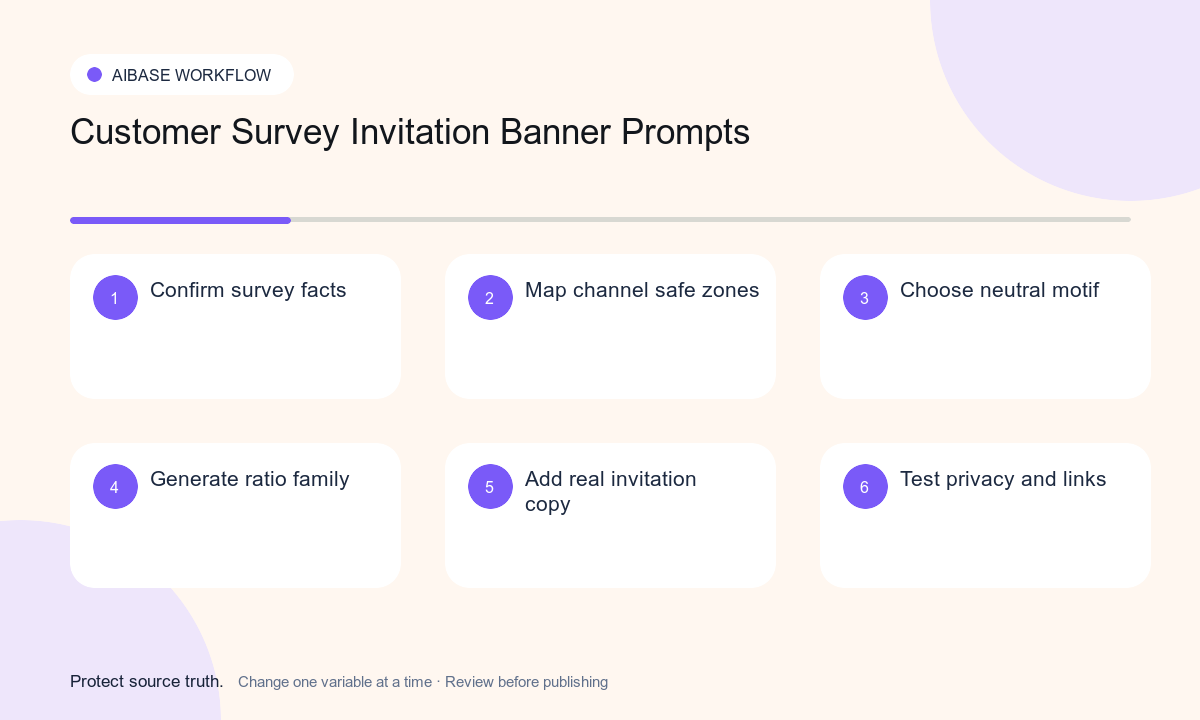
- Approve the survey purpose, eligible audience, sampling, owner, questions, estimated duration, incentive terms, deadline, anonymity or confidentiality wording, data use, retention, and contact route.
- Map the channel family and reserve safe zones for the longest likely headline, body, time estimate, privacy note, incentive terms, deadline, and CTA.
- Choose one neutral motif that suggests listening without depicting ratings, completed responses, rewards, identities, or research results.
- Generate text-free variants for each required ratio and keep composition, palette, contrast, and crop behavior consistent.
- Add real invitation copy, accessible CTA, survey URL, consent and privacy language, incentive conditions, eligibility, unsubscribe or dismiss behavior, and tracking separately.
- Test keyboard and screen-reader flow, long locales, dark mode, mobile crop, reduced data, link expiry, eligibility, duplicate sends, privacy accuracy, and a useful no-image fallback.
Example prompt variants
- Three-to-one email banner with soft indigo arcs opening around a quiet center copy zone, respectful and minimal, no speech bubble, star, number, gift, person, or text.
- Sixteen-to-nine in-app survey background with three blank translucent planes gently aligning and a protected lower CTA lane, no form, button, rating control, checkmark, or metric.
- Four-to-five customer feedback social background with warm coral and cream layered paths, generous headline area and footer terms zone, no testimonial, face, reward, countdown, or logo.
Quality checklist
- Purpose, audience, duration, deadline, incentive, eligibility, privacy, data use, retention, contact, and survey link match the approved research plan.
- Generated art contains no fake question, rating, response, testimonial, customer identity, metric, reward, urgency device, or readable text.
- Invitation copy, consent, privacy, incentive terms, deadline, CTA, dismiss, and tracking remain editable, localizable, and accessible.
- Every ratio preserves safe zones and passes contrast, keyboard, screen-reader, mobile, dark-mode, reduced-data, and no-image checks.
- Research brief, prompts, outputs, privacy review, channel approvals, send dates, results access, expiry, and rollback remain traceable.
Mistakes to avoid
- Generating stars, checkmarks, responses, or smiling customers that imply positive findings before the survey runs.
- Advertising an incentive without clear eligibility, quantity, delivery, tax, deadline, and regional terms.
- Using urgency, guilt, or reward imagery that undermines voluntary participation or biases who responds.
- Embedding the survey duration, deadline, privacy promise, or CTA in pixels where corrections and localization are difficult.
Related AIBase pages
- Open Seedream 5.0 Lite
- Create customer testimonial card backgrounds
- Create email preference-center banners
Practical next step
Open the most relevant AIBase generator, run one narrow prompt first, and save the best result before adding more constraints. The fastest way to improve output quality is to compare one variable at a time: subject, camera, background, lighting, then final polish.