
Seedream 5.0 Lite YouTube Thumbnail Background Prompts
Draft clear YouTube thumbnail backgrounds with Seedream 5.0 Lite using one hook, strong subject separation, mobile readability, and safe title space.
Quick answer
A thumbnail background needs one instantly readable subject, one visual contrast, and one quiet zone for designed text. Generate the scene without the final headline, then add short verified copy, face cutouts, logos, and brand elements in a layout tool.
Who this guide is for
YouTube educators, reviewers, creators, and channel teams testing several visual hooks before producing a final thumbnail layout.
Recommended model
| Use case | Recommended model | Why |
|---|---|---|
| This workflow | Seedream 5.0 Lite | Its fast-draft role makes it useful for testing distinct thumbnail concepts before investing in final compositing and typography. |
AIBase is an independent creative platform. Model names are shown only to identify supported underlying technologies and workflow choices.
Prompt template
Create a 16:9 YouTube thumbnail background for a video about [specific topic]. Visual hook: [one concrete contrast or reveal]. Main subject: [object/person placeholder] placed on [left/right] and readable at small size. Keep the opposite [percentage] visually quiet for a short headline added later. Use [two-color contrast], simple depth, and clean edges. No readable text, logos, watermarks, tiny objects, clutter, or duplicate subjects.
Step-by-step workflow
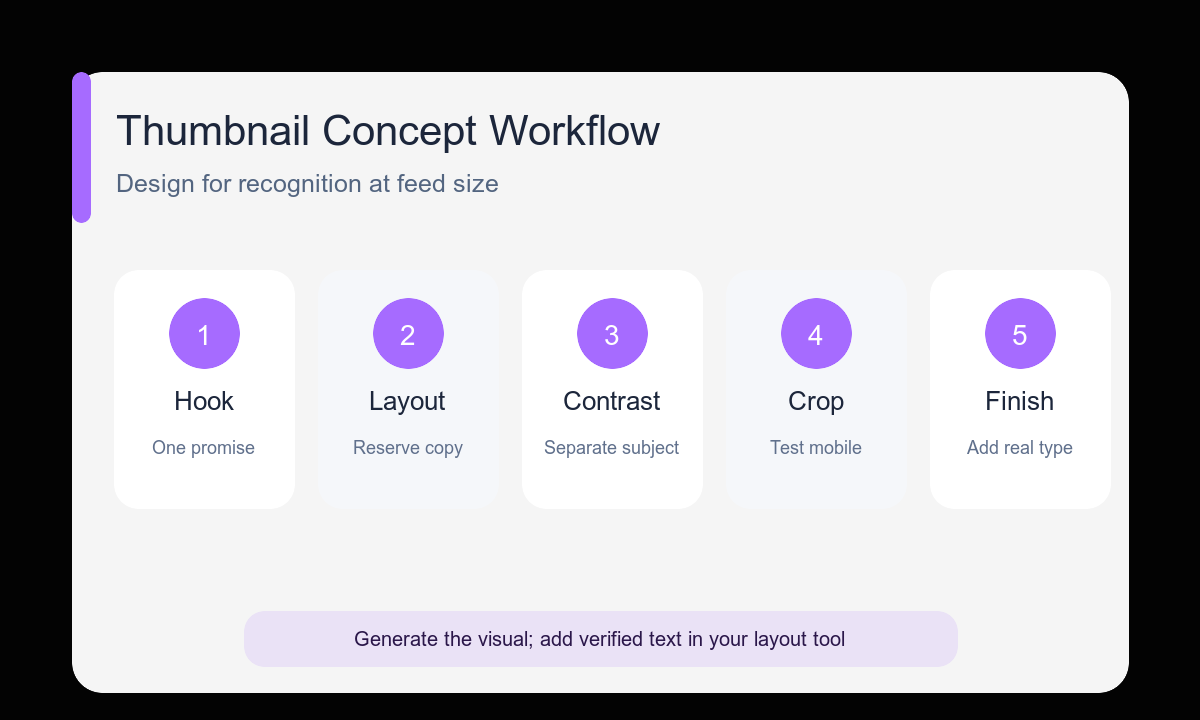
- Reduce the video promise to one visual contrast, question, reveal, or result.
- Choose the subject side and reserve the opposite side for real typography.
- Generate three different hook families instead of small color variations.
- Check each image at approximately 10 percent size before judging detail.
- Composite the approved face, product, logo, and short headline outside the generator.
- Export a clean mobile crop and compare variants against the video’s actual promise.
Example prompt variants
- 16:9 thumbnail background for an AI photo-editing tutorial, messy desk photo transforming into a clean studio image through one bright vertical split, subject cluster right, quiet dark-blue space left, no text.
- 16:9 thumbnail background for a budget camera review, one compact camera under a hard spotlight beside a soft question-mark-shaped shadow, subject left, warm yellow negative space right, no logos or words.
- 16:9 thumbnail background for a productivity workflow video, tangled paper path becoming one clean luminous line, bold overhead composition, visual action right, calm charcoal space left for headline.
Quality checklist
- The core hook remains understandable at a small mobile preview size.
- The main subject has a clear silhouette and does not touch crop edges.
- The headline zone is genuinely quiet rather than lightly cluttered.
- The concept matches the video promise without exaggerating the result.
- Final text and brand assets are added from approved source files.
Mistakes to avoid
- Generating the final headline inside the background image.
- Using five tiny objects where one large subject would read faster.
- Making every variant the same composition with a new color.
- Optimizing for full-screen detail instead of feed-size recognition.
Related AIBase pages
- Draft thumbnails with Seedream 5.0 Lite
- Start from fast Seedream prompt examples
- Reuse the social media image template
Practical next step
Open the most relevant AIBase generator, run one narrow prompt first, and save the best result before adding more constraints. The fastest way to improve output quality is to compare one variable at a time: subject, camera, background, lighting, then final polish.