
Veo 3.1 Pro Jewelry Brand Film Prompts for Cinematic Ads
Plan cinematic jewelry brand films with Veo 3.1 Pro using verified product truth, shot-specific prompts, controlled highlights, restrained physics, and compositing fallbacks.
Quick answer
Build the film as separate shot classes: verified pack hold, material macro, controlled light pass, one simple movement, and an editable end card. Lock stone count and setting, prongs, chain or band geometry, metal color, engraving, reflections, and scale in every prompt. Use approved macro footage or compositing whenever product fidelity matters more than generative atmosphere.
Who this guide is for
Jewelry brands, ecommerce studios, luxury marketers, creative directors, and agencies developing launch films, collection stories, paid social cutdowns, retail displays, and preproduction treatments.
Recommended model
| Use case | Recommended model | Why |
|---|---|---|
| This workflow | Veo 3.1 Pro for shot-by-shot cinematic planning | A deliberate workflow can explore lighting, camera, atmosphere, and pacing across individual shots, provided exact product representation is verified or composited from approved assets. |
AIBase is an independent creative platform. Model names are shown only to identify supported underlying technologies and workflow choices.
Prompt template
Create one [duration] cinematic jewelry shot using the approved [reference or truth sheet]. Shot job: [pack hold/material macro/light pass/simple movement]. Preserve the exact jewelry category, dimensions, silhouette, stone count and cut, setting, prong count and placement, chain links or band profile, clasp, engraving zone, metal color and finish, gemstone color and clarity appearance, scale, orientation, and included components. Camera: [one path]. Product motion: [one bounded action]. Lighting: [one controlled key and highlight movement]. Background: [simple environment]. End on [stable frame]. Do not add, remove, resize, duplicate, reshape, mirror, bend, melt, change setting or metal, invent stones, engraving, hallmark, text, logo, hands, claims, excessive sparkle, particles, or impossible reflections.
Step-by-step workflow
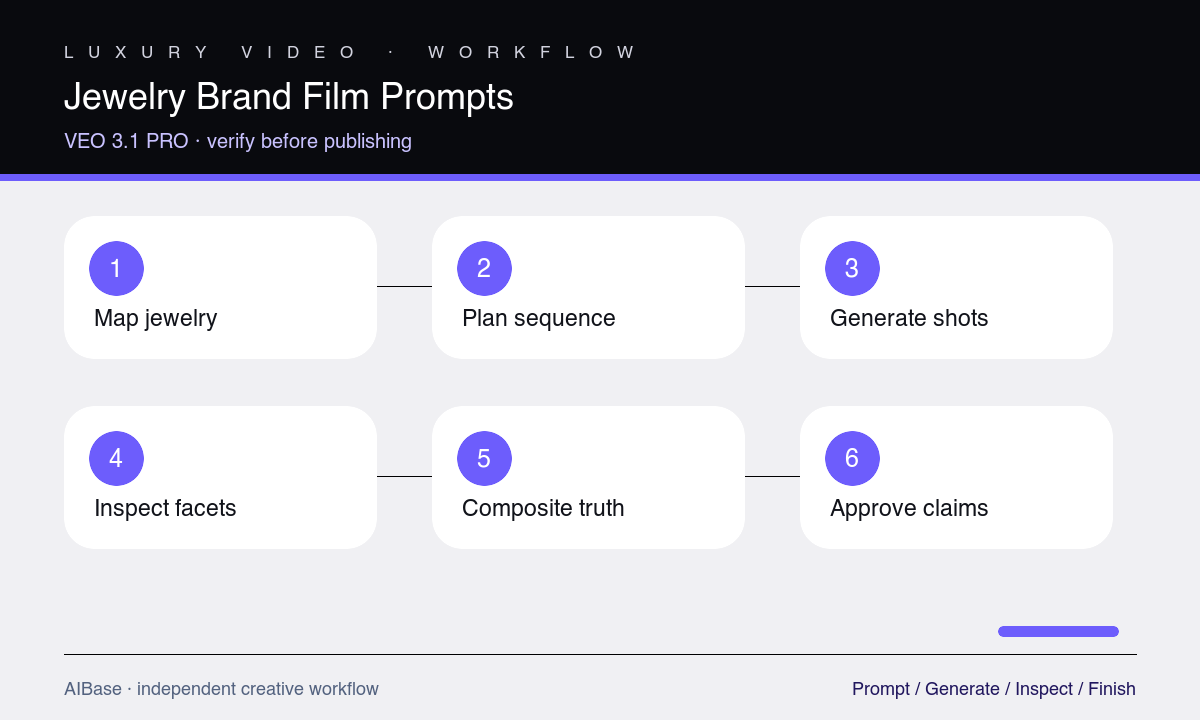
- Prepare a jewelry truth sheet with measured views, stone and prong counts, setting, chain or band construction, clasp, engraving, metal, finish, scale, orientation, and approved references.
- Storyboard separate shot jobs and decide which require real macro footage, approved still composites, controlled light animation, or generative atmosphere.
- Prompt one short shot at a time with one camera path, one product action, one lighting event, and a stable start or end frame.
- Inspect every frame for stone, prong, link, clasp, engraving, edge, reflection, scale, and temporal drift before evaluating cinematic appeal.
- Composite approved product assets into generated plates when geometry or SKU identity fails, and keep typography, logo, claims, and end card editable.
- Grade the assembled sequence for consistent metal and gemstone color, add rights-cleared audio, and verify the final film against the purchasable product.
Example prompt variants
- Four-second macro light pass across an approved oval-stone ring, locked camera, one narrow highlight moving left to right, preserve exact stone, four prongs, band width, setting height, warm gold color, finish, and stable final frame.
- Five-second approved pendant pack hold on matte charcoal stone, very slow two-percent push, subtle cool rim light, preserve chain link pattern, clasp, pendant proportions, stone count, setting, metal finish, orientation, and contact shadow.
- Four-second earring-pair shot with one restrained synchronized quarter turn on a dark plinth, preserve exact left-right pair, post and backing, stone and prong counts, metal color, scale, spacing, reflections, and clean end frame.
Quality checklist
- Stone, cut, count, setting, prongs, links, band, clasp, engraving, metal, finish, color, scale, orientation, and pair consistency match approved product truth.
- Camera, product motion, highlight travel, reflection, shadow, and background obey one coherent physical setup without flicker or geometry drift.
- Sparkle remains restrained and motivated by light; it does not obscure construction, multiply stones, change color, or imply unsupported brilliance.
- Approved product composites, logo, typography, claims, disclosures, end card, and audio remain controllable in postproduction.
- The final film accurately represents the linked SKU and uses real footage for any dimension, performance, wear, or craftsmanship proof.
Mistakes to avoid
- Requesting diamonds everywhere, explosive sparkle, liquid metal, rotating camera, and moving product in one shot until the jewelry becomes unrecognizable.
- Checking only the hero frame while stones, prongs, chain links, clasps, engravings, or paired items mutate across time.
- Using generated macro detail as evidence of real craftsmanship, stone quality, hallmark, dimensions, or setting security.
- Baking brand copy, certification, carat information, pricing, or legal claims into generated frames instead of editable end cards.
Related AIBase pages
- Open Veo 3.1 Pro
- Plan a cinematic Veo Pro workflow
- Create jewelry product images
- Create restrained jewelry sparkle motion
Practical next step
Open the most relevant AIBase generator, run one narrow prompt first, and save the best result before adding more constraints. The fastest way to improve output quality is to compare one variable at a time: subject, camera, background, lighting, then final polish.