
Wan 2.7 Logo Animation Prompts for Clean Brand Reveals
Create cleaner logo-reveal concepts with Wan 2.7 by protecting mark geometry, limiting motion, planning a stable end frame, and replacing distorted results in post.
Quick answer
Start with an authorized high-resolution mark on a simple background and ask for one environmental reveal around it—not a redesign of the letters or symbol. Keep the logo plane, proportions, spacing, colors, and clear space fixed, end on a long stable hold, and composite the original vector mark over the generated concept if any geometry drifts.
Who this guide is for
Brand designers, motion teams, founders, and social editors exploring short ident, end-card, presentation, stream, and campaign reveal directions while retaining approved logo artwork.
Recommended model
| Use case | Recommended model | Why |
|---|---|---|
| This workflow | Wan 2.7 in image-to-video mode | A reference-led video workflow can use the uploaded mark as a compositional anchor while restrained light, material, particle, or camera motion creates a reveal concept. |
AIBase is an independent creative platform. Model names are shown only to identify supported underlying technologies and workflow choices.
Prompt template
Use the uploaded authorized logo image as the exact geometry and composition reference. Keep the symbol, letterforms, spelling, proportions, spacing, alignment, colors, clear space, background, crop, and flat front-facing plane unchanged. Animate only [light/material/particle/mask/environmental reveal] around or across the mark for [duration]. Camera [locked or one minimal move]. Finish with the complete untouched logo visible and perfectly still for at least [hold length]. No morphing letter, rewritten word, changed color, stretched mark, added symbol, 3D extrusion unless requested, spinning logo, perspective warp, flicker, extra copy, trademark, sound claim, cut, transition, or watermark.
Step-by-step workflow
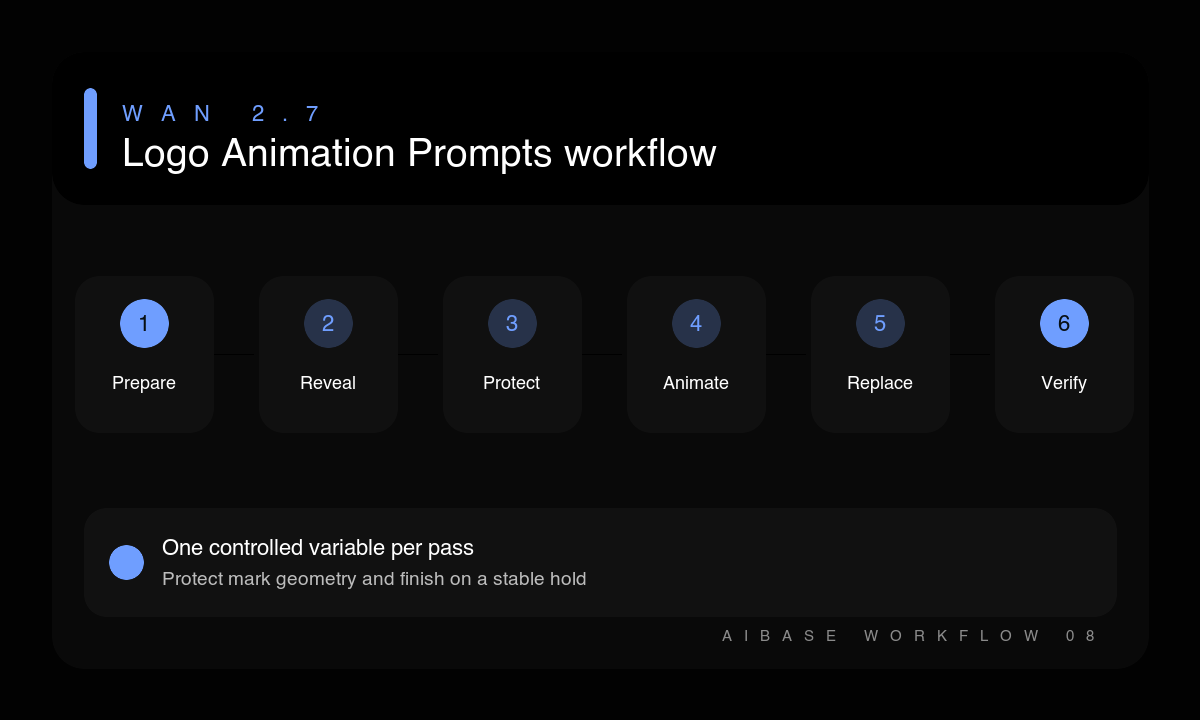
- Confirm permission and export an approved high-resolution logo plate plus the original vector for final compositing.
- Choose one reveal mechanism that fits the brand: light sweep, mask, paper layer, particles, shadow, or material transition.
- Protect mark geometry, spelling, color, alignment, clear space, background, camera, and final hold.
- Generate a short concept with the camera locked and motion focused around the mark.
- Replace any drifting or softened logo pixels with the approved vector during compositing.
- Inspect first frame, motion path, edges, color, final hold, loop or cut point, sound rights, and minimum-size legibility.
Example prompt variants
- Keep the exact white geometric mark centered on matte black; reveal it with one narrow soft light sweep from left to right; locked camera, six seconds, finish on a two-second perfectly still full logo.
- Keep the exact navy wordmark and spacing on warm paper; one paper layer slides down to uncover the mark while subtle fibers move; overhead locked camera, no letter deformation, stable ending.
- Keep the exact orange symbol and black wordmark on off-white; a small ring of dust particles moves outward from behind the symbol and fades; no mark motion, six seconds, clean static end card.
Quality checklist
- The symbol, spelling, letterforms, proportions, spacing, alignment, and color match the approved mark.
- Motion supports the brand and occurs around the logo rather than deforming it.
- Edges stay clean without flicker, blur, aliasing, or background contamination.
- The final frame holds long enough for recognition, editing, and any required end-card copy.
- The approved vector, sound license, color values, and usage rules are checked in the final composite.
Mistakes to avoid
- Asking the model to rebuild readable letterforms from text instead of using an approved logo image.
- Combining extrusion, spin, particles, liquid, zoom, and camera orbit in one short reveal.
- Accepting a nearly correct wordmark instead of replacing it with the original vector.
- Animating a trademark or client logo without permission or outside its brand guidelines.
Related AIBase pages
- Animate a brand mark with Wan 2.7
- Read the Wan 2.7 image-to-video workflow
- Use a seamless-loop video workflow
Practical next step
Open the most relevant AIBase generator, run one narrow prompt first, and save the best result before adding more constraints. The fastest way to improve output quality is to compare one variable at a time: subject, camera, background, lighting, then final polish.