
Wan 2.7 Silk Scarf Fabric Motion Video Prompts That Preserve Prints
Animate delicate scarf movement from an approved product photo while protecting print scale, border alignment, weave, sheen, and hem details.

Quick answer
Animate one scarf edge or corner in a gentle breeze and keep the rest of the frame stable. Repeat the exact print scale, border, color sequence, hem, weave, sheen, folds, dimensions, and label zones as invariants. If the pattern warps, thread count disappears, or the scarf behaves like stiff polyester, reject the take.
Who this guide is for
Fashion accessories brands, textile studios, marketplace sellers, and social teams creating motion from approved scarf, shawl, or bandana photography.
Recommended model
| Use case | Recommended model | Why |
|---|---|---|
| This workflow | Wan 2.7 | Its image-to-video workflow can produce controlled fabric movement while retaining the approved still as the source of product truth. |
AIBase is an independent creative platform. Model names are shown only to identify supported underlying technologies and workflow choices.
Prompt template
Use the uploaded authorized scarf photo as the exact source. Animate only [one corner / one edge / one soft fold] moving in a light [left-to-right] breeze for [4-6 seconds]. Preserve exact print, motif scale and alignment, border, fringe or hem construction, color sequence, weave texture, natural silk sheen, thickness, dimensions, folds, labels as unreadable shapes, background, camera, and light. Motion must be delicate, reversible, and physically plausible. No new pattern, color, fringe, scarf, tag, model, hand, price, material claim, text, logo, or watermark.
Step-by-step workflow
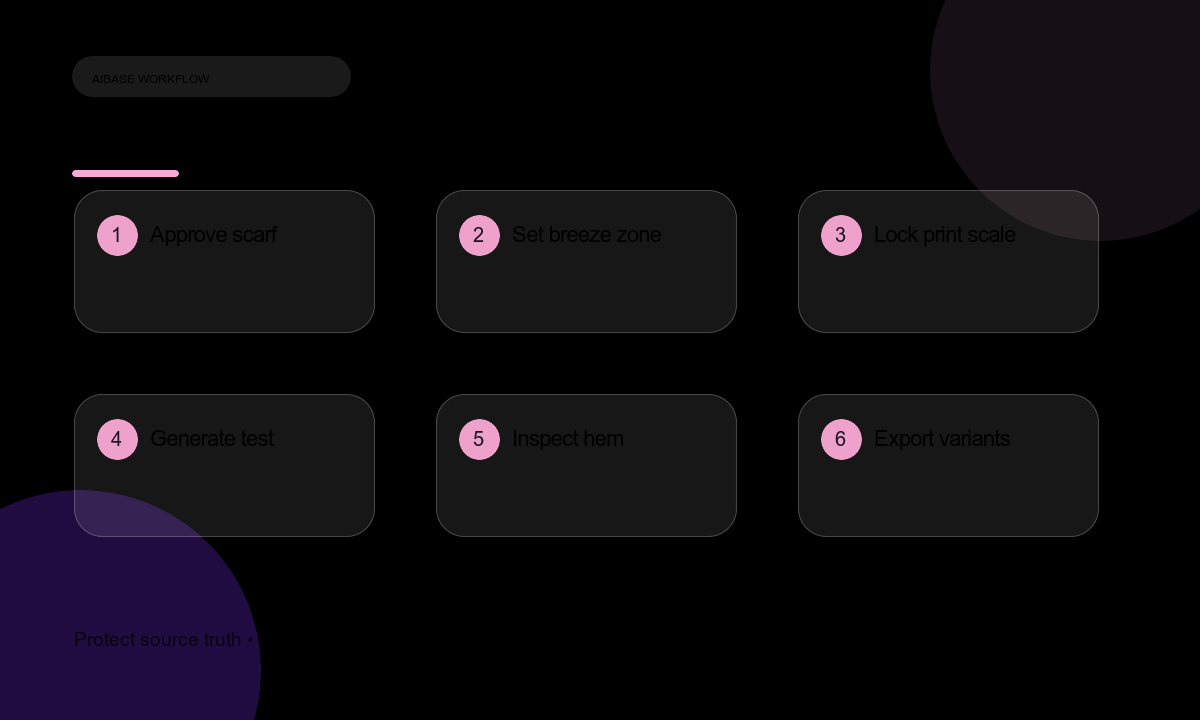
- Confirm product rights, exact fiber content, dimensions, care guidance, print scale, hem construction, and regional claims.
- Choose a sharp photo with visible weave, accurate color, intact print, and no tangled edge.
- Define the only moving zone and state which folds, corners, labels, and hem sections must stay stable.
- Generate a short test at the final aspect ratio and inspect first, middle, and last frames.
- Reject takes with swimming motifs, stretched borders, added fringe, rubbery fabric, or changing sheen.
- Composite real product name, fiber content, size, care symbols, price, and CTA in editable layers.
- Export web, feed, story, and product-page variants from the approved master and archive the source trail.
Example prompt variants
- Five-second flat-lay: one lower scarf corner lifts softly and settles; locked overhead camera, exact print, border, hem, and arrangement unchanged.
- Four-second display board: the right edge ripples once under cool studio light; no print drift, new fold, or color shift.
- Six-second detail: natural sheen travels across the preserved floral motif while the hem and border remain stationary.
Quality checklist
- Print motif, scale, alignment, border, color sequence, and both scarf faces match the approved source.
- Hem, fringe, selvedge, thickness, weave, and sheen remain physically believable.
- Only the specified edge or corner moves; camera and lighting stay stable.
- Fiber, dimensions, care, price, and availability remain editable and truthful.
- The video still represents the exact SKU at product-page zoom.
Mistakes to avoid
- Letting the pattern stretch, swim, duplicate, or change scale during motion.
- Adding fringe, tassels, labels, colors, or a second scarf not included in the product.
- Making delicate silk move like stiff board fabric or heavy knit.
- Baking material percentages, care rules, prices, or claims into generated pixels.
Related AIBase pages
Practical next step
Open the most relevant AIBase generator, run one narrow prompt first, and save the best result before adding more constraints. The fastest way to improve output quality is to compare one variable at a time: subject, camera, background, lighting, then final polish.