
Veo 3.1 Pro 电影感视频工作流:从分镜到最终镜头
把短分镜转为 Veo 3.1 Pro 提示词,控制视觉连续性、镜头意图、摄影机方向、动作和复查步骤。
Quick answer
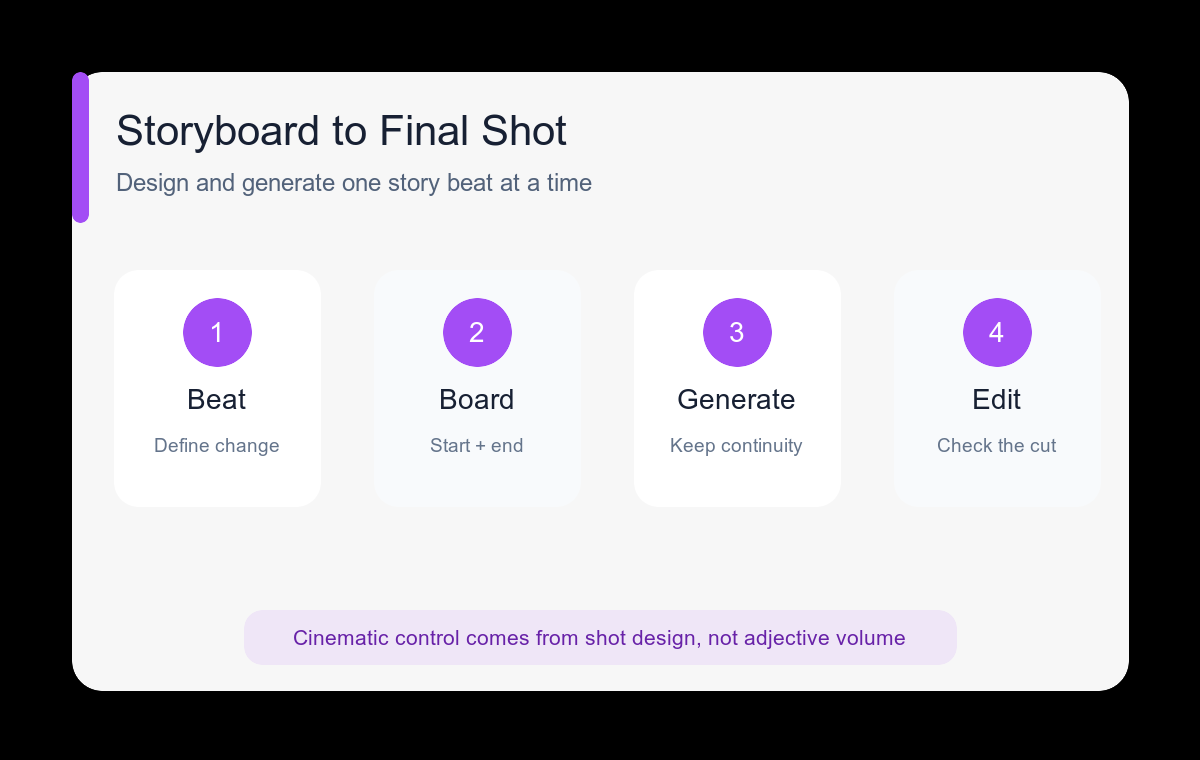
Cinematic output comes from shot design, not adjective volume. Define the story beat, subject, environment, camera, blocking, light, and final frame for one shot; generate separate shots separately and preserve continuity with a shared visual bible.
Who this guide is for
Filmmakers, agencies, and brand teams developing high-attention hero shots, mood films, trailers, or storyboard proof where visual control matters more than rapid bulk iteration.
Recommended model
| Use case | Recommended model | Why |
|---|---|---|
| This workflow | Veo 3.1 Pro | AIBase presents the Pro route as the higher-quality Veo 3.1 workflow, making it the logical final-pass choice after a shot has been simplified and tested. |
AIBase is an independent creative platform. Model names are shown only to identify supported underlying technologies and workflow choices.
Prompt template
Story beat: [what changes emotionally or visually]. Subject: [identity and wardrobe anchors]. Environment: [place, time, weather]. Blocking: [single action]. Camera: [lens feel, framing, one movement]. Light and palette: [specific direction]. Atmosphere: [subtle secondary motion]. End frame: [composition]. Preserve [continuity details]. Avoid cuts, extra characters, wardrobe drift, camera shake, text, and conflicting motion.
Step-by-step workflow
- Reduce the concept to a sequence of independent story beats, each with one clear visual change.
- Create a continuity sheet for character, wardrobe, props, palette, time of day, and screen direction.
- Storyboard the opening and ending frame of each shot before writing motion language.
- Prototype difficult motion or blocking with a simpler prompt or faster workflow.
- Generate the final shot with the continuity block unchanged and only shot-specific instructions replaced.
- Review cuts between clips for eye line, direction, color, subject scale, and motion continuity before adding sound and titles.
Example prompt variants
- A lone cyclist enters an empty coastal road before sunrise, slow rear tracking shot, cool blue shadows, warm horizon growing brighter, end as the road opens toward the sea.
- Designer steps into a dark gallery and activates one suspended sculpture, slow lateral dolly, soft amber light spreading across the room, restrained haze, end on the illuminated form.
- Close-up of a weathered field notebook as a hand marks the final route, gentle push-in, tent fabric moving in wind, lantern side light, end with the map symbol centered.
Quality checklist
- The shot communicates a single story beat without extra exposition.
- Camera movement, subject blocking, and environmental motion support the same emphasis.
- Wardrobe, props, palette, and screen direction match adjacent shots.
- The opening and ending frames are both usable in an edit.
- Atmospheric detail does not hide faces, products, or key action.
Mistakes to avoid
- Writing a whole multi-scene film as one generation prompt.
- Using cinematic, epic, and dramatic without specifying the shot.
- Changing the continuity block while revising a camera move.
- Judging a shot alone without testing how it cuts to the previous and next frame.
Related AIBase pages
Practical next step
Open the most relevant AIBase generator, run one narrow prompt first, and save the best result before adding more constraints. The fastest way to improve output quality is to compare one variable at a time: subject, camera, background, lighting, then final polish.