
GPT Image 2 Amazon Listing Image Prompts for a Complete Image Set
Plan GPT Image 2 concepts for an Amazon listing image set with clear roles for the main image, features, scale, lifestyle context, and mobile-safe composition.
Quick answer
Treat the listing as a sequence, not seven versions of one hero image. Give each slot one job—identify the product, explain a verified feature, show scale, demonstrate use, answer an objection, or establish context—and add final text, dimensions, badges, and regulated claims in a design tool after product facts and current marketplace requirements are verified.
Who this guide is for
Marketplace operators, ecommerce designers, founders, and agencies creating visual directions for a listing refresh before final photography, compositing, legal review, and marketplace compliance checks.
Recommended model
| Use case | Recommended model | Why |
|---|---|---|
| This workflow | GPT Image 2 for concept generation | The text-to-image workflow is useful for exploring distinct listing roles, compositions, props, and lifestyle contexts before verified product photography and exact graphic elements are composited. |
AIBase is an independent creative platform. Model names are shown only to identify supported underlying technologies and workflow choices.
Prompt template
Create a concept for Amazon listing image [slot and role] featuring [product category] for [buyer]. Composition: [angle, crop, product scale]. Demonstrate only the verified benefit [benefit] through [visible context], with clean mobile-safe hierarchy and [copy zone] left empty. Product truth: [verified shape, material, color, included parts]. No invented logo, readable packaging text, unsupported claim, certification, badge, review stars, price, dimensions, accessory, duplicate product, unsafe use, medical result, or watermark. This is a concept; exact SKU photography and typography will be composited later.
Step-by-step workflow
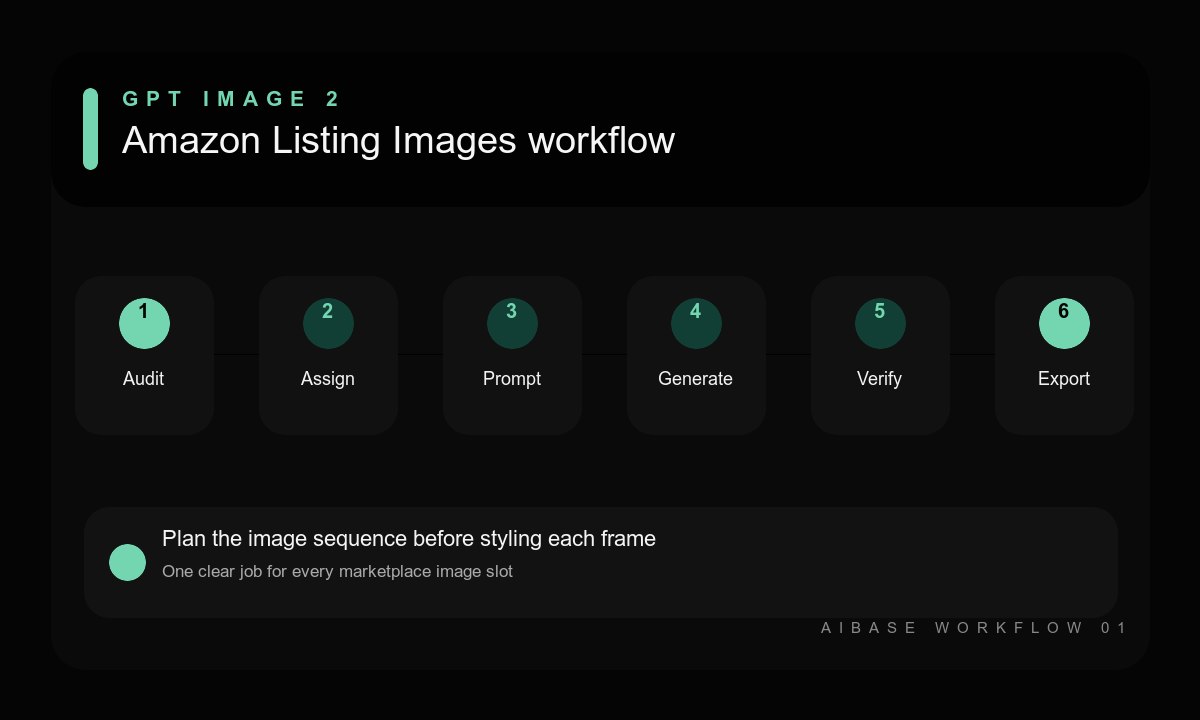
- Audit the current listing, verified product facts, included components, support questions, and the marketplace rules that apply today.
- Assign one purpose to each image slot and write the evidence or customer question it must address.
- Generate the main-image concept separately from infographic, scale, use-case, and lifestyle concepts.
- Keep copy areas blank and use short placeholder intent notes outside the image rather than asking the model for final text.
- Replace generated product details with approved SKU photography or a verified composite wherever exact representation matters.
- Add factual copy in a design tool, check mobile thumbnails and accessibility, then complete brand, legal, and marketplace review.
Example prompt variants
- Slot 1 main-image concept: one matte black insulated bottle centered at three-quarter angle on pure white, product fills the frame with balanced margins, soft contact shadow, no props, text, badge, packaging, or extra item.
- Slot 3 verified-feature concept: compact desk fan on a real office desk showing the approved adjustable head angle through two clean positions, bright neutral light, empty left copy zone, no unverified airflow graphic or specification.
- Slot 5 lifestyle concept: reusable lunch container in an adult commuter tote beside keys and a notebook, realistic morning context, product clearly visible and closed, mobile-safe composition, no invented capacity claim or included accessory.
Quality checklist
- Every image slot has one clear role and remains understandable at mobile thumbnail size.
- Product color, material, parts, proportions, and included accessories match verified source material.
- Benefits are demonstrated honestly without invented measurements, outcomes, badges, or certifications.
- Final text, logos, dimensions, and compliance elements are added from approved sources outside the generator.
- The completed set is checked against current marketplace, category, brand, and legal requirements.
Mistakes to avoid
- Generating seven decorative lifestyle images with no information sequence.
- Asking the model to invent legible labels, dimensions, badges, reviews, or compliance claims.
- Presenting a generated concept as an exact SKU photo when shape or included parts differ.
- Using a policy checklist from memory instead of verifying current marketplace requirements.
Related AIBase pages
- Create listing concepts with GPT Image 2
- Build white-background product concepts
- Plan product infographic visuals
- Review ecommerce product photo workflows
Practical next step
Open the most relevant AIBase generator, run one narrow prompt first, and save the best result before adding more constraints. The fastest way to improve output quality is to compare one variable at a time: subject, camera, background, lighting, then final polish.