
GPT Image 2 Product Infographic Prompts for Ecommerce
Plan cleaner ecommerce product infographic concepts with GPT Image 2 using one message, verified claims, clear hierarchy, copy-safe zones, and mobile review.
Quick answer
Treat the model output as a layout concept: choose one verified product message, reserve clear text zones, keep the product dominant, and use placeholder copy during generation. Replace generated typography with approved text in a design tool, then review claims, product details, and mobile legibility before publishing.
Who this guide is for
Marketplace sellers, ecommerce marketers, and creative teams planning feature callouts, dimension graphics, ingredient stories, comparison panels, and listing-image sequences without allowing generated text or product details to become unverified claims.
Recommended model
| Use case | Recommended model | Why |
|---|---|---|
| This workflow | GPT Image 2 for infographic layout concepts | Its text-led image workflow is useful for exploring product hierarchy, visual callouts, backgrounds, and copy-safe regions before final typography and verified source assets are assembled. |
AIBase is an independent creative platform. Model names are shown only to identify supported underlying technologies and workflow choices.
Prompt template
Create an ecommerce product infographic layout concept for [product category] and [buyer question]. Use [approved product image or category-level object] as the dominant subject at [position]. Communicate only [one verified feature] with [one diagram, callout, or scale cue]. Reserve clean copy zones for a short headline and up to [number] labels; render labels as simple placeholder bars, not final text. Background: [surface/color]. Palette: [approved colors]. Output [aspect ratio] with strong mobile hierarchy. No invented claim, statistic, certification, ingredient, dimension, feature, readable label, fake logo, competitor mark, price, review badge, watermark, or extra product.
Step-by-step workflow
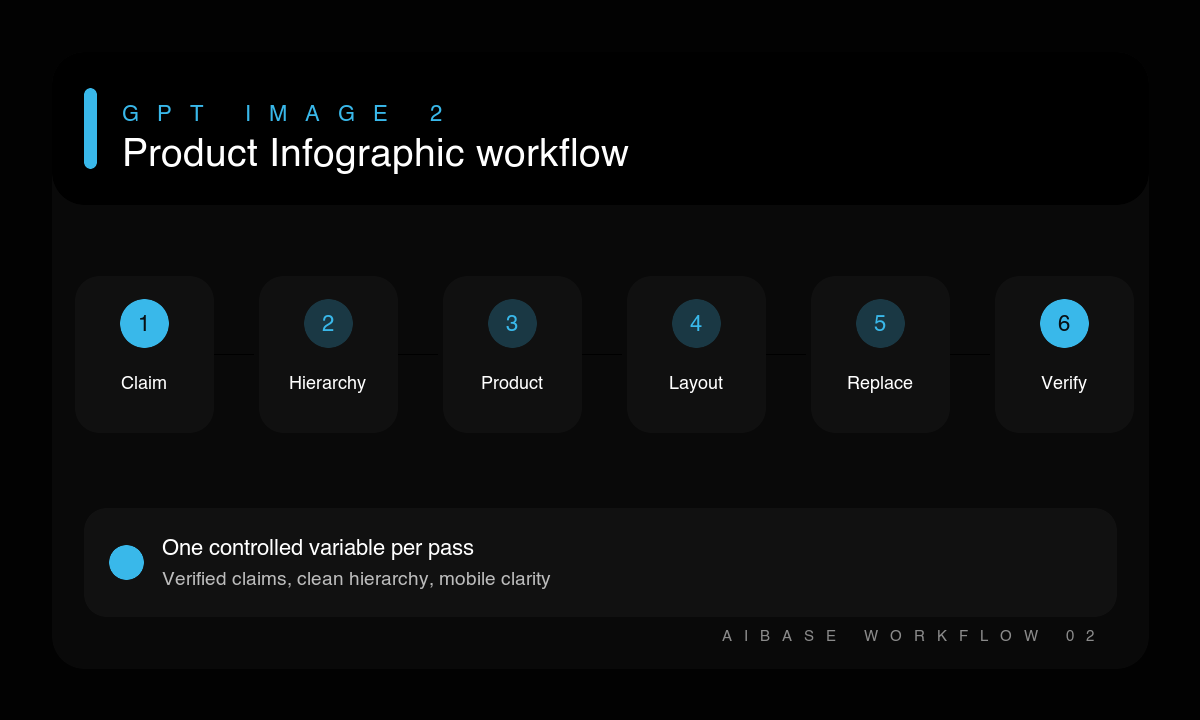
- Choose one buyer question and collect the approved claim, measurement, product image, logo, and legal copy needed to answer it.
- Sketch a hierarchy with one hero product, one proof device, and one primary text zone.
- Prompt for placeholder typography and stable copy-safe areas rather than trusting generated wording.
- Generate separate layout concepts for features, dimensions, ingredients, and comparisons instead of combining them.
- Rebuild the selected layout with the approved product asset and exact human-set typography.
- Review factual accuracy, marketplace rules, mobile legibility, crop safety, and accessibility before publishing.
Example prompt variants
- Square listing infographic concept for a reusable bottle, hero bottle on the left, one clean dimension-line diagram on the right, pale gray background, navy accent, placeholder bars only, no invented capacity or material claim.
- 4:5 skincare feature graphic concept, jar centered low, one ingredient-shape motif behind it, broad top headline zone and two short side callout zones, warm cream palette, no readable copy or unverified benefit.
- 16:9 electronics comparison-layout concept, one verified device on the right, three simple icon placeholders on the left, dark graphite background, cyan accents, no competitor product, benchmark, badge, or generated specification.
Quality checklist
- The graphic answers one buyer question and the product remains the visual focus.
- Every claim, measurement, ingredient, certification, and feature comes from an approved source.
- Final typography is human-set, readable on mobile, and safely inside the target crop.
- Callouts point to the correct product area without obscuring shape, controls, or labels.
- The final asset follows marketplace, brand, disclosure, and accessibility requirements.
Mistakes to avoid
- Publishing generated words, numbers, dimensions, or badges as if they were verified.
- Packing many benefits into one graphic until hierarchy and mobile legibility collapse.
- Using a category-level generated object as an exact representation of a sellable SKU.
- Designing one master canvas and assuming every marketplace or social crop will preserve it.
Related AIBase pages
- Create a product graphic with GPT Image 2
- Read the GPT Image 2 product photo guide
- Plan a clean white-background product image
Practical next step
Open the most relevant AIBase generator, run one narrow prompt first, and save the best result before adding more constraints. The fastest way to improve output quality is to compare one variable at a time: subject, camera, background, lighting, then final polish.