
GPT Image 2 Payment Method Update Confirmation Card Background Prompts
Design calm, text-free payment method update confirmation card backgrounds with protected UI zones, neutral security cues, and accessible contrast.

Quick answer
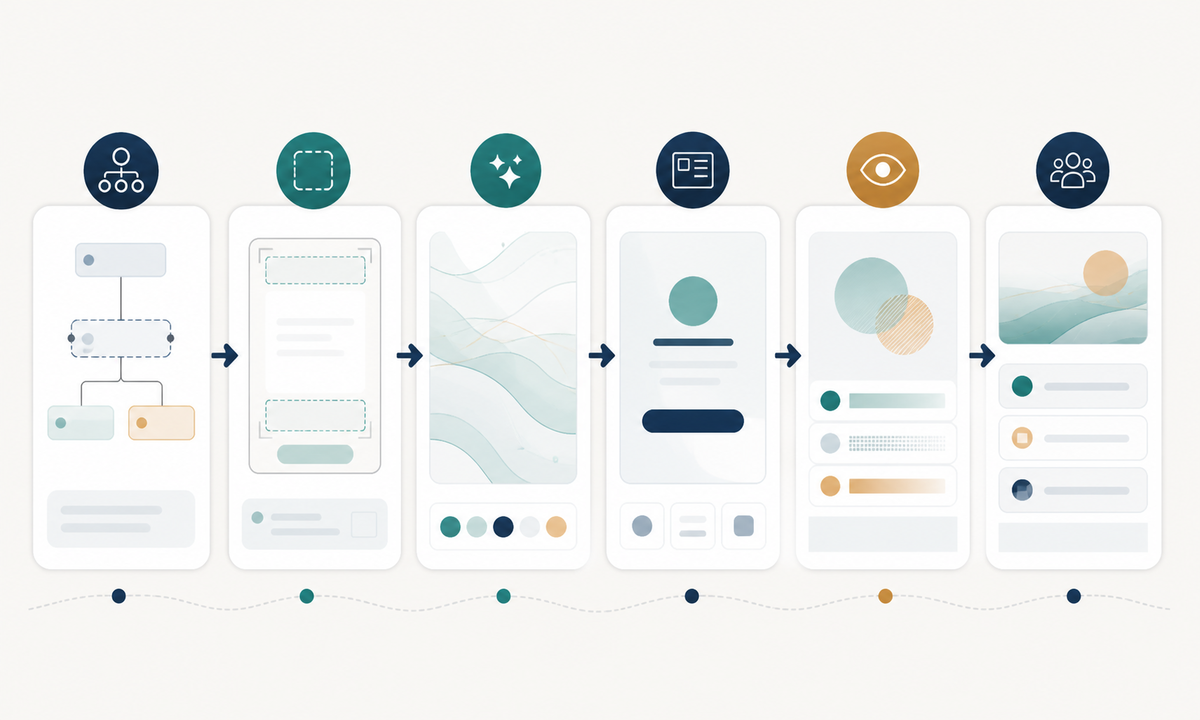
Generate only a decorative, text-free background plate for a confirmed payment-method update state. Reserve clean editable zones for the title, masked method, effective timing, receipt or billing consequence, primary action, secondary action, support, and security guidance. Use neutral shapes rather than cards, bank logos, locks, shields, checkmarks, account numbers, or success seals that could imply verification, protection, authorization, charge success, or provider affiliation. Add every fact and control in real UI components after generation.
Who this guide is for
SaaS billing teams, ecommerce account settings, subscription products, fintech-adjacent interfaces, lifecycle designers, and localization teams creating confirmation states after a user changes a stored payment method.
Recommended model
| Use case | Recommended model | Why |
|---|---|---|
| This workflow | GPT Image 2 for a polished text-free transactional card background | It can establish a coherent visual hierarchy and reserved content zones while the application keeps sensitive facts, status, and controls in accessible UI layers. |
AIBase is an independent creative platform. Model names are shown only to identify supported underlying technologies and workflow choices.
Prompt template
Create a text-free background for a [web modal / mobile confirmation card] shown only after a payment method update request returns [documented state]. Composition [specific], palette [specific], subtle abstract motif [specific]. Keep high-contrast empty zones for title, plain status, masked payment method, effective timing, billing consequence, primary action, secondary action, support and security note. No card network mark, bank logo, card number, account detail, person, device screenshot, readable text, digit, currency, receipt, lock, shield, checkmark, success seal, biometric cue, fraud guarantee, charge result, urgency, confetti, or watermark.
Step-by-step workflow
- Map the real update states: submitted, authenticated, confirmed, pending processor sync, failed, expired, reverted, and support-required, including the source of truth for each.
- Define editable content zones for status, masked method, last four digits when policy permits, effective date, next billing impact, receipt, retry, revert, support, and security guidance.
- Choose a restrained abstract motif and reserve visual emphasis for the application-rendered status rather than baking a universal success symbol into the image.
- Generate separate text-free plates only when states need materially different tone; otherwise reuse one neutral background to reduce ambiguity.
- Composite semantic headings, status messages, controls, focus states, error recovery, localization, and screen-reader labels in the product UI.
- Test low vision, reduced motion, high zoom, long translations, dark mode, processor delay, offline return, repeated submission, and support escalation with billing, security, legal, and accessibility reviewers.
Example prompt variants
- Desktop billing modal background with soft navy and mist geometry, quiet upper accent, broad white center, protected status and two-button footer zones; no payment object, icon, text or digit.
- Mobile confirmation card background with a restrained teal arc at the edge and clear vertical zones for masked method, timing, next bill, action and help; no shield, checkmark or card brand.
- Pending-sync state plate using muted indigo layers and a subtle incomplete orbit away from copy zones, calm rather than alarming, no clock, spinner, status word, number or provider mark.
Quality checklist
- The background corresponds to a documented state and does not imply authorization, verification, security, charge success, refund, coverage, or processor affiliation.
- Title, status, masked method, timing, billing impact, actions, support, and security zones remain clear at mobile and desktop sizes.
- All words, digits, masked identifiers, dates, prices, icons, focus states, buttons, and links are real editable UI elements.
- Contrast, reading order, zoom, dark mode, reduced motion, localization, retry, duplicate submission, and failure recovery are tested.
- State map, processor facts, prompt, output, UI composite, security review, approvals, and release remain traceable.
Mistakes to avoid
- Showing a card brand, account detail, green check, shield, lock, or seal that overstates what the update actually confirmed.
- Baking masked digits, dates, status words, or buttons into pixels and creating localization and accessibility failures.
- Using the same triumphant plate for pending, confirmed, reverted, and failed states.
- Omitting the next-billing consequence, retry path, support route, security note, or source-of-truth handling from the real interface.
Related AIBase pages
- Open GPT Image 2
- Create password reset confirmation backgrounds
- Create subscription cancellation confirmation backgrounds
Practical next step
Open the most relevant AIBase generator, run one narrow prompt first, and save the best result before adding more constraints. The fastest way to improve output quality is to compare one variable at a time: subject, camera, background, lighting, then final polish.