
GPT Image 2 Release Notes Hero Background Prompts for SaaS Updates
Design text-free SaaS release-notes hero backgrounds with GPT Image 2 while protecting real UI, feature behavior, dates, and localization in editable layers.
Quick answer
Use GPT Image 2 only for the text-free visual system behind the changelog entry. First freeze what shipped, the release date, audience impact, rollout state, screenshots, and support links. Then generate a background with clear zones for version number, title, summary, real UI capture, tags, and CTA. Keep readable copy, interface evidence, availability, and localization outside generated pixels.
Who this guide is for
Product marketers, SaaS content designers, developer advocates, and release managers who publish recurring changelog entries and need a consistent hero family across feature updates.
Recommended model
| Use case | Recommended model | Why |
|---|---|---|
| This workflow | GPT Image 2 | It is useful for exploring clean conceptual systems, depth, and copy-safe layouts before the real product UI and localized release copy are composited. |
AIBase is an independent creative platform. Model names are shown only to identify supported underlying technologies and workflow choices.
Prompt template
Create a text-free [16:9] release-notes hero background for a [product category] update. Visual metaphor: [connection / flow / modular workspace / controlled light]. Palette: [brand-safe colors]. Leave a wide [left or center] title zone, a [right] real-screenshot zone, a compact version-tag zone, and a bottom metadata strip. Use gentle depth and calm contrast. No words, numbers, interface, dashboard, chart, logo, device frame, notification, cursor, badge, or watermark.
Step-by-step workflow
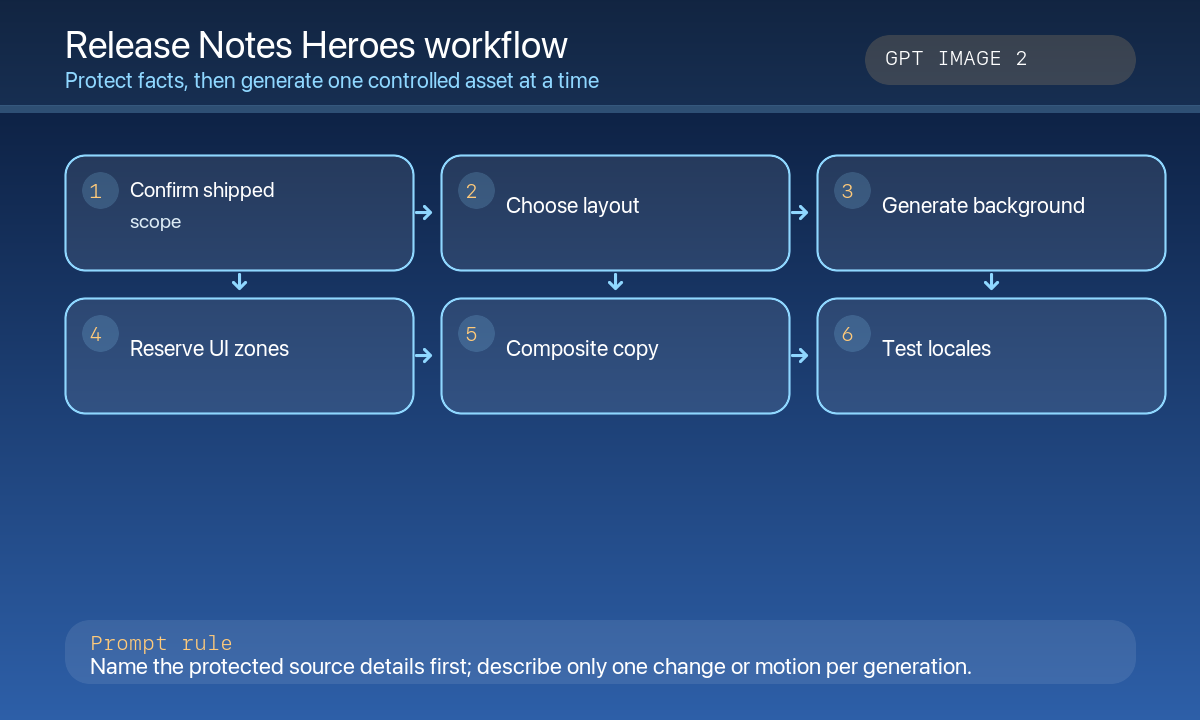
- Write the release truth sheet: version, date, shipped scope, rollout percentage, plans, breaking changes, migration notes, and support URLs.
- Decide the evidence hierarchy: real screenshot, short demo video, diagram, or text-only explanation.
- Generate three text-free background directions with different visual metaphors, not fake product UI.
- Select one direction and test it with the longest likely localized title, version tag, status label, and CTA.
- Composite real UI capture and editable copy; verify color contrast, dark mode, screen-reader order, and image weight.
- Archive the prompt and master so the next release can extend the family without restarting from zero.
Example prompt variants
- Wide SaaS collaboration update hero: soft indigo threads connecting translucent work surfaces, large empty left title block and right screenshot well, no letters, UI cards, avatars, or logos.
- Developer-platform release hero: calm graphite background with one luminous API flow curve and modular grid, reserved center headline and bottom version strip, no fake endpoints or code.
- Mobile-app update hero: gentle aurora gradient behind floating rounded planes, upper title zone and lower phone-screen placeholder, no device, notifications, icons, or text.
Quality checklist
- The shipped feature, release status, plan availability, and support links are fact-checked.
- Hero art contains no generated interface, chart, metric, badge, logo, or readable text.
- Title, version, date, screenshot, tags, and CTA remain editable and readable in every locale.
- Contrast, focus state, reduced-motion alternatives, and image compression meet site standards.
- Prompt, source screenshot, approvals, and asset versions are traceable.
Mistakes to avoid
- Generating a plausible dashboard and presenting it as the real product update.
- Embedding the version number or date in pixels where localization and corrections become difficult.
- Choosing a dramatic background that lowers headline contrast.
- Reusing a release hero after scope, rollout, pricing, or plan availability changed.
Related AIBase pages
Practical next step
Open the most relevant AIBase generator, run one narrow prompt first, and save the best result before adding more constraints. The fastest way to improve output quality is to compare one variable at a time: subject, camera, background, lighting, then final polish.