
GPT Image 2 Pricing Page Hero Background Prompts with Plan-Safe Zones
Create text-free pricing-page hero backgrounds with protected zones for plan names, billing terms, feature proof, disclosures, and conversion controls.
Quick answer
Generate only the decorative, text-free visual system. Freeze plan names, included features, limits, billing cadence, taxes, renewal, cancellation, trial rules, discounts, eligibility, currencies, and checkout behavior before design. Use GPT Image 2 to explore a calm hero background with quiet regions behind real pricing cards, then add every plan fact and control as accessible interface content. Never use generated prices, badges, testimonials, customer logos, or comparison claims.
Who this guide is for
SaaS founders, product marketers, growth designers, and agencies preparing pricing-page concepts or localized campaign variants.
Recommended model
| Use case | Recommended model | Why |
|---|---|---|
| This workflow | GPT Image 2 for text-free pricing hero concept exploration | The page benefits from coherent visual direction and reserved interface zones, while pricing truth and interactive controls remain real product UI. |
AIBase is an independent creative platform. Model names are shown only to identify supported underlying technologies and workflow choices.
Prompt template
Create a text-free [wide desktop and mobile-safe] pricing-page hero background for [product category and audience]. Reserve a calm headline zone at [position], an uninterrupted plan-card band across [area], a disclosure strip below, and a compact CTA or billing-toggle zone. Style: [palette, material, depth, restrained motif]. Keep contrast low behind interface content. No price, currency, plan name, feature, comparison table, badge, discount, trial, testimonial, rating, logo, customer mark, button, toggle, checkbox, word, number, pseudo-text, device UI, watermark, or claim.
Step-by-step workflow
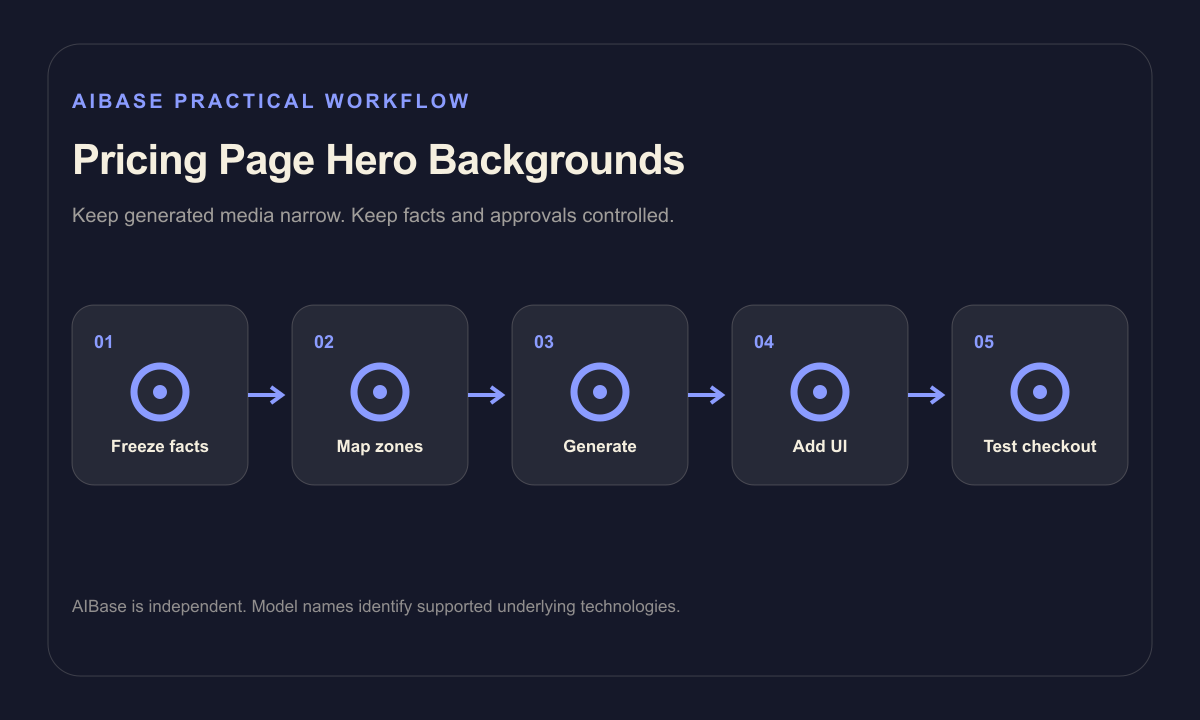
- Freeze current plans, entitlements, usage limits, billing cadences, taxes, renewal, cancellation, trial, discount, eligibility, currencies, support, and checkout destinations.
- Map responsive headline, toggle, plan-card, proof, disclosure, FAQ, and CTA zones using real copy length in every locale.
- Generate text-free backgrounds at desktop and mobile ratios with one motif and explicit low-detail card regions.
- Composite actual UI components, prices, terms, links, disclosures, and evidence from authoritative product data.
- Test contrast, keyboard behavior, screen-reader order, localization, responsive crops, sticky elements, checkout totals, and cancellation links.
- Version the background with its pricing configuration and retire it when the plan structure, offer, or legal copy changes.
Example prompt variants
- Wide text-free pricing hero with translucent cobalt layers at the outer edges, quiet cream center for three real plan cards, clear upper-left headline zone and low-detail footer strip, no text or UI.
- Warm graphite and mint pricing background with subtle concentric depth behind the page edges, uninterrupted central card band and mobile-safe focal point, no currency, badge, toggle or claim.
- Minimal developer-tool pricing hero with soft indigo grid fragments confined to corners, plain dark center and protected FAQ transition, no terminal text, code, logo, metric or interface replica.
Quality checklist
- Every price, limit, feature, cadence, tax, renewal, cancellation, trial, discount, currency, and destination comes from current product data.
- Background detail does not reduce text contrast or look like clickable controls, checked features, or evidence.
- Desktop, tablet, and mobile crops preserve the planned headline, card, disclosure, and CTA zones.
- Pricing content remains accessible, localizable, editable, testable, and independent of generated pixels.
- Prompt, output, pricing version, legal review, checkout test, approval, expiry, and rollback remain traceable.
Mistakes to avoid
- Asking the model to render complete pricing cards and publishing invented or illegible plan details.
- Using decorative checkmarks, badges, stars, or charts that users may read as real feature or performance proof.
- Letting the background compete with prices, billing terms, disclosures, or the primary checkout action.
- Updating the visual without retesting localized copy, mobile crops, totals, renewal language, and cancellation routes.
Related AIBase pages
Practical next step
Open the most relevant AIBase generator, run one narrow prompt first, and save the best result before adding more constraints. The fastest way to improve output quality is to compare one variable at a time: subject, camera, background, lighting, then final polish.