
GPT Image 2 Shopify Hero Banner Prompts with Product-Focused Copy Space
Plan Shopify hero banner concepts with GPT Image 2 prompts for product focus, responsive copy space, lighting, campaign mood, and honest claims.
Quick answer
A useful Shopify hero prompt defines one product story, a wide desktop composition, a safe copy zone, and a crop plan for mobile. Generate the visual without final marketing text, then add approved headline, price, button, and disclosures in the storefront so they remain readable, editable, and truthful.
Who this guide is for
Direct-to-consumer founders, ecommerce designers, growth marketers, and agencies producing seasonal landing-page heroes, collection launches, product drops, and campaign refreshes.
Recommended model
| Use case | Recommended model | Why |
|---|---|---|
| This workflow | GPT Image 2 | It is a practical text-to-image choice for exploring bounded commercial scenes, product-category moods, negative space, props, and lighting before the final layout is assembled in a design or storefront tool. |
AIBase is an independent creative platform. Model names are shown only to identify supported underlying technologies and workflow choices.
Prompt template
Create a wide Shopify hero image concept for [product/category] aimed at [customer and occasion]. Scene: [simple environment]. Product focus: [position, angle, scale]. Leave a clean low-detail copy zone in [region], but include no text. Lighting: [direction and mood]. Palette: [colors]. Desktop crop: [ratio]; keep the product inside a mobile-safe center area. Use only [allowed props]. No invented logo, label, price, claim, button, badge, extra product, or watermark.
Step-by-step workflow
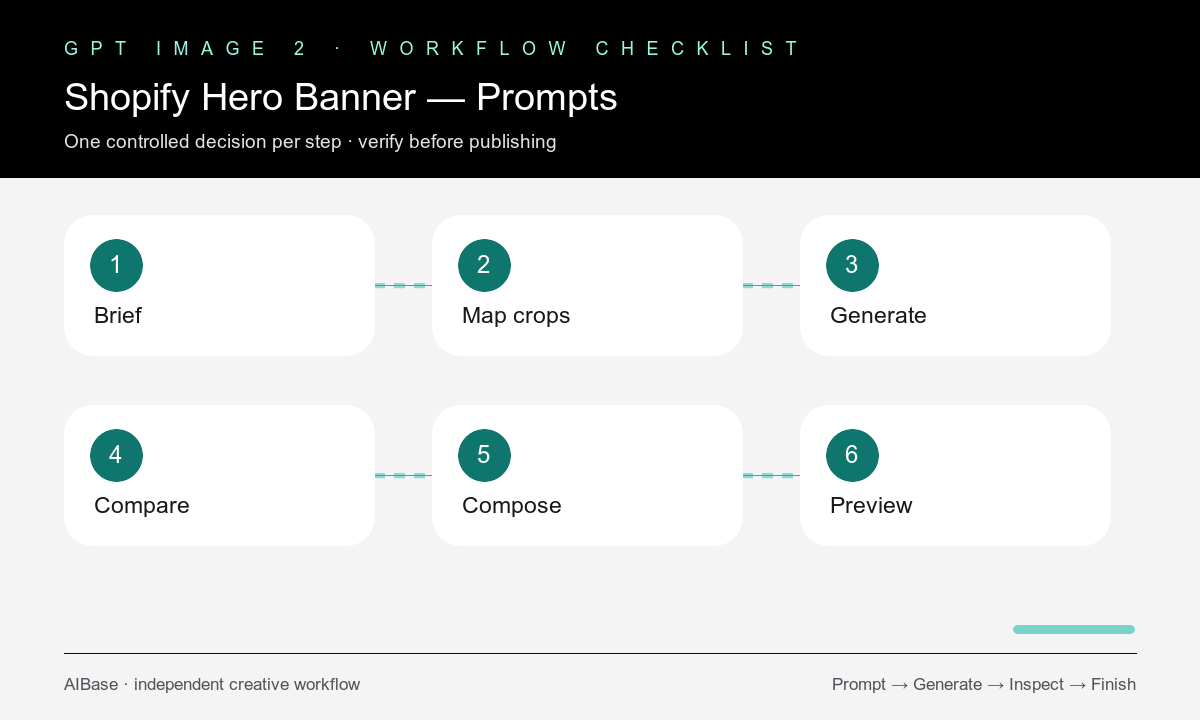
- Write one campaign sentence covering the product category, customer, offer context, desired action, and proof you can actually substantiate.
- Sketch desktop and mobile crops, then define where the product must stay and which region needs low-detail copy space.
- Generate the background and product-category concept without final headline, button, price, badges, or legal copy.
- Compare three controlled variants that change only lighting, surface, or product placement while keeping the same campaign goal.
- Place approved product photography or a verified pack shot when exact SKU fidelity is required, then add live text and the CTA in the page layer.
- Preview the hero at desktop, tablet, and mobile widths and verify readability, loading performance, product truth, accessibility, and conversion hierarchy.
Example prompt variants
- Wide 16:9 skincare launch hero, one unbranded frosted bottle on pale stone, soft sunrise side light, product in mobile-safe center-right, calm low-detail space for copy, no text or claims.
- Outdoor hydration collection hero, one generic insulated bottle beside a folded trail map, cool morning light, restrained forest palette, wide negative space, no logo or performance claim.
- Home-office collection banner, compact desk accessories on warm walnut, overhead editorial crop, clean low-detail upper area for headline, no prices, badges, text, or extra devices.
Quality checklist
- One product story dominates the frame and props support rather than compete with it.
- The desktop image contains a genuinely calm copy zone and the mobile crop keeps the focal product intact.
- No generated price, claim, certification, review score, logo, label, button, or unreadable pseudo-text appears.
- Approved product imagery, live storefront copy, CTA, accessibility text, and required disclosures are handled outside the generated concept.
- The compressed final asset still looks clean and loads within the site’s performance budget.
Mistakes to avoid
- Treating negative space as empty pixels without considering the headline length, button, and mobile crop.
- Generating final promotional text inside the image instead of using editable, accessible page content.
- Letting atmospheric props make the product small or visually ambiguous.
- Presenting a generic generated category product as the exact item a customer will receive.
Related AIBase pages
- Open GPT Image 2
- Build lifestyle product photo concepts
- Plan clean ecommerce product images
- Compare product image workflows
Practical next step
Open the most relevant AIBase generator, run one narrow prompt first, and save the best result before adding more constraints. The fastest way to improve output quality is to compare one variable at a time: subject, camera, background, lighting, then final polish.